
Juan_br - Minecraft Skins & Skin History
Current Minecraft skin of the player Juan_br, loaded from the official Mojang API. Rotate the 3D model with your mouse or finger, then download the skin as a PNG file and use it in Minecraft: Bedrock Edition or Java Edition for free. When Juan_br changes their skin, this page updates automatically and the old skin stays in the history below.
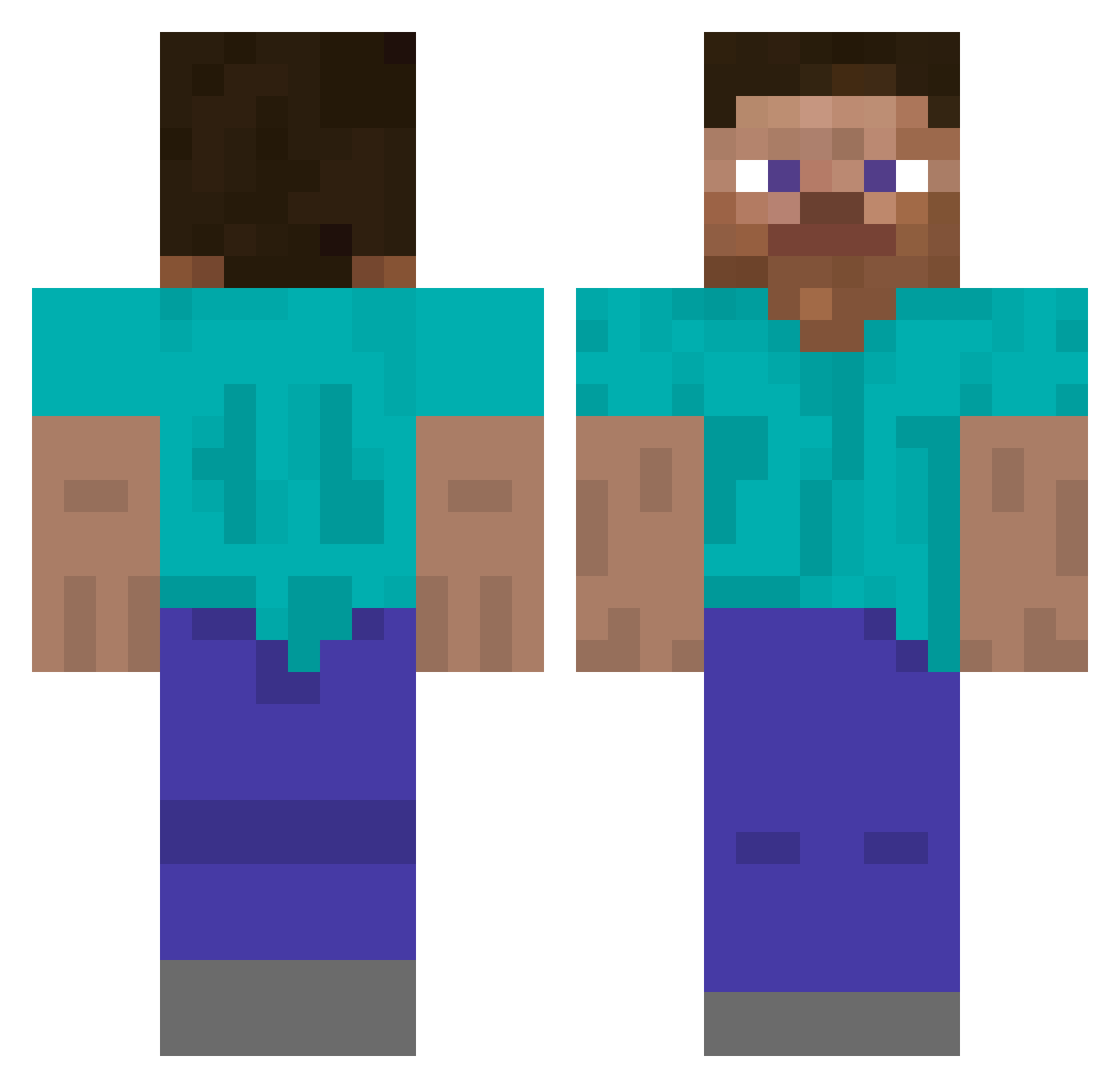
Other players with this skin (509)
Juan_br was the 64th player we have seen with this skin, first spotted on 07.08.2026. The same skin was seen on these players. Open a nickname to see their current skin and skin history.
 mumia1212 flyduck1231 LucaXdrei sussyBek Kl55E happyfield_ phillipsTVv2 BaiJing233 RigbyApo Milo77 NervousKomodo
 mimoza69 SuperSlivs diegofrvnco Jeo_730 Da_Taco Sashi_K Atziriri ST3PZz arlanwaah Cauas18 Hamzta2007 viktorkung
 hotman96 mavlusHa SeventhPrize theBrondelator tjdwo11 Vynchrys YaSilk KohAliong
 GageScott18 Z2E3R3O DinoDany2005
 theyadieforyou JJAMDUCK XINaNaNa Donberi KalePr1nce Namujigi iluvdessert calebo3 JameslsLames Sagatskov Nero11411 ririnriri Space_Crocodile JamesPlayzGames MrKuerbis2 GoldenFNR vCriszo Clash_King69 qentucky Odoris hehinnyo ITIGONZALESS Visualwit Kyahhhhhh rotceridreverse
 Papaluuk3
How to install the Juan_br skin
- Press the Download button above to save the skin as a PNG file.
- Minecraft: Bedrock Edition (PE): open the Dressing Room from the main menu (or tap your character → Edit Character), go to Classic Skins → Owned, press the + (new skin) button, choose the downloaded PNG and pick the Classic (Steve) model. Works on PC and mobile; consoles cannot import custom skins.
- Minecraft: Java Edition: open the Minecraft Launcher, go to the Skins tab, click New Skin, load the PNG, pick the Classic (Steve) model and press Save & Use. You can also upload it at minecraft.net → Profile → Change Skin.
The skin does not show up after import - what should I do?
Restart Minecraft and open the Dressing Room again - imported skins sometimes appear only after a restart. Also make sure you selected the imported skin and picked the Classic (Steve) model.
Which model should I choose, Classic or Slim?
This skin is designed for the Classic (Steve) model. If you pick the wrong model, the arms of the skin will look stretched or squeezed.
Is the skin of Juan_br free to download?
Yes. Press Download, save the PNG file and use it in Minecraft: Bedrock Edition or Java Edition - no payment or registration needed. The skin also works on multiplayer servers and Realms.
More skins
Looking for more? Go back to all Minecraft skins and check the top skins of the week, month and all time, or find any player's skin by nickname.