
Jshums - Minecraft Skins & Skin History
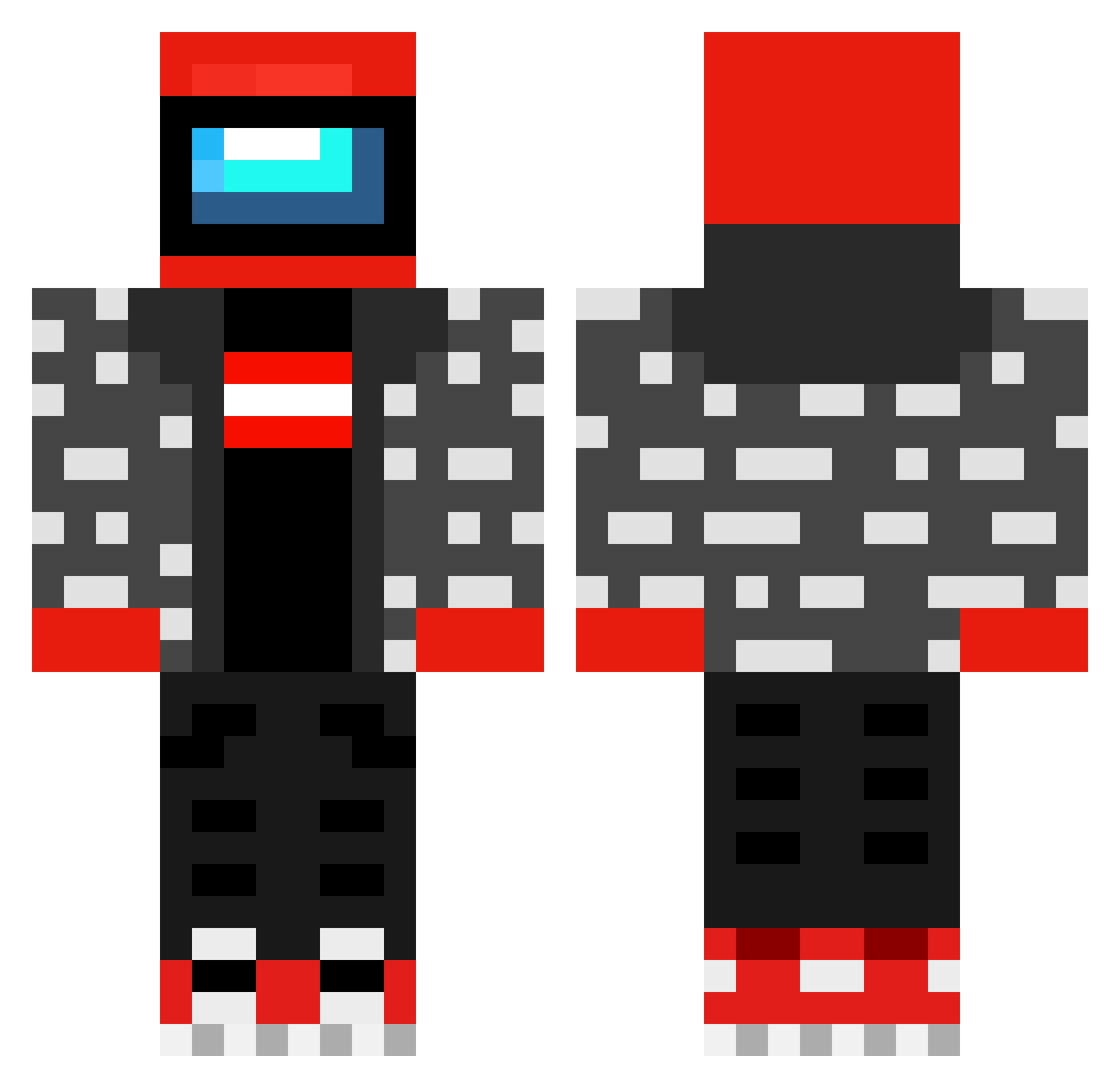
Current Minecraft skin of the player Jshums, loaded from the official Mojang API. Rotate the 3D model with your mouse or finger, then download the skin as a PNG file and use it in Minecraft: Bedrock Edition or Java Edition for free. When Jshums changes their skin, this page updates automatically and the old skin stays in the history below.
Other players with this skin (482)
Jshums was the 22nd player we have seen with this skin, first spotted on 31.07.2026. The same skin was seen on these players. Open a nickname to see their current skin and skin history.
 kicibombel jassou128 DixPlix AndromedaStain tycho_dragon Tomacz Avke007 bunneaux Callsign_Zodiac Djwehausen HypeLX DaUdderOne Shetol papa_dale69 Nemesis_67 KAITCHII ruz3535 LayneyMcWayney Birko10 TwistedTeste El_Donte_ nonono__ Noobaso_2610 marius2277 DeLucZ DrWeed1337 Ilya_So Boing20000 TTVXYRGAMING potenzo2005
 adrek2137 Qrousagi storkukmannen Semmel_fy Marchee6699 fksapos BalsMourth Brecster1026 BREADBANK420 cgpoveda92 aidanmccauley ADoctor955 Empiglet overcloak1 TheTrueShelby tannerc44 lololo6ka228 denj1rox alex30000 Ryujinnn13 AlonPower YGJ5643 procasper TheRealFoShizle MagnesiumDong zobameesta123 Asoulreaper7 Trenchgunner23 SnarledTuna Crow_Kuro99
More Drip Minecraft skins
How to install the Jshums skin
- Press the Download button above to save the skin as a PNG file.
- Minecraft: Bedrock Edition (PE): open the Dressing Room from the main menu (or tap your character → Edit Character), go to Classic Skins → Owned, press the + (new skin) button, choose the downloaded PNG and pick the Classic (Steve) model. Works on PC and mobile; consoles cannot import custom skins.
- Minecraft: Java Edition: open the Minecraft Launcher, go to the Skins tab, click New Skin, load the PNG, pick the Classic (Steve) model and press Save & Use. You can also upload it at minecraft.net → Profile → Change Skin.
The skin does not show up after import - what should I do?
Restart Minecraft and open the Dressing Room again - imported skins sometimes appear only after a restart. Also make sure you selected the imported skin and picked the Classic (Steve) model.
Which model should I choose, Classic or Slim?
This skin is designed for the Classic (Steve) model. If you pick the wrong model, the arms of the skin will look stretched or squeezed.
Is the skin of Jshums free to download?
Yes. Press Download, save the PNG file and use it in Minecraft: Bedrock Edition or Java Edition - no payment or registration needed. The skin also works on multiplayer servers and Realms.
More skins
Looking for more? Go back to all Minecraft skins and check the top skins of the week, month and all time, or find any player's skin by nickname.