
JotaVM77 - Minecraft Skins & Skin History
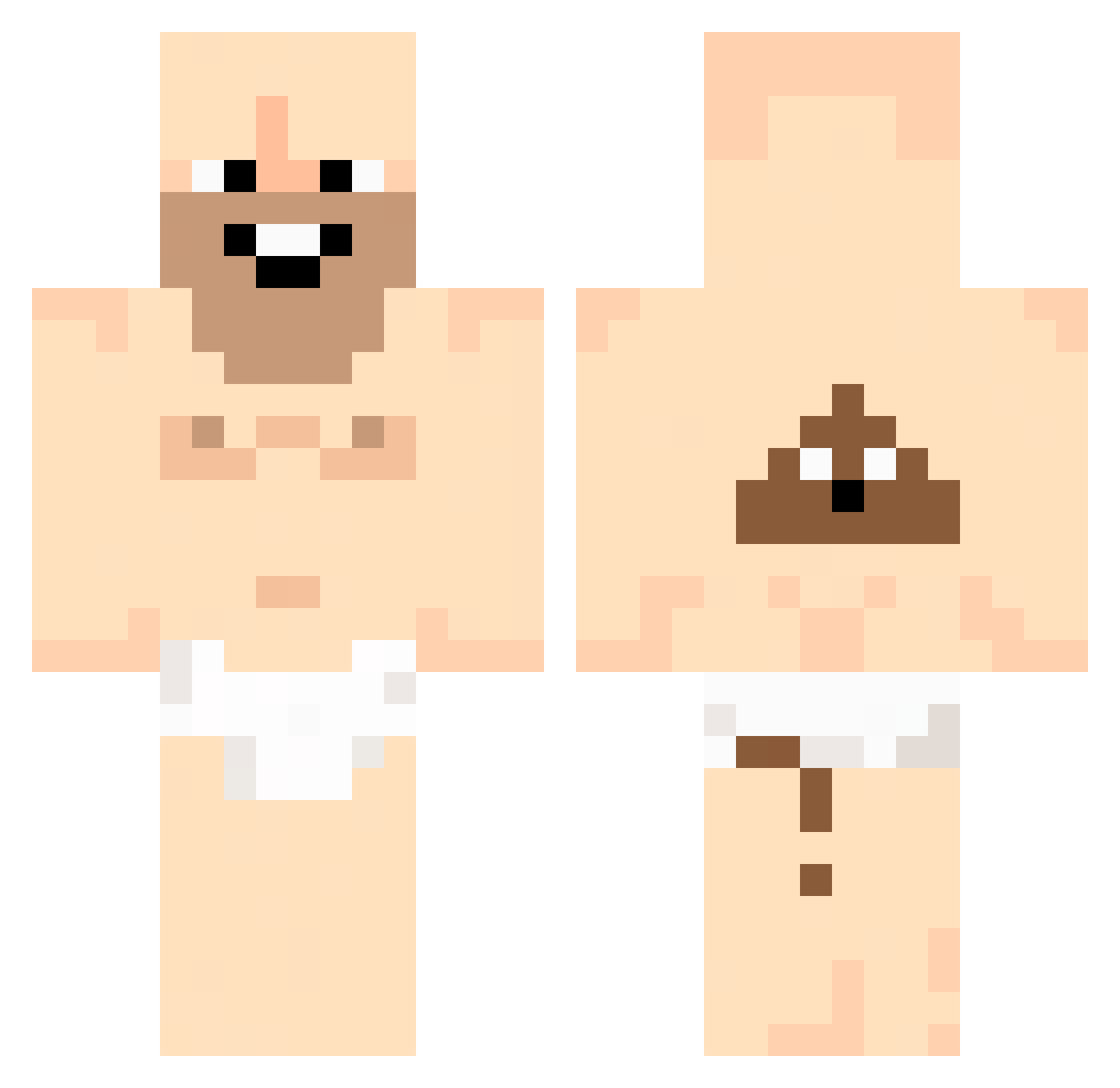
Current Minecraft skin of the player JotaVM77, loaded from the official Mojang API. Rotate the 3D model with your mouse or finger, then download the skin as a PNG file and use it in Minecraft: Bedrock Edition or Java Edition for free. When JotaVM77 changes their skin, this page updates automatically and the old skin stays in the history below.
Other players with this skin (42)
JotaVM77 was the 25th player we have seen with this skin, first spotted on 16.09.2026. The same skin was seen on these players. Open a nickname to see their current skin and skin history.
 JosephSangar nghuyen69 Noaru29 SunFlower170406 Rexin__ schulzzyy anggimotti0320 gron0629 D1NJA1 Chaelnn B_Me1on BoogalueBoi g0z8 StormzFPSx Suckled RyFerx JIHUN713 Schwanzkotzmeow Sattawut Gab741 kakamoulox67 Kubuss9 wjdtkddn sencukvasins LIOHDI0324 Lost_Pxn Sillyfish_5 8itachi8 skittlefart92 uhctrap bunzin0323 KozMozzzz ZeroPlacesRenly juanpi934 69EuGEN69 NikoNiksu kajzxq MultiProyecto TritoxZz1 Canat__ HAMBLEJonhy Im_Wumbo
More Poop Minecraft skins
How to install the JotaVM77 skin
- Press the Download button above to save the skin as a PNG file.
- Minecraft: Bedrock Edition (PE): open the Dressing Room from the main menu (or tap your character → Edit Character), go to Classic Skins → Owned, press the + (new skin) button, choose the downloaded PNG and pick the Classic (Steve) model. Works on PC and mobile; consoles cannot import custom skins.
- Minecraft: Java Edition: open the Minecraft Launcher, go to the Skins tab, click New Skin, load the PNG, pick the Classic (Steve) model and press Save & Use. You can also upload it at minecraft.net → Profile → Change Skin.
The skin does not show up after import - what should I do?
Restart Minecraft and open the Dressing Room again - imported skins sometimes appear only after a restart. Also make sure you selected the imported skin and picked the Classic (Steve) model.
Which model should I choose, Classic or Slim?
This skin is designed for the Classic (Steve) model. If you pick the wrong model, the arms of the skin will look stretched or squeezed.
Is the skin of JotaVM77 free to download?
Yes. Press Download, save the PNG file and use it in Minecraft: Bedrock Edition or Java Edition - no payment or registration needed. The skin also works on multiplayer servers and Realms.
More skins
Looking for more? Go back to all Minecraft skins and check the top skins of the week, month and all time, or find any player's skin by nickname.