
Josiesauruss - Minecraft Skins & Skin History
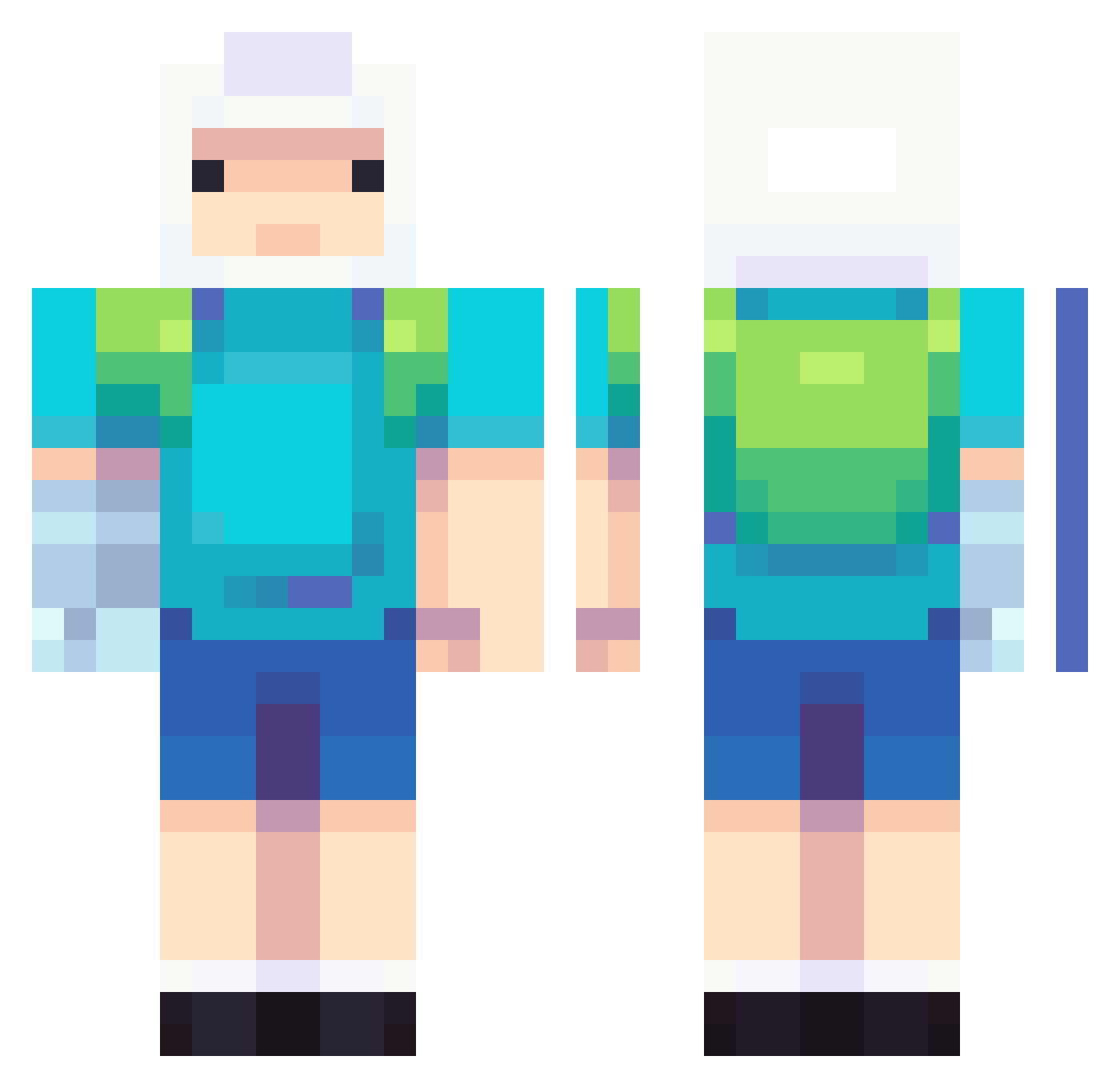
Current Minecraft skin of the player Josiesauruss, loaded from the official Mojang API. Rotate the 3D model with your mouse or finger, then download the skin as a PNG file and use it in Minecraft: Bedrock Edition or Java Edition for free. When Josiesauruss changes their skin, this page updates automatically and the old skin stays in the history below.
Other players with this skin (737)
Josiesauruss was the 366th player we have seen with this skin, first spotted on 19.09.2026. The same skin was seen on these players. Open a nickname to see their current skin and skin history.
 Tobercyle anaaa08 OdioTutti123 ReFire_ CHIMAEK4469 TheZombie321 WayDuletz the_JOHTO silxch metelothbrok REDGUARDIAN2006 Robaarttt MASTER_LODOVICO orangepochi09 Bunnybouoy silkystar_ COBITOBE Apples4Ave RETR0_WAV3 GigaKeenan VitorLuna Yoonhoyo DebBaDaDo KIMIKOlool Haxor_OG 6arythesnail Fernaaa Okun1_ LadyTanuki Iyanakin cailloux444 ch00gle jemmamark SieuBanhTrai R1SE7 Moist0Pickle AmazingEvolution Jonathan013 Zenn0n Myeyoung Rativas CRNBear zlakattack flnn_mertens jonronbons Heatshiver EkajNA1 YumDumbPickle DavidMlax TobiasLeander edudavid98 Ant3ks LaPapitajr XokaMiXo MrMcThick Slowstream TheBeefyPigman moodyacuario DongSu_king Jordydev
More Finn The Human Minecraft skins
See all 445 Finn The Human skins
How to install the Josiesauruss skin
- Press the Download button above to save the skin as a PNG file.
- Minecraft: Bedrock Edition (PE): open the Dressing Room from the main menu (or tap your character → Edit Character), go to Classic Skins → Owned, press the + (new skin) button, choose the downloaded PNG and pick the Classic (Steve) model. Works on PC and mobile; consoles cannot import custom skins.
- Minecraft: Java Edition: open the Minecraft Launcher, go to the Skins tab, click New Skin, load the PNG, pick the Classic (Steve) model and press Save & Use. You can also upload it at minecraft.net → Profile → Change Skin.
The skin does not show up after import - what should I do?
Restart Minecraft and open the Dressing Room again - imported skins sometimes appear only after a restart. Also make sure you selected the imported skin and picked the Classic (Steve) model.
Which model should I choose, Classic or Slim?
This skin is designed for the Classic (Steve) model. If you pick the wrong model, the arms of the skin will look stretched or squeezed.
Is the skin of Josiesauruss free to download?
Yes. Press Download, save the PNG file and use it in Minecraft: Bedrock Edition or Java Edition - no payment or registration needed. The skin also works on multiplayer servers and Realms.
More skins
Looking for more? Go back to all Minecraft skins and check the top skins of the week, month and all time, or find any player's skin by nickname.