
Josh_The_Boss9 - Minecraft Skins & Skin History
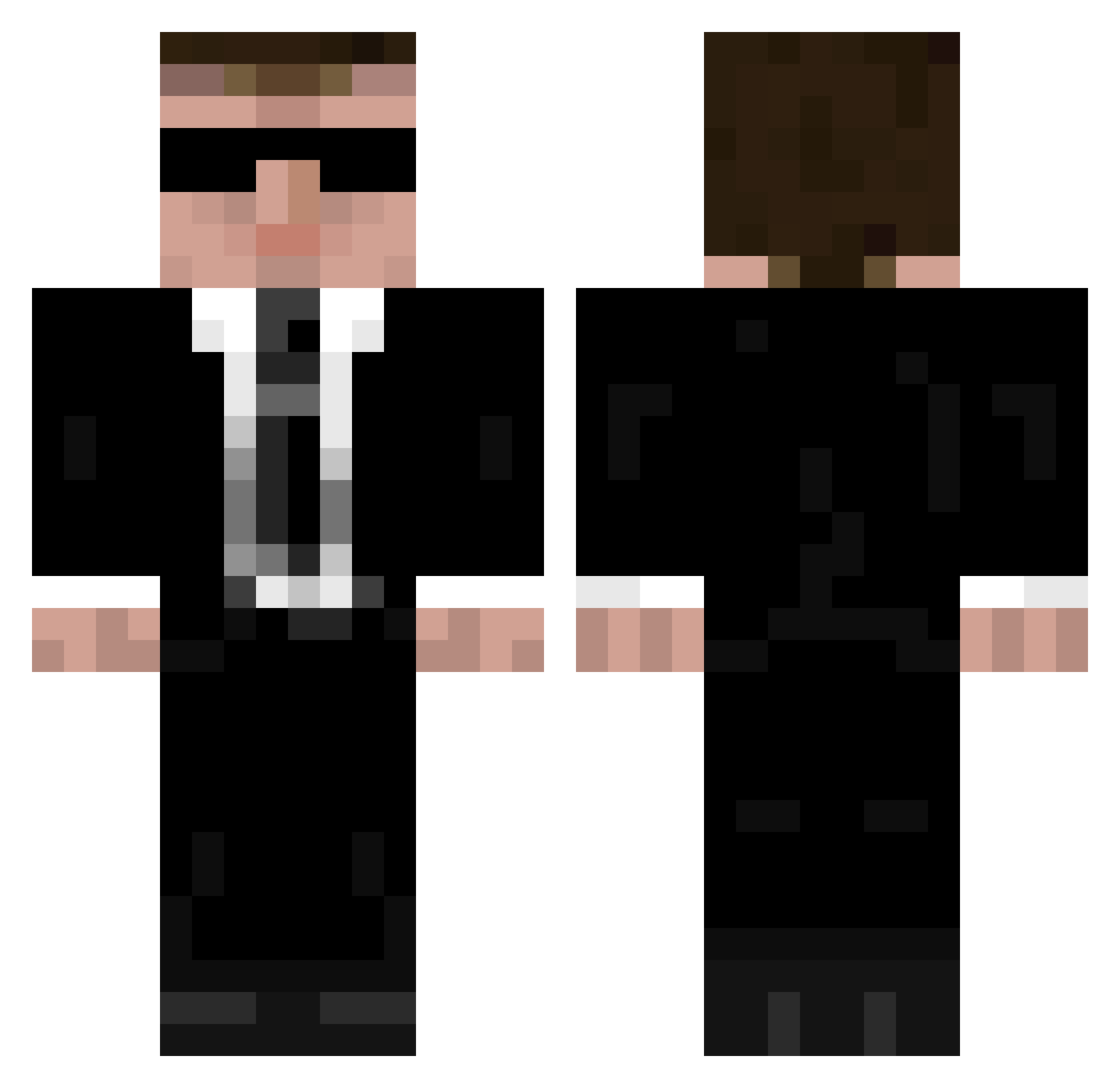
Current Minecraft skin of the player Josh_The_Boss9, loaded from the official Mojang API. Rotate the 3D model with your mouse or finger, then download the skin as a PNG file and use it in Minecraft: Bedrock Edition or Java Edition for free. When Josh_The_Boss9 changes their skin, this page updates automatically and the old skin stays in the history below.
Other players with this skin (950)
Josh_The_Boss9 was the 549th player we have seen with this skin, first spotted on 20.09.2026. The same skin was seen on these players. Open a nickname to see their current skin and skin history.
 rhyanhayward Mandrake99 trondlegacy painrune Schmoke PcychoticGman jakcraft eternitygirl M1ping Companjo viherpoika SanguineBrother runevejlgaard KekCross stayallive Aygou delios20 psydiver BlackDevil992 TheAngryHobo Firerydemon LLCCF Raulbuss MikyCrafter cooperrobins111 Spruce_Moose69 HannahGreer CaffeineJunkie mrbittencourt Injoch Neymar_050 Nilsfried warriorfan2010 _weed0monkey_ FoXeu Organiz3dCha0s semuel021 JEM5TONE Ivor42 __Bigboss__ megamind182 xcrysx sbauta MrUnlex Dargonas Cato_ water0 Raes14 Mr_Mina Aetticus thegman69 rayts5 Drew_Skye President_Busch roydoug Celevra67 SpartanPredator6 SpiritofGloria XeronLP Ketal
More Agent 47 Minecraft skins
How to install the Josh_The_Boss9 skin
- Press the Download button above to save the skin as a PNG file.
- Minecraft: Bedrock Edition (PE): open the Dressing Room from the main menu (or tap your character → Edit Character), go to Classic Skins → Owned, press the + (new skin) button, choose the downloaded PNG and pick the Classic (Steve) model. Works on PC and mobile; consoles cannot import custom skins.
- Minecraft: Java Edition: open the Minecraft Launcher, go to the Skins tab, click New Skin, load the PNG, pick the Classic (Steve) model and press Save & Use. You can also upload it at minecraft.net → Profile → Change Skin.
The skin does not show up after import - what should I do?
Restart Minecraft and open the Dressing Room again - imported skins sometimes appear only after a restart. Also make sure you selected the imported skin and picked the Classic (Steve) model.
Which model should I choose, Classic or Slim?
This skin is designed for the Classic (Steve) model. If you pick the wrong model, the arms of the skin will look stretched or squeezed.
Is the skin of Josh_The_Boss9 free to download?
Yes. Press Download, save the PNG file and use it in Minecraft: Bedrock Edition or Java Edition - no payment or registration needed. The skin also works on multiplayer servers and Realms.
More skins
Looking for more? Go back to all Minecraft skins and check the top skins of the week, month and all time, or find any player's skin by nickname.