
Jornada - Minecraft Skins & Skin History
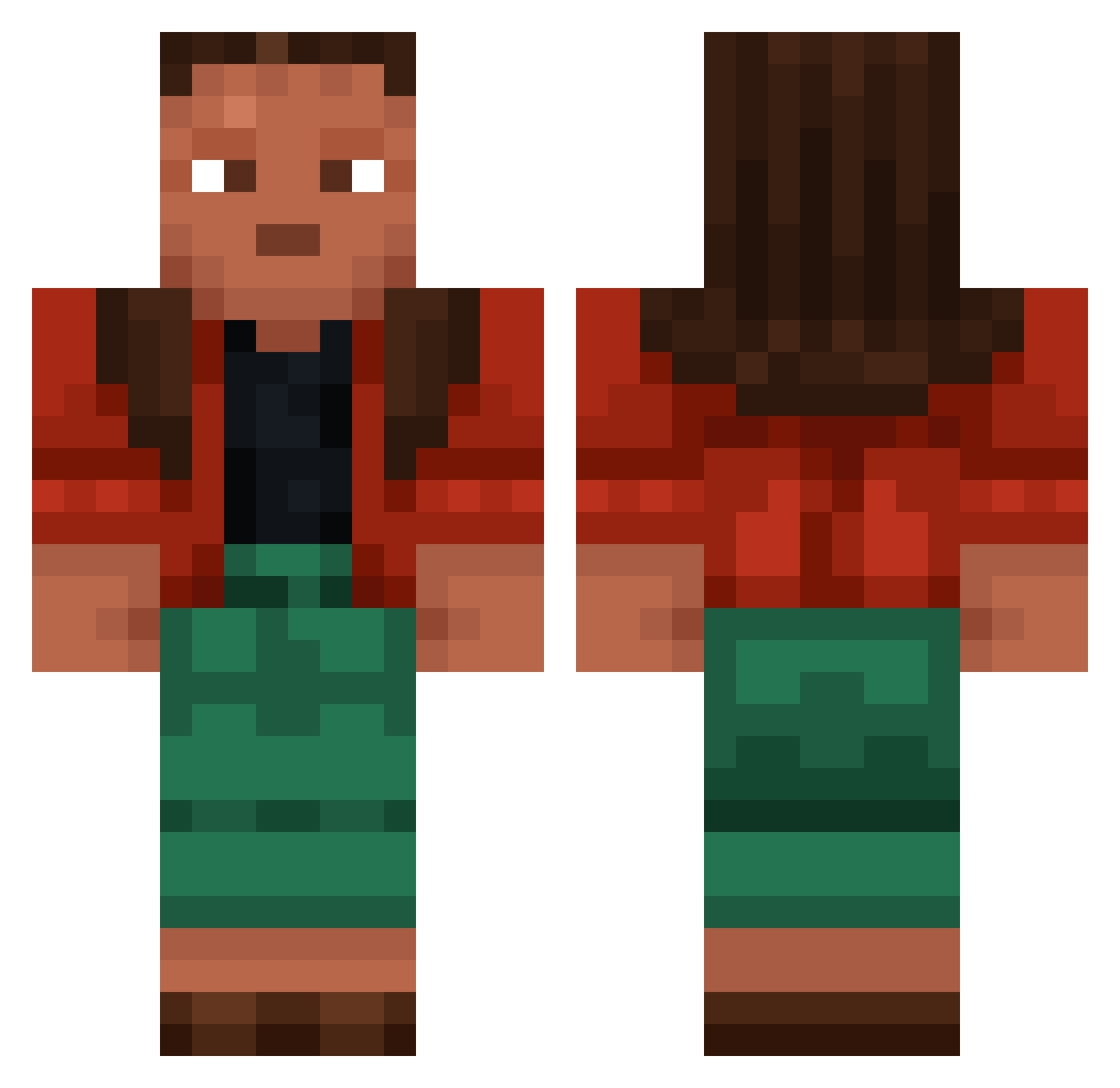
Current Minecraft skin of the player Jornada, loaded from the official Mojang API. Rotate the 3D model with your mouse or finger, then download the skin as a PNG file and use it in Minecraft: Bedrock Edition or Java Edition for free. When Jornada changes their skin, this page updates automatically and the old skin stays in the history below.
Other players with this skin (957)
Jornada was the 289th player we have seen with this skin, first spotted on 29.08.2026. The same skin was seen on these players. Open a nickname to see their current skin and skin history.
 ke_mo_sah_bee amyous Xotic_0415 untoward Unbroke
 lily99990 Pickaxing not_hanan Kipper
 RakietaSzymi mabin123 Noob_Party Melhaven
 Adrezi tite Unshamed kislev Gyrene lezuhn Deplexxx Gentman Jecits Dr1g3nigh7 Discloak Snouting sturts meaningness imperatrice SneakySnake19 cyanol TheStones Untheatrical Paulitho TopKills_ TrInes DennisCs Nonet CaroBS John512 Polnoch apparatchik negativer Mabinogion Tethyr f4b1an0 Andalusite fluviology manchurian zamorin Metronomically Undoubtably Distad Enveloper gorgers dkg StupidApril BadCarrier Renzo0916 DerTypVonKerl kira1546
More Moana Minecraft skins
How to install the Jornada skin
- Press the Download button above to save the skin as a PNG file.
- Minecraft: Bedrock Edition (PE): open the Dressing Room from the main menu (or tap your character → Edit Character), go to Classic Skins → Owned, press the + (new skin) button, choose the downloaded PNG and pick the Classic (Steve) model. Works on PC and mobile; consoles cannot import custom skins.
- Minecraft: Java Edition: open the Minecraft Launcher, go to the Skins tab, click New Skin, load the PNG, pick the Classic (Steve) model and press Save & Use. You can also upload it at minecraft.net → Profile → Change Skin.
The skin does not show up after import - what should I do?
Restart Minecraft and open the Dressing Room again - imported skins sometimes appear only after a restart. Also make sure you selected the imported skin and picked the Classic (Steve) model.
Which model should I choose, Classic or Slim?
This skin is designed for the Classic (Steve) model. If you pick the wrong model, the arms of the skin will look stretched or squeezed.
Is the skin of Jornada free to download?
Yes. Press Download, save the PNG file and use it in Minecraft: Bedrock Edition or Java Edition - no payment or registration needed. The skin also works on multiplayer servers and Realms.
More skins
Looking for more? Go back to all Minecraft skins and check the top skins of the week, month and all time, or find any player's skin by nickname.