
Jorgito1107 - Minecraft Skins & Skin History
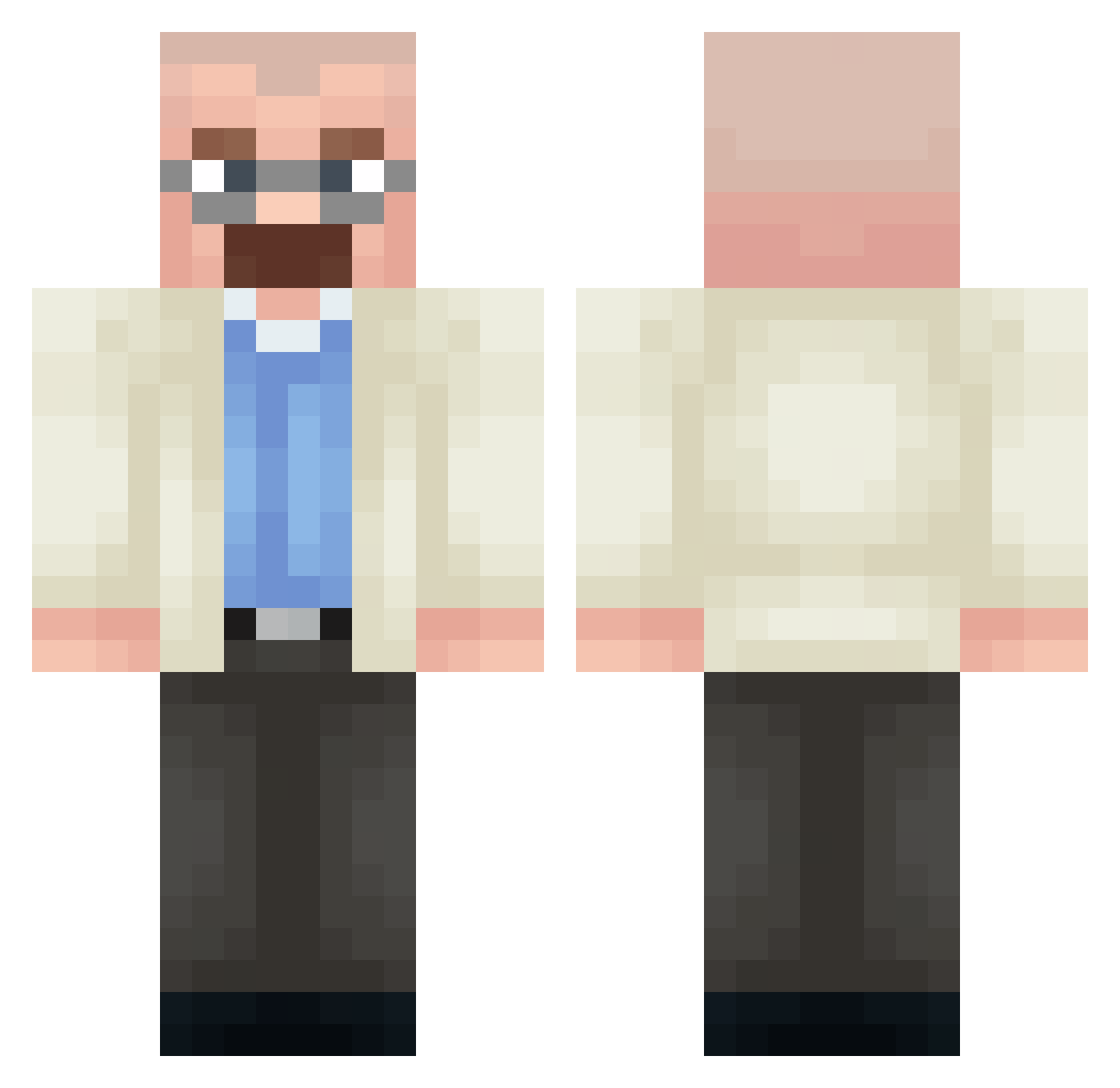
Current Minecraft skin of the player Jorgito1107, loaded from the official Mojang API. Rotate the 3D model with your mouse or finger, then download the skin as a PNG file and use it in Minecraft: Bedrock Edition or Java Edition for free. When Jorgito1107 changes their skin, this page updates automatically and the old skin stays in the history below.
Other players with this skin (358)
Jorgito1107 was the 231st player we have seen with this skin, first spotted on 28.09.2026. The same skin was seen on these players. Open a nickname to see their current skin and skin history.
 Femboyjamal Bookmarc TaroTripleT AminYashed56 Mathfefe Accop Jub_007 Nuel6k Iradoy mosaicjessie S4nty05 Pakaveli Jauniuccyto7891 Zfki DiamFang KillerY20 Danzx1234 Radion_Wave gcuber mikareq CrackerJack03 Taisakuu253 p7hdetona rACKZII PickleWickk Duwaah sau011 Capirotinhos Newcue120 Sribi7 Dimon4ik27 Bender_Trump Davotheflavo vegiibole PrinceofM3th m3nash erzu666 LeierEck LokTaro ToniCero12 Clayblock2 Za_Buu Sean_03 Malle21GA MrMyCatBroke I9IN Pixel6379 Kuumooo radical1201 saker7231 Pdrvngs N37WALTERWHITE Kirisu231 Platypus11955 SA_Alex96 X_ilay_432 DoubleAbove minecrafter798 juanmeier31 milkyfeet
More Heisenberg Minecraft skins
How to install the Jorgito1107 skin
- Press the Download button above to save the skin as a PNG file.
- Minecraft: Bedrock Edition (PE): open the Dressing Room from the main menu (or tap your character → Edit Character), go to Classic Skins → Owned, press the + (new skin) button, choose the downloaded PNG and pick the Classic (Steve) model. Works on PC and mobile; consoles cannot import custom skins.
- Minecraft: Java Edition: open the Minecraft Launcher, go to the Skins tab, click New Skin, load the PNG, pick the Classic (Steve) model and press Save & Use. You can also upload it at minecraft.net → Profile → Change Skin.
The skin does not show up after import - what should I do?
Restart Minecraft and open the Dressing Room again - imported skins sometimes appear only after a restart. Also make sure you selected the imported skin and picked the Classic (Steve) model.
Which model should I choose, Classic or Slim?
This skin is designed for the Classic (Steve) model. If you pick the wrong model, the arms of the skin will look stretched or squeezed.
Is the skin of Jorgito1107 free to download?
Yes. Press Download, save the PNG file and use it in Minecraft: Bedrock Edition or Java Edition - no payment or registration needed. The skin also works on multiplayer servers and Realms.
More skins
Looking for more? Go back to all Minecraft skins and check the top skins of the week, month and all time, or find any player's skin by nickname.