
Jonnyeli14 - Minecraft Skins & Skin History
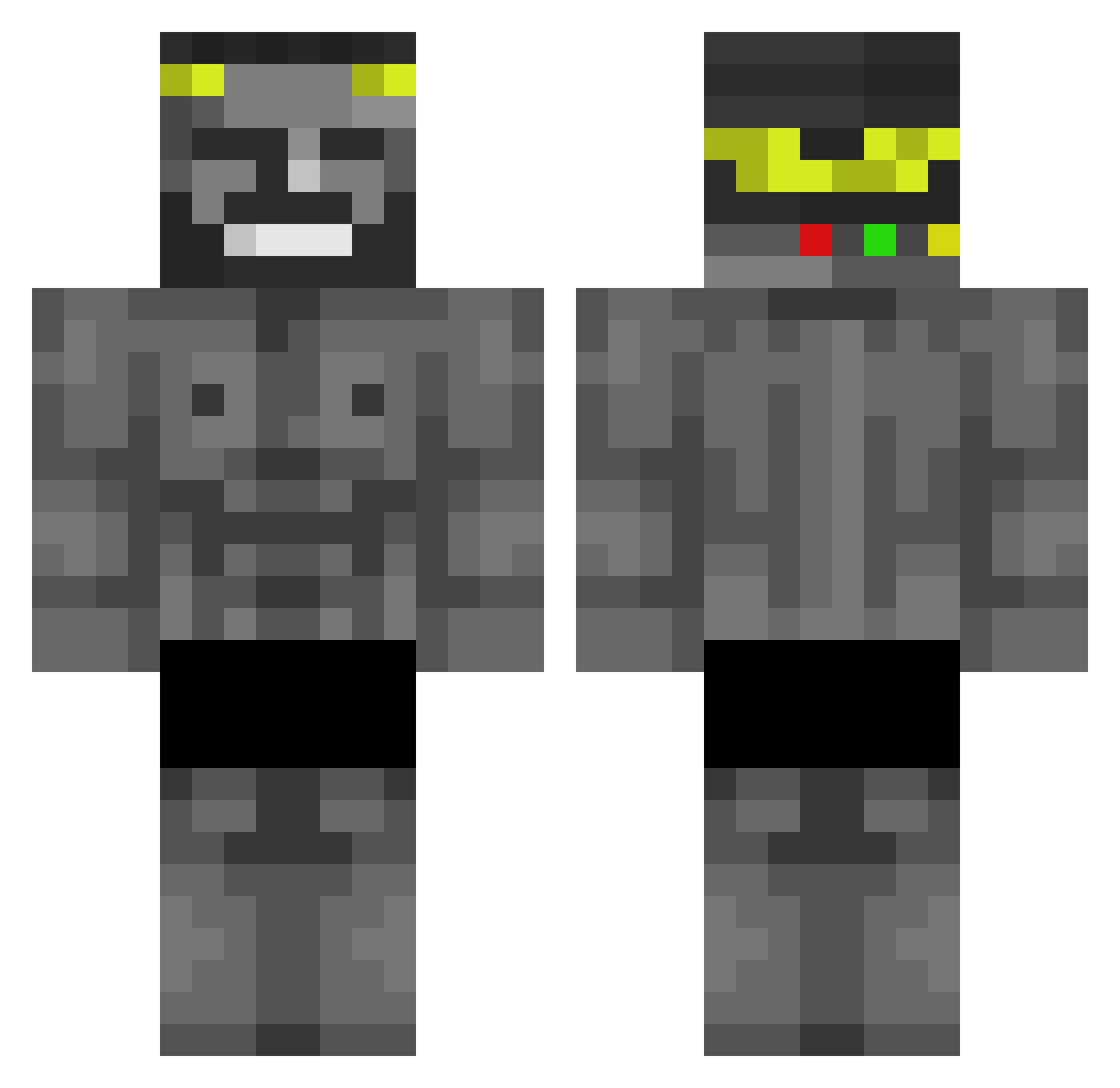
Current Minecraft skin of the player Jonnyeli14, loaded from the official Mojang API. Rotate the 3D model with your mouse or finger, then download the skin as a PNG file and use it in Minecraft: Bedrock Edition or Java Edition for free. When Jonnyeli14 changes their skin, this page updates automatically and the old skin stays in the history below.
Other players with this skin (440)
Jonnyeli14 was the 216th player we have seen with this skin, first spotted on 17.09.2026. The same skin was seen on these players. Open a nickname to see their current skin and skin history.
 BiNNiByX Ro1zz_ energyfr OmarReyes Truc3 Maraam _bttr_ Saiyto Ezculapio carlosposada45 PNWR Rirsc miguelbreyner mhasung 453534 ondrasek12 Blyatmini _Isjorg04_ auddu GraisseAntique daddybleu Storm_TAZ ZecaPauGordinho_ DiegoCunha03 Kirill245 Metro0o The_Pleg danescu69 Fishcatgod mcfitbanned no_soy_matia Valaxxx UnSussy Himjib Hakimita dasheeeeeeeeeesh SSSSSSSIUUUUUUUU sebeans selskyjogurt zUnidentified dwing91x moya0182 SnowTrap Fr0st19 realVatte HorizonCL Ange_2 morrisspaubeek ExeC_YT ALLAHhan memeboi559 XxMaRCusxX69 YOUSEFpapi TraBka070 jaredvennettt 0hBruhh A1rStrike Zeno_YT54 Domin_ic11 Notnikixd
More Gigachad Minecraft skins
How to install the Jonnyeli14 skin
- Press the Download button above to save the skin as a PNG file.
- Minecraft: Bedrock Edition (PE): open the Dressing Room from the main menu (or tap your character → Edit Character), go to Classic Skins → Owned, press the + (new skin) button, choose the downloaded PNG and pick the Classic (Steve) model. Works on PC and mobile; consoles cannot import custom skins.
- Minecraft: Java Edition: open the Minecraft Launcher, go to the Skins tab, click New Skin, load the PNG, pick the Classic (Steve) model and press Save & Use. You can also upload it at minecraft.net → Profile → Change Skin.
The skin does not show up after import - what should I do?
Restart Minecraft and open the Dressing Room again - imported skins sometimes appear only after a restart. Also make sure you selected the imported skin and picked the Classic (Steve) model.
Which model should I choose, Classic or Slim?
This skin is designed for the Classic (Steve) model. If you pick the wrong model, the arms of the skin will look stretched or squeezed.
Is the skin of Jonnyeli14 free to download?
Yes. Press Download, save the PNG file and use it in Minecraft: Bedrock Edition or Java Edition - no payment or registration needed. The skin also works on multiplayer servers and Realms.
More skins
Looking for more? Go back to all Minecraft skins and check the top skins of the week, month and all time, or find any player's skin by nickname.