
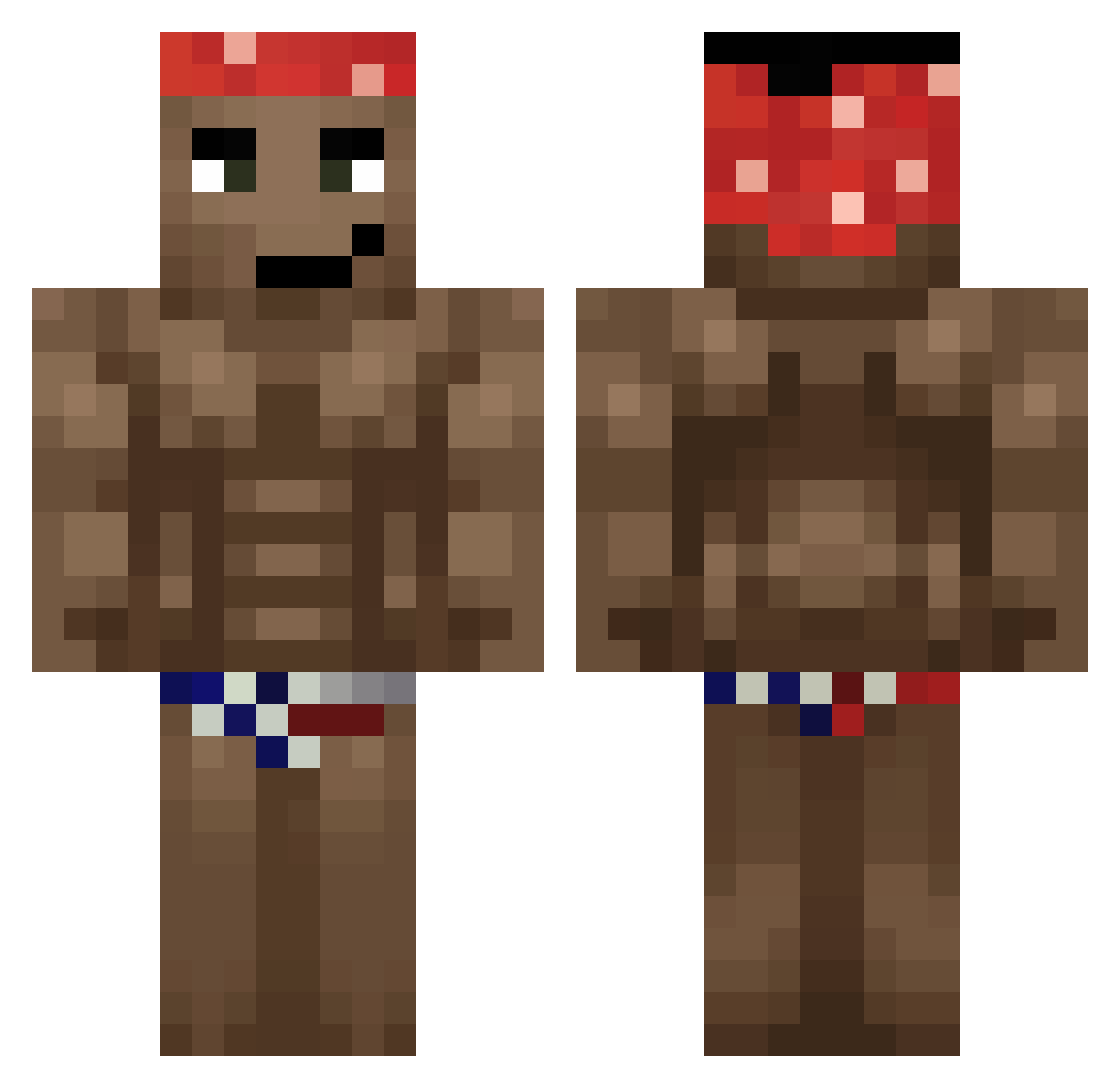
Current Minecraft skin of the player JonnyEbola, loaded from the official Mojang API. Rotate the 3D model with your mouse or finger, then download the skin as a PNG file and use it in Minecraft: Bedrock Edition or Java Edition for free. When JonnyEbola changes their skin, this page updates automatically and the old skin stays in the history below.
Other players with this skin (501)
JonnyEbola was the 354th player we have seen with this skin, first spotted on 25.09.2026. The same skin was seen on these players. Open a nickname to see their current skin and skin history.
 DKnasa Szkielko320 hasbo122 _DayBreaker Esiokk QuentinOignon Wojan9066 belodog JakeMake002 Yaw8 Agent_Bigwood 403dmg BirdmanLovesU Jimmymushi Kermittek duplexFR Sn0wW0 ManoloPollon MalikouGaming brook___ JaoUlem Loczek25 Frambthemonkey mokebe12 Lobokser NIKOTHECUTE JonaIstTrash Ge0rGe_Dr0id Carool26_ Nebgol Wraspberryy BYBSIU Jumbo1105 Optimalitz Stroncium SandarSandalar dabeibii RightistDestryer iluvricardomilos ANYAwakuwa oNSRD epardo11 Jandoos PfirsischBumbser yyabra R1nkiTcro kongken Sant1n Peekyl joe_moma123 DODOTVcomEXE NMMMM055 Stardust_1022 gallone17 ketovek Fyres345 Jacob00s Kenny_Bell69 Tokitaupe Farquaad66
More Dancer Minecraft skins
How to install the JonnyEbola skin
- Press the Download button above to save the skin as a PNG file.
- Minecraft: Bedrock Edition (PE): open the Dressing Room from the main menu (or tap your character → Edit Character), go to Classic Skins → Owned, press the + (new skin) button, choose the downloaded PNG and pick the Classic (Steve) model. Works on PC and mobile; consoles cannot import custom skins.
- Minecraft: Java Edition: open the Minecraft Launcher, go to the Skins tab, click New Skin, load the PNG, pick the Classic (Steve) model and press Save & Use. You can also upload it at minecraft.net → Profile → Change Skin.
The skin does not show up after import - what should I do?
Restart Minecraft and open the Dressing Room again - imported skins sometimes appear only after a restart. Also make sure you selected the imported skin and picked the Classic (Steve) model.
Which model should I choose, Classic or Slim?
This skin is designed for the Classic (Steve) model. If you pick the wrong model, the arms of the skin will look stretched or squeezed.
Is the skin of JonnyEbola free to download?
Yes. Press Download, save the PNG file and use it in Minecraft: Bedrock Edition or Java Edition - no payment or registration needed. The skin also works on multiplayer servers and Realms.
More skins
Looking for more? Go back to all Minecraft skins and check the top skins of the week, month and all time, or find any player's skin by nickname.