
JonMark4 - Minecraft Skins & Skin History
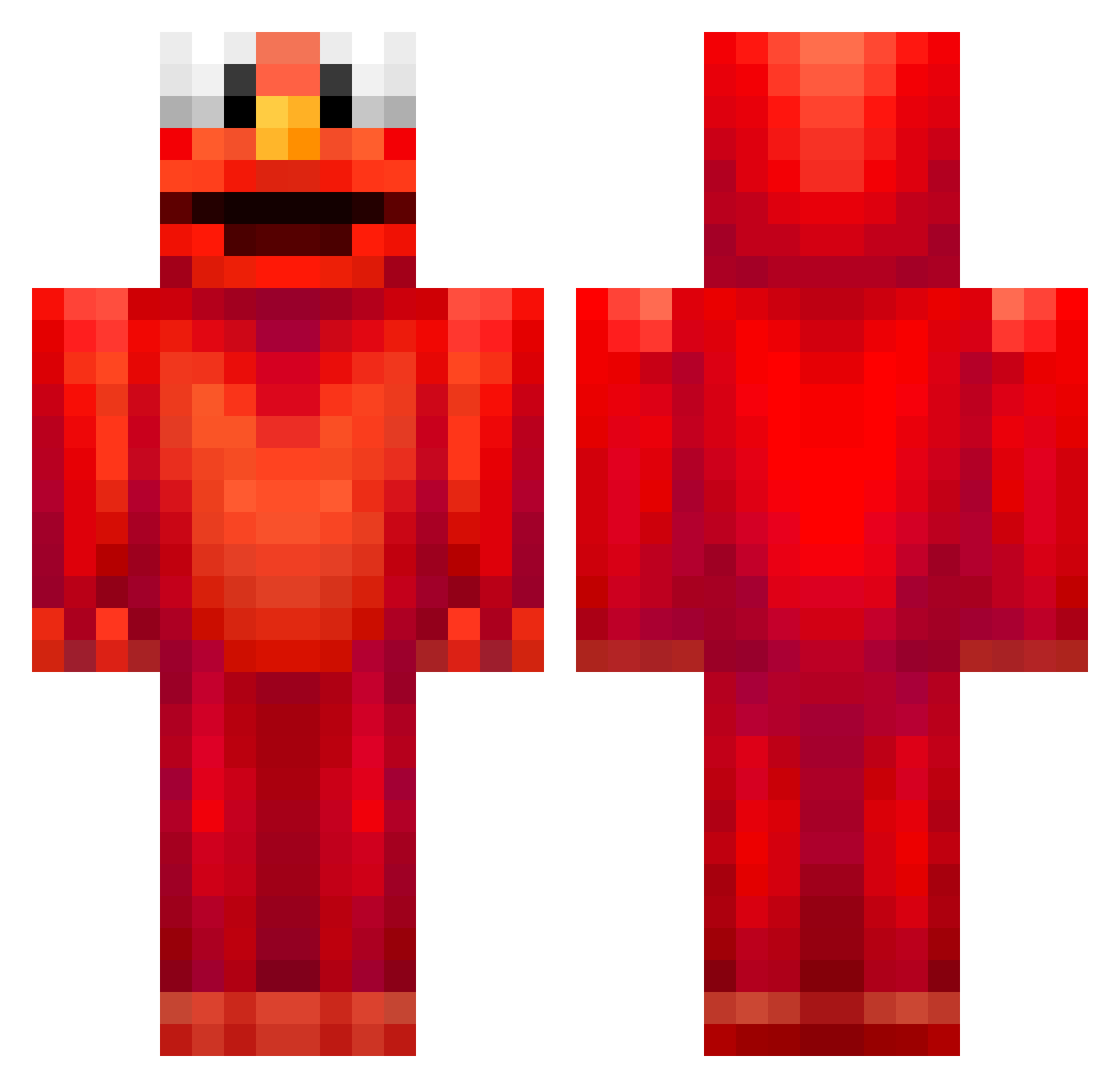
Current Minecraft skin of the player JonMark4, loaded from the official Mojang API. Rotate the 3D model with your mouse or finger, then download the skin as a PNG file and use it in Minecraft: Bedrock Edition or Java Edition for free. When JonMark4 changes their skin, this page updates automatically and the old skin stays in the history below.
Other players with this skin (677)
JonMark4 was the 64th player we have seen with this skin, first spotted on 04.08.2026. The same skin was seen on these players. Open a nickname to see their current skin and skin history.
 NoRafe ENDEDSOUL NNelo_ Fergudaughter Gean_ NOODLESLUPER UberSnotty BirdCUCU Chitopan64 k0sy _T1G3R_ ESPR1996 lukas_hrn Maxim_Dimant ItsSc0tt Melby_law01
 Naamahia _grandpa_stan_ jliuuu Liontamer13 Signerose2012 Greccos DAxterTheGoat SecondIntensity tifhs Quickalfred EaXena Light000 ConnorOnHub Chernobyl9274 Spurrelly jhjs ZranTV xbraedenx squeezy_jones Cardiol1234 AbdulBabdul oramulo Gaming4Funnn am0dd LFLR jolinaj Viky_Sopalin Riohn NotDin0saur V8Rokkie BigBoyBerry LijaLu LuquiLucas XDavixForever Grzyb2138 F1adborg recaptchha ummon29 6xs4d Mrbrett69 Inersion NAAVY01 Therhinotiger PADRADA
More Elmo Minecraft skins
How to install the JonMark4 skin
- Press the Download button above to save the skin as a PNG file.
- Minecraft: Bedrock Edition (PE): open the Dressing Room from the main menu (or tap your character → Edit Character), go to Classic Skins → Owned, press the + (new skin) button, choose the downloaded PNG and pick the Classic (Steve) model. Works on PC and mobile; consoles cannot import custom skins.
- Minecraft: Java Edition: open the Minecraft Launcher, go to the Skins tab, click New Skin, load the PNG, pick the Classic (Steve) model and press Save & Use. You can also upload it at minecraft.net → Profile → Change Skin.
The skin does not show up after import - what should I do?
Restart Minecraft and open the Dressing Room again - imported skins sometimes appear only after a restart. Also make sure you selected the imported skin and picked the Classic (Steve) model.
Which model should I choose, Classic or Slim?
This skin is designed for the Classic (Steve) model. If you pick the wrong model, the arms of the skin will look stretched or squeezed.
Is the skin of JonMark4 free to download?
Yes. Press Download, save the PNG file and use it in Minecraft: Bedrock Edition or Java Edition - no payment or registration needed. The skin also works on multiplayer servers and Realms.
More skins
Looking for more? Go back to all Minecraft skins and check the top skins of the week, month and all time, or find any player's skin by nickname.