
JohnnyC1423 - Minecraft Skins & Skin History
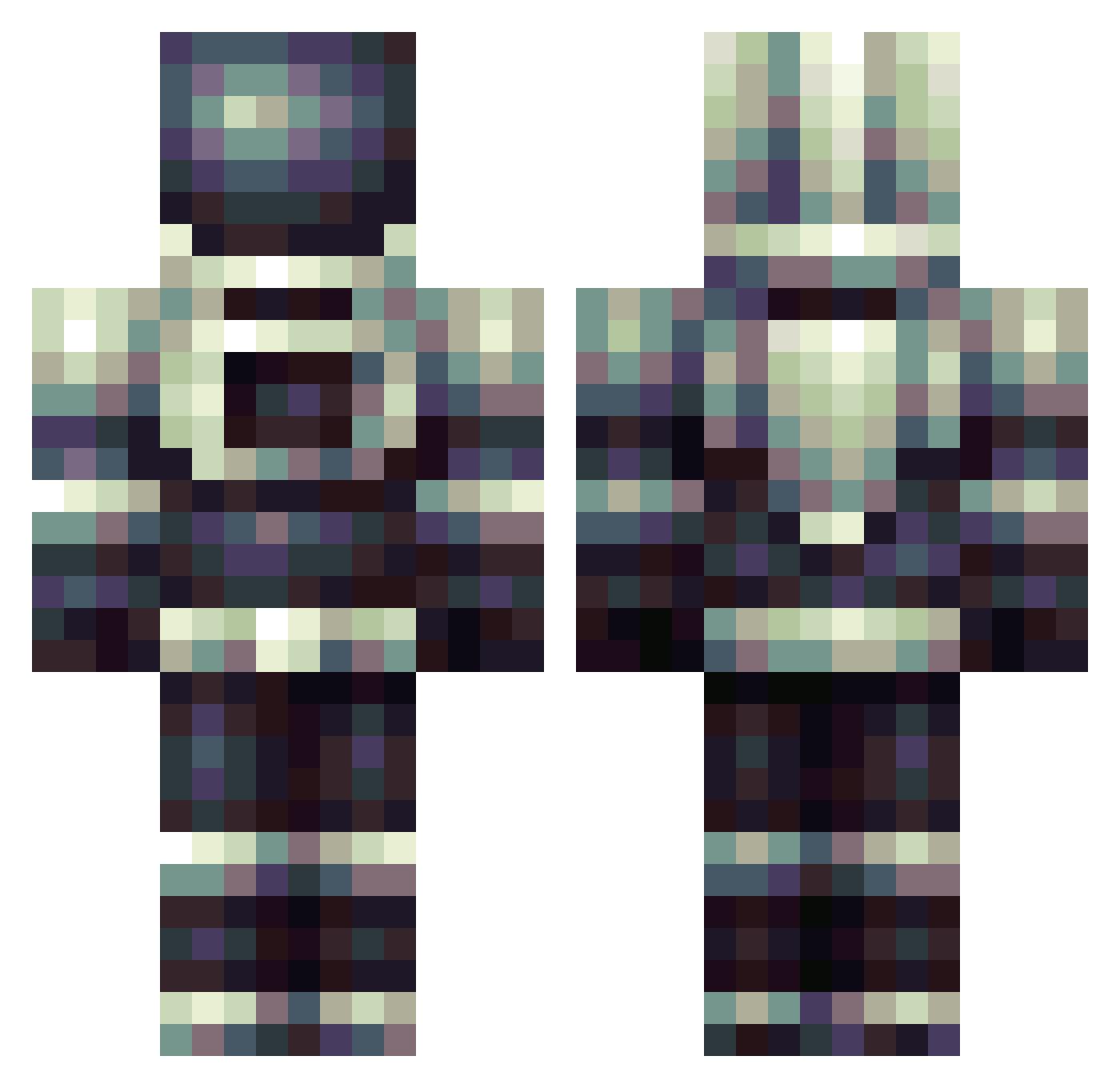
Current Minecraft skin of the player JohnnyC1423, loaded from the official Mojang API. Rotate the 3D model with your mouse or finger, then download the skin as a PNG file and use it in Minecraft: Bedrock Edition or Java Edition for free. When JohnnyC1423 changes their skin, this page updates automatically and the old skin stays in the history below.
Other players with this skin (179)
JohnnyC1423 was the 155th player we have seen with this skin, first spotted on 12.10.2026. The same skin was seen on these players. Open a nickname to see their current skin and skin history.
 GPasLtemps wraith99252 XxxCodeExXxx EpilepticRage Subject255 Busket_Guy Sponkmofo jensdesmet15 KANEQI IkeArrumba mgarsal CJBren Spoolzy Vialov 0sprey_ NoahC69 piter9898sen harold_s Dr_Chipster TarasGyska ohWiek NightCourt ScaredOfBread McBuilding ForsakenGrey Kaaanedaaa AlphaOmegaNova ErmNo xX_iiRichee12_Xx ShadowNebiros hardware67 frozenklop xXNOVA22Xx kuonpan Endermango6 Bogart_Luv Vandy017 Kanine0612 Jif_Lynn Xekin totallywood Wacky_Y lolo3 Jimmynezz Zlymme Wasian69 PickleBerry12 BearPleasure Onua986 Grosbinet quietprophet voydedhayze beetall999 Estafilococo superhalo6 DrizzlyGold Falkarion supernachochese Twistedp1xel killawisdom
More Spacesuit Minecraft skins
How to install the JohnnyC1423 skin
- Press the Download button above to save the skin as a PNG file.
- Minecraft: Bedrock Edition (PE): open the Dressing Room from the main menu (or tap your character → Edit Character), go to Classic Skins → Owned, press the + (new skin) button, choose the downloaded PNG and pick the Classic (Steve) model. Works on PC and mobile; consoles cannot import custom skins.
- Minecraft: Java Edition: open the Minecraft Launcher, go to the Skins tab, click New Skin, load the PNG, pick the Classic (Steve) model and press Save & Use. You can also upload it at minecraft.net → Profile → Change Skin.
The skin does not show up after import - what should I do?
Restart Minecraft and open the Dressing Room again - imported skins sometimes appear only after a restart. Also make sure you selected the imported skin and picked the Classic (Steve) model.
Which model should I choose, Classic or Slim?
This skin is designed for the Classic (Steve) model. If you pick the wrong model, the arms of the skin will look stretched or squeezed.
Is the skin of JohnnyC1423 free to download?
Yes. Press Download, save the PNG file and use it in Minecraft: Bedrock Edition or Java Edition - no payment or registration needed. The skin also works on multiplayer servers and Realms.
More skins
Looking for more? Go back to all Minecraft skins and check the top skins of the week, month and all time, or find any player's skin by nickname.