
Johnafer - Minecraft Skins & Skin History
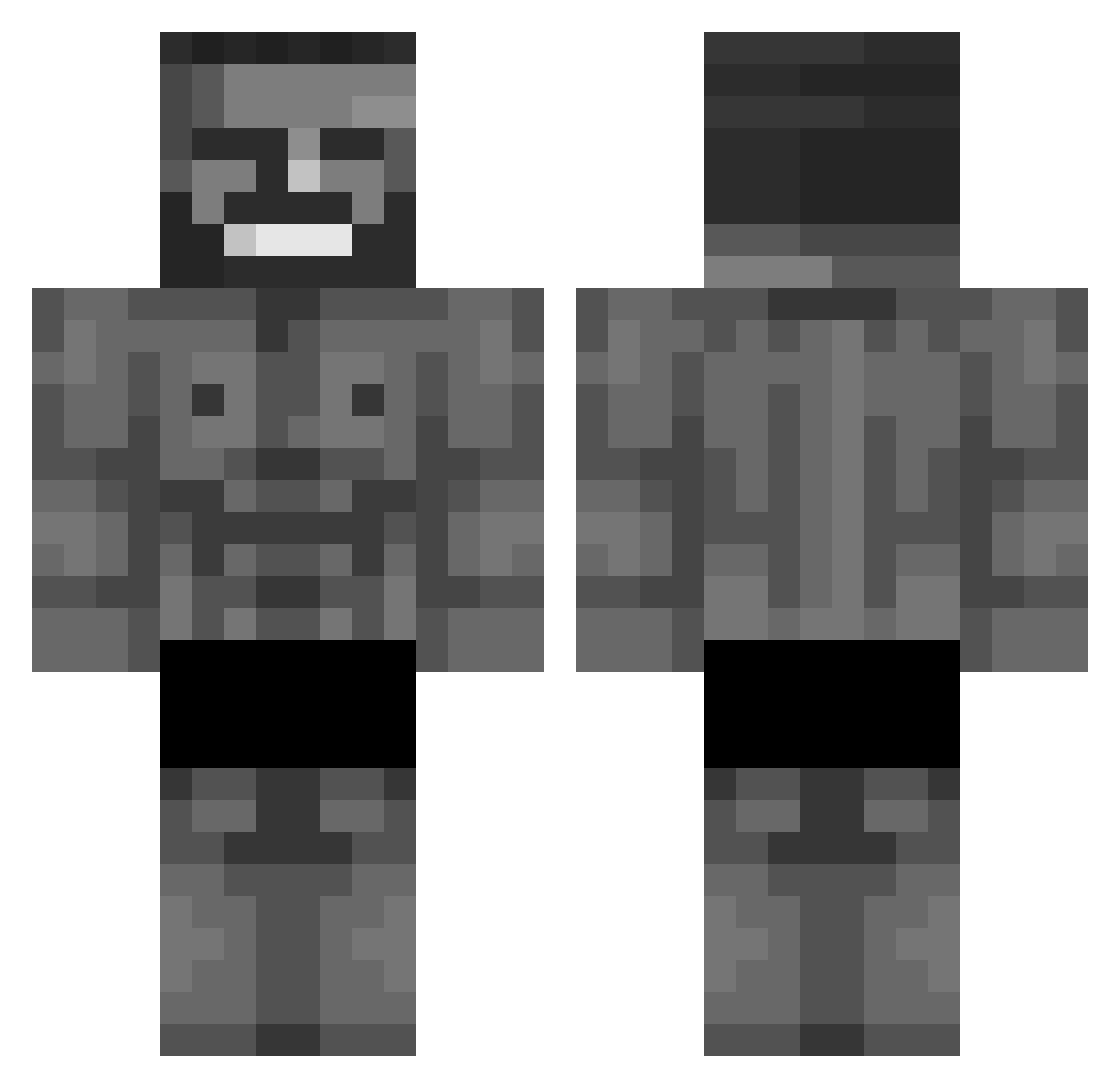
Current Minecraft skin of the player Johnafer, loaded from the official Mojang API. Rotate the 3D model with your mouse or finger, then download the skin as a PNG file and use it in Minecraft: Bedrock Edition or Java Edition for free. When Johnafer changes their skin, this page updates automatically and the old skin stays in the history below.
Other players with this skin (334)
Johnafer was the 42nd player we have seen with this skin, first spotted on 04.08.2026. The same skin was seen on these players. Open a nickname to see their current skin and skin history.
 andrew0228 maxensso Fantoling Miyori_ SirNicklnack SrSSS Ondra2614 BosnianMonke fazebanane Ahmediamarkt YaBoiDenis TheSweetGenius CanardEspion
 saftigersnickers jajecznik69
 cantcose OneJC Salladddd EternalPaladin09 MrMigz TAESOCOOl LeZenBien TH3R00ST3R dl_rud_dls Fastoda Bayzket Sadananda metopia 30501 McCoolure RIPER8 CaglarBeyS Arshee69 Rlo420 chegoshka artiomchik69 LeOn_GU OLOsamaXD ZEROKZ18 Racco1402 Koneser_Stup Roquefort202 Oniksgg Williamv3656 DollMaud Prismc0re Sachariot hop_238 BillyTheShark09 ozkancetn966 xXxRumbaFranxXx Degg_rymKeD Noxen69 xpr3dit0r11 SauroVga OMRTHEPRO Goderius Fearlexss zayyyezazdd Fusselow
More Gigachad Minecraft skins
How to install the Johnafer skin
- Press the Download button above to save the skin as a PNG file.
- Minecraft: Bedrock Edition (PE): open the Dressing Room from the main menu (or tap your character → Edit Character), go to Classic Skins → Owned, press the + (new skin) button, choose the downloaded PNG and pick the Classic (Steve) model. Works on PC and mobile; consoles cannot import custom skins.
- Minecraft: Java Edition: open the Minecraft Launcher, go to the Skins tab, click New Skin, load the PNG, pick the Classic (Steve) model and press Save & Use. You can also upload it at minecraft.net → Profile → Change Skin.
The skin does not show up after import - what should I do?
Restart Minecraft and open the Dressing Room again - imported skins sometimes appear only after a restart. Also make sure you selected the imported skin and picked the Classic (Steve) model.
Which model should I choose, Classic or Slim?
This skin is designed for the Classic (Steve) model. If you pick the wrong model, the arms of the skin will look stretched or squeezed.
Is the skin of Johnafer free to download?
Yes. Press Download, save the PNG file and use it in Minecraft: Bedrock Edition or Java Edition - no payment or registration needed. The skin also works on multiplayer servers and Realms.
More skins
Looking for more? Go back to all Minecraft skins and check the top skins of the week, month and all time, or find any player's skin by nickname.