
JohnVlad01 - Minecraft Skins & Skin History
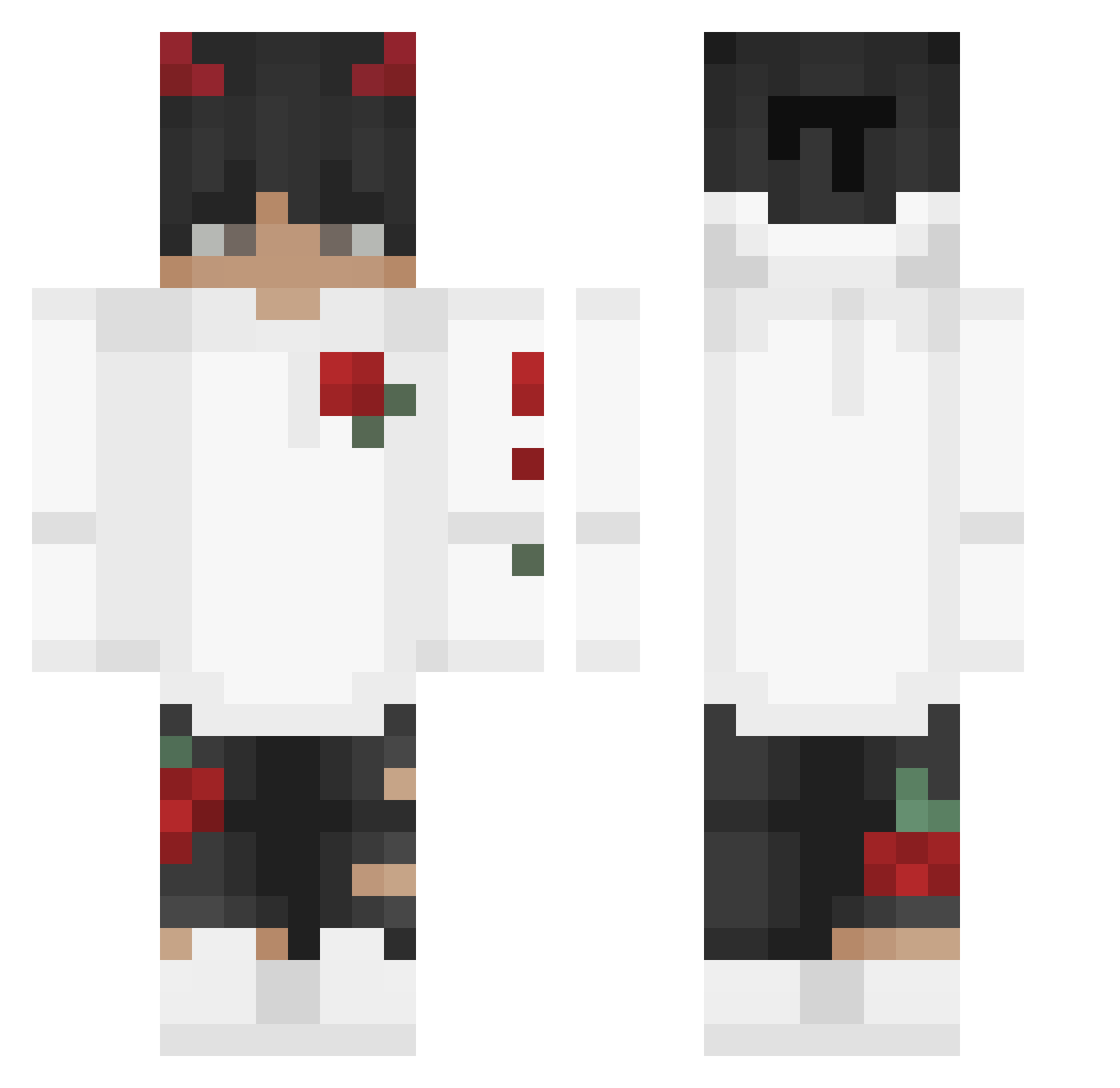
Current Minecraft skin of the player JohnVlad01, loaded from the official Mojang API. Rotate the 3D model with your mouse or finger, then download the skin as a PNG file and use it in Minecraft: Bedrock Edition or Java Edition for free. When JohnVlad01 changes their skin, this page updates automatically and the old skin stays in the history below.
Other players with this skin (245)
JohnVlad01 was the 129th player we have seen with this skin, first spotted on 19.09.2026. The same skin was seen on these players. Open a nickname to see their current skin and skin history.
 _wolf_0 minty1608 lakicevic7 Hooni3146 I_Icey_I youstolemybread Tyleeerrr GertjanModz_YT Ace_72 Ksihyeok Nougat1287 Karolciu19 SirXio04 Evicies AldiSpielt ZetaPrime33 Ryzer__Senpai Janstrike51 addienora809 Xue_Z1 r6p3 Hique01 FxRayzeR Snolikas Kreeder James_2310 ReputedRapier43 joaopmsilva Sunny9001 Crrimson sanans x29k Tuggikogs __Sanjin00__ v5exyy ChrisMcCrack xA_R_M_Y_M_A_Nx ImAkioYT meganess iiTzAmine522 Jail_MC Presk0w_420 OC_Kojin Rajat_BR M4lc0m___yt RobustBacardi PiXi_V2 Toppent ValenteYT madur44 D3nimyr NaiKran xPofo_ Tenkanaille uurghtomm Godfrey09 xCzvrny parada072 Forx00 SEMiQ_10
More Devil Horns Minecraft skins
How to install the JohnVlad01 skin
- Press the Download button above to save the skin as a PNG file.
- Minecraft: Bedrock Edition (PE): open the Dressing Room from the main menu (or tap your character → Edit Character), go to Classic Skins → Owned, press the + (new skin) button, choose the downloaded PNG and pick the Classic (Steve) model. Works on PC and mobile; consoles cannot import custom skins.
- Minecraft: Java Edition: open the Minecraft Launcher, go to the Skins tab, click New Skin, load the PNG, pick the Classic (Steve) model and press Save & Use. You can also upload it at minecraft.net → Profile → Change Skin.
The skin does not show up after import - what should I do?
Restart Minecraft and open the Dressing Room again - imported skins sometimes appear only after a restart. Also make sure you selected the imported skin and picked the Classic (Steve) model.
Which model should I choose, Classic or Slim?
This skin is designed for the Classic (Steve) model. If you pick the wrong model, the arms of the skin will look stretched or squeezed.
Is the skin of JohnVlad01 free to download?
Yes. Press Download, save the PNG file and use it in Minecraft: Bedrock Edition or Java Edition - no payment or registration needed. The skin also works on multiplayer servers and Realms.
More skins
Looking for more? Go back to all Minecraft skins and check the top skins of the week, month and all time, or find any player's skin by nickname.