
JohnPorcea - Minecraft Skins & Skin History
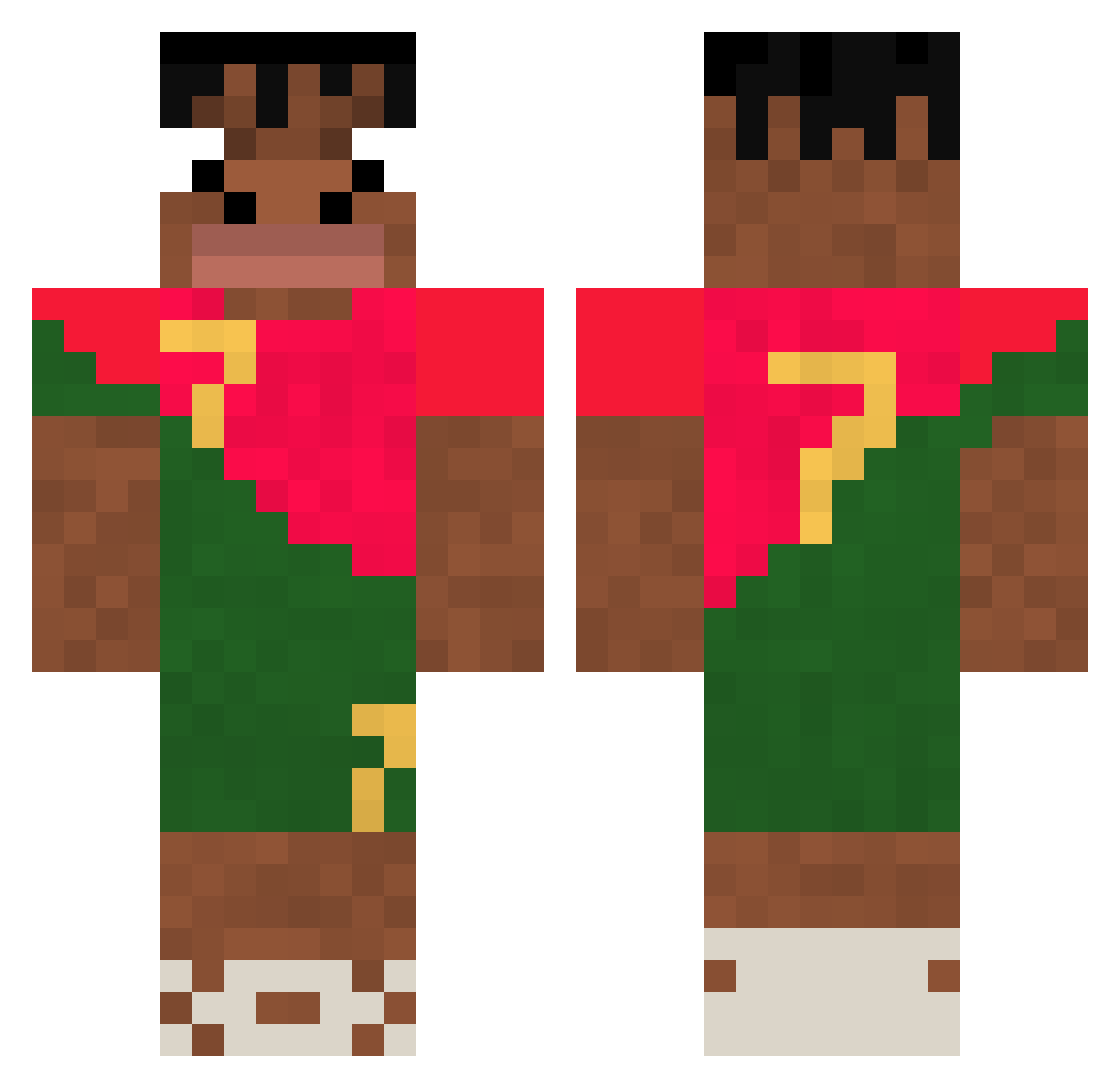
Current Minecraft skin of the player JohnPorcea, loaded from the official Mojang API. Rotate the 3D model with your mouse or finger, then download the skin as a PNG file and use it in Minecraft: Bedrock Edition or Java Edition for free. When JohnPorcea changes their skin, this page updates automatically and the old skin stays in the history below.
Other players with this skin (307)
JohnPorcea was the 209th player we have seen with this skin, first spotted on 06.10.2026. The same skin was seen on these players. Open a nickname to see their current skin and skin history.
 kommq09 Francoone holy_bananapower Shinox1208 SpamFlagger YedHeeBarn49 Speeddyyyyyyy Broski009 CappaBarra Edge2BBL inconstitucio toroouuuu zambyseljr Gabrielvanbento Czacha777 calvindocherty Edraink Mike040211 okinajun Yokohama2023 Legendpatato61 Scorpion90933 whghdwns BG_PlatanoPito gamblinghardcore gabrie_59 Nk23trr DeyZikz AlphaDragoon313 toonjump bank_zuraoneway SHEDINJALT diogoo022 Julxn86 Nabotho ShadowBlazer568 iShoween cebolliita xFatih27 Connor_h17 shadowban83 kuvvetmiraa LynthisLeGlouton juneee0716 Johel_3 Paniagua503 rvvnald belalii Alexjkn BrutalSigma Agencik2115 saanti_29 FaZe_TBone bjh1333 IzJoel 1Shaggy Danizappa MFlexing BenBen5 Dimasuck
More Portugal Minecraft skins
How to install the JohnPorcea skin
- Press the Download button above to save the skin as a PNG file.
- Minecraft: Bedrock Edition (PE): open the Dressing Room from the main menu (or tap your character → Edit Character), go to Classic Skins → Owned, press the + (new skin) button, choose the downloaded PNG and pick the Classic (Steve) model. Works on PC and mobile; consoles cannot import custom skins.
- Minecraft: Java Edition: open the Minecraft Launcher, go to the Skins tab, click New Skin, load the PNG, pick the Classic (Steve) model and press Save & Use. You can also upload it at minecraft.net → Profile → Change Skin.
The skin does not show up after import - what should I do?
Restart Minecraft and open the Dressing Room again - imported skins sometimes appear only after a restart. Also make sure you selected the imported skin and picked the Classic (Steve) model.
Which model should I choose, Classic or Slim?
This skin is designed for the Classic (Steve) model. If you pick the wrong model, the arms of the skin will look stretched or squeezed.
Is the skin of JohnPorcea free to download?
Yes. Press Download, save the PNG file and use it in Minecraft: Bedrock Edition or Java Edition - no payment or registration needed. The skin also works on multiplayer servers and Realms.
More skins
Looking for more? Go back to all Minecraft skins and check the top skins of the week, month and all time, or find any player's skin by nickname.