
Johasi07 - Minecraft Skins & Skin History
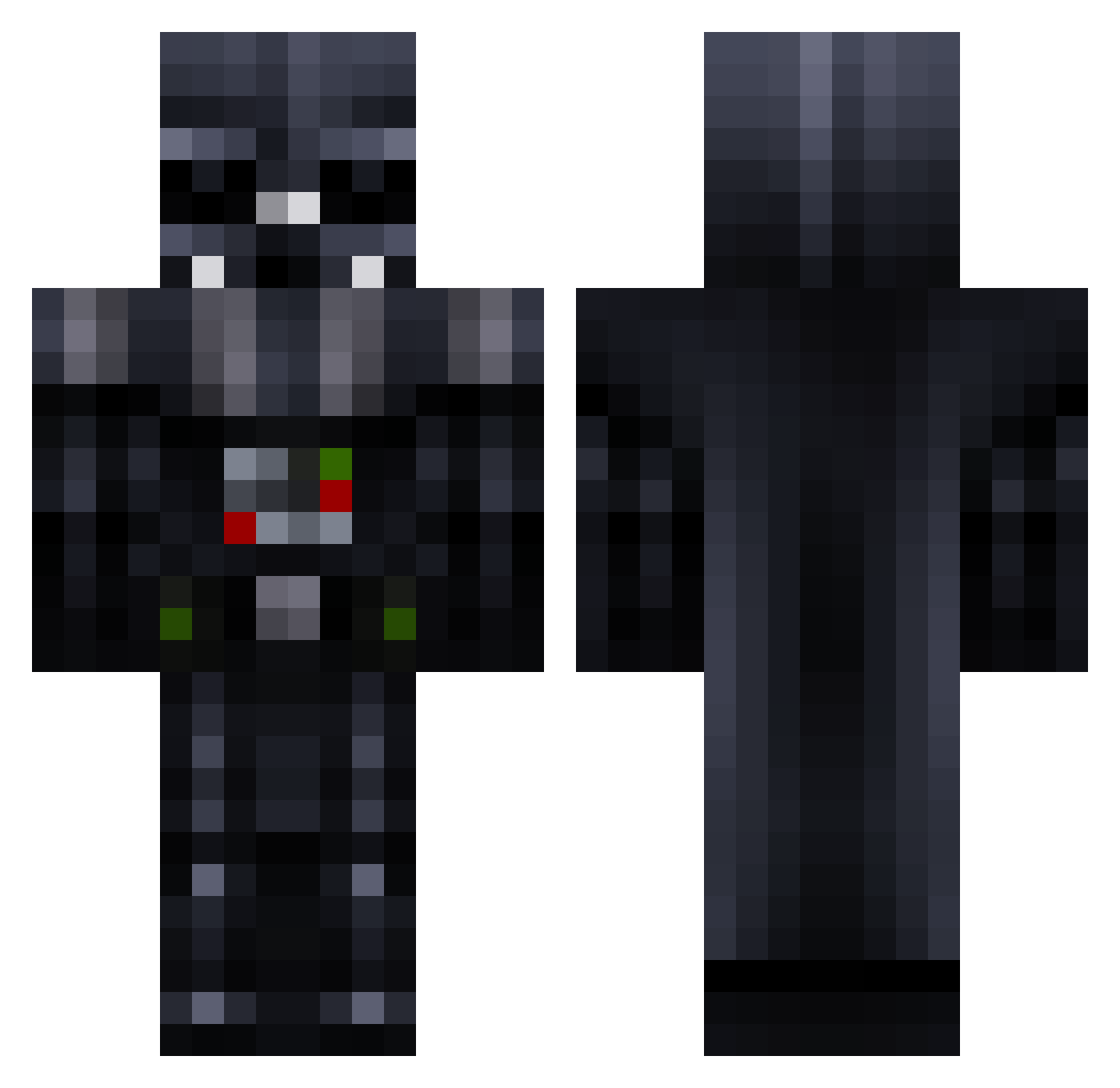
Current Minecraft skin of the player Johasi07, loaded from the official Mojang API. Rotate the 3D model with your mouse or finger, then download the skin as a PNG file and use it in Minecraft: Bedrock Edition or Java Edition for free. When Johasi07 changes their skin, this page updates automatically and the old skin stays in the history below.
Other players with this skin (780)
Johasi07 was the 130th player we have seen with this skin, first spotted on 12.08.2026. The same skin was seen on these players. Open a nickname to see their current skin and skin history.
 Mukkebatscher Deathvaider Dodo_96_ toddh64 Carl_Popolopolis Cianthegreat Skekse Lunamacraft scottishgeek generalzazu icke77 Kasper1234510 disrator Highball1 Sir_Chmu Lt_beastly DarthKimaris CaptainMagmar JeffreyLucario Darthbaba Ceye zack1122345 ITADarthVader toninoandres aang861 AdamantBattosi OCE_Void TheDlongMC sawee85 Cobi07 Ulfr08 tintin3706 Dakidos DarthUncle kwon0 DeathsBrother1 MINEDEVICE DT_Meyer krucialz pabman PrincessPig Rondy2000 NickNack2003 BenBiddle Heavymetal01 Xeno6999 TOlrt xXEmbrixXx jakedeprez11 NathanatorL pigmeumaluco Furbear1 diman7389 OfficialTopRamen VeitvC DarthNye michaellawless MrEpicFail TROG17 gyttt
More Darth Vader Minecraft skins
How to install the Johasi07 skin
- Press the Download button above to save the skin as a PNG file.
- Minecraft: Bedrock Edition (PE): open the Dressing Room from the main menu (or tap your character → Edit Character), go to Classic Skins → Owned, press the + (new skin) button, choose the downloaded PNG and pick the Classic (Steve) model. Works on PC and mobile; consoles cannot import custom skins.
- Minecraft: Java Edition: open the Minecraft Launcher, go to the Skins tab, click New Skin, load the PNG, pick the Classic (Steve) model and press Save & Use. You can also upload it at minecraft.net → Profile → Change Skin.
The skin does not show up after import - what should I do?
Restart Minecraft and open the Dressing Room again - imported skins sometimes appear only after a restart. Also make sure you selected the imported skin and picked the Classic (Steve) model.
Which model should I choose, Classic or Slim?
This skin is designed for the Classic (Steve) model. If you pick the wrong model, the arms of the skin will look stretched or squeezed.
Is the skin of Johasi07 free to download?
Yes. Press Download, save the PNG file and use it in Minecraft: Bedrock Edition or Java Edition - no payment or registration needed. The skin also works on multiplayer servers and Realms.
More skins
Looking for more? Go back to all Minecraft skins and check the top skins of the week, month and all time, or find any player's skin by nickname.