
Johannn_ - Minecraft Skins & Skin History
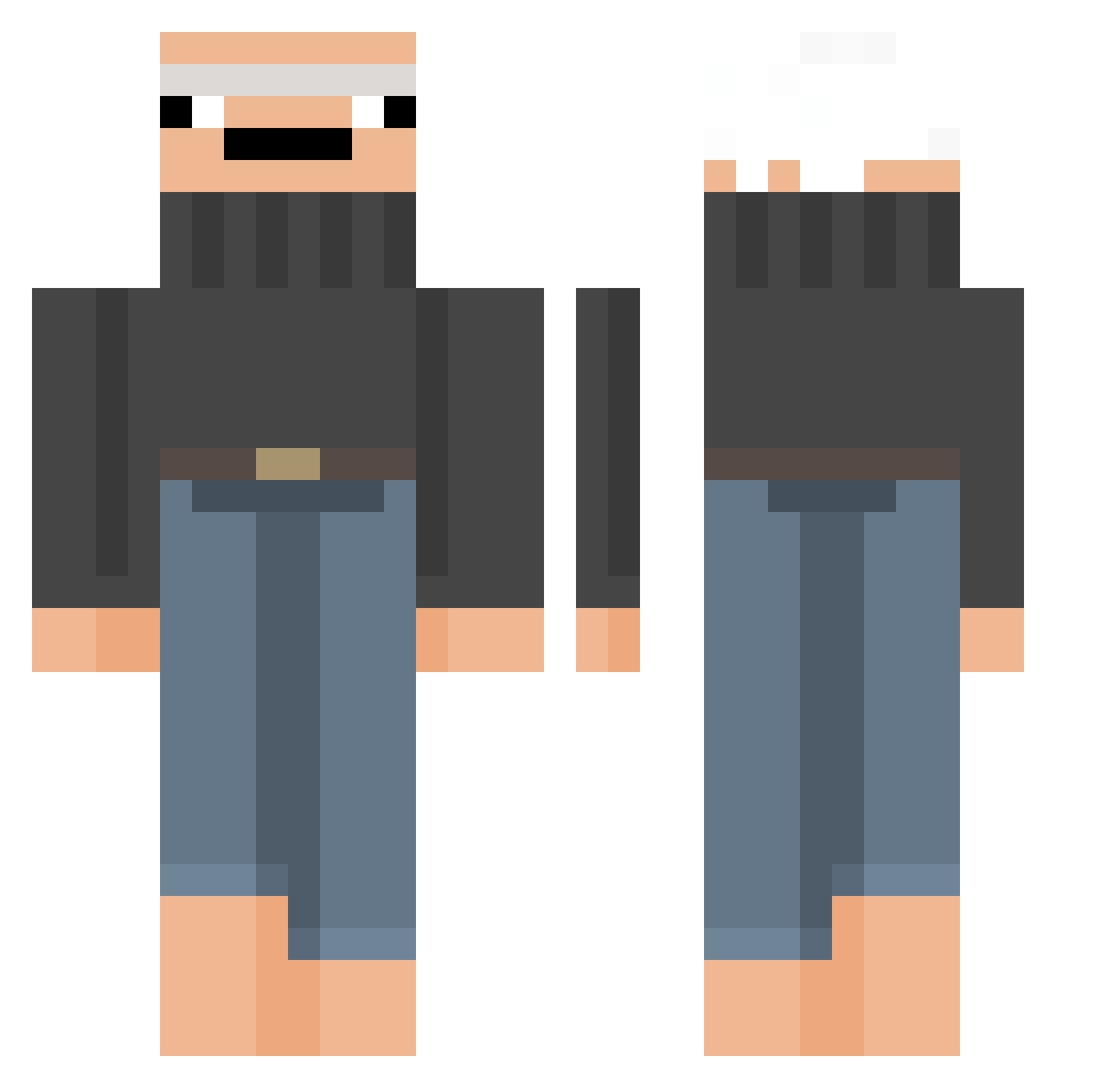
Current Minecraft skin of the player Johannn_, loaded from the official Mojang API. Rotate the 3D model with your mouse or finger, then download the skin as a PNG file and use it in Minecraft: Bedrock Edition or Java Edition for free. When Johannn_ changes their skin, this page updates automatically and the old skin stays in the history below.
Other players with this skin (301)
Johannn_ was the 254th player we have seen with this skin, first spotted on 16.10.2026. The same skin was seen on these players. Open a nickname to see their current skin and skin history.
 TheBamVann JogetoClashRoyal AdamToJa Moelester1312 xrck Slave438 StormmyxX dotRevan grzywsonx Luucaz23 NipTroy CrustyPans Ringo465 baptistenk Fleshyy HoffyTR CouthCandy das_Netzwerk Cz234 carpooluncle pdpNIGHTFALL Venebetto S_Bandera BandoSkywalker Thosis lifiaa JuandaLS lukinhasss Guarifaifaa srybinAfk frehz1k camdowg TheButtlord Plaksys ScarsThatHeal HaQeNS_ Keftouille _Kerfuffle_ Romane64 G0GB0 Solitary69 rlxxsxy RemindMeToForget CaptnMonkay DJEsco3 ImTempest_ gebeauf10er Marian_o1o7 Blassztt G4DarkFrost Notorious_Willi aolixx kafn0vic KernalSandals dopplegangerrr robergrigori Giggerts DiegoDark CrasyCandy ItssLou
More Baldi Minecraft skins
How to install the Johannn_ skin
- Press the Download button above to save the skin as a PNG file.
- Minecraft: Bedrock Edition (PE): open the Dressing Room from the main menu (or tap your character → Edit Character), go to Classic Skins → Owned, press the + (new skin) button, choose the downloaded PNG and pick the Classic (Steve) model. Works on PC and mobile; consoles cannot import custom skins.
- Minecraft: Java Edition: open the Minecraft Launcher, go to the Skins tab, click New Skin, load the PNG, pick the Classic (Steve) model and press Save & Use. You can also upload it at minecraft.net → Profile → Change Skin.
The skin does not show up after import - what should I do?
Restart Minecraft and open the Dressing Room again - imported skins sometimes appear only after a restart. Also make sure you selected the imported skin and picked the Classic (Steve) model.
Which model should I choose, Classic or Slim?
This skin is designed for the Classic (Steve) model. If you pick the wrong model, the arms of the skin will look stretched or squeezed.
Is the skin of Johannn_ free to download?
Yes. Press Download, save the PNG file and use it in Minecraft: Bedrock Edition or Java Edition - no payment or registration needed. The skin also works on multiplayer servers and Realms.
More skins
Looking for more? Go back to all Minecraft skins and check the top skins of the week, month and all time, or find any player's skin by nickname.