
Joelode - Minecraft Skins & Skin History
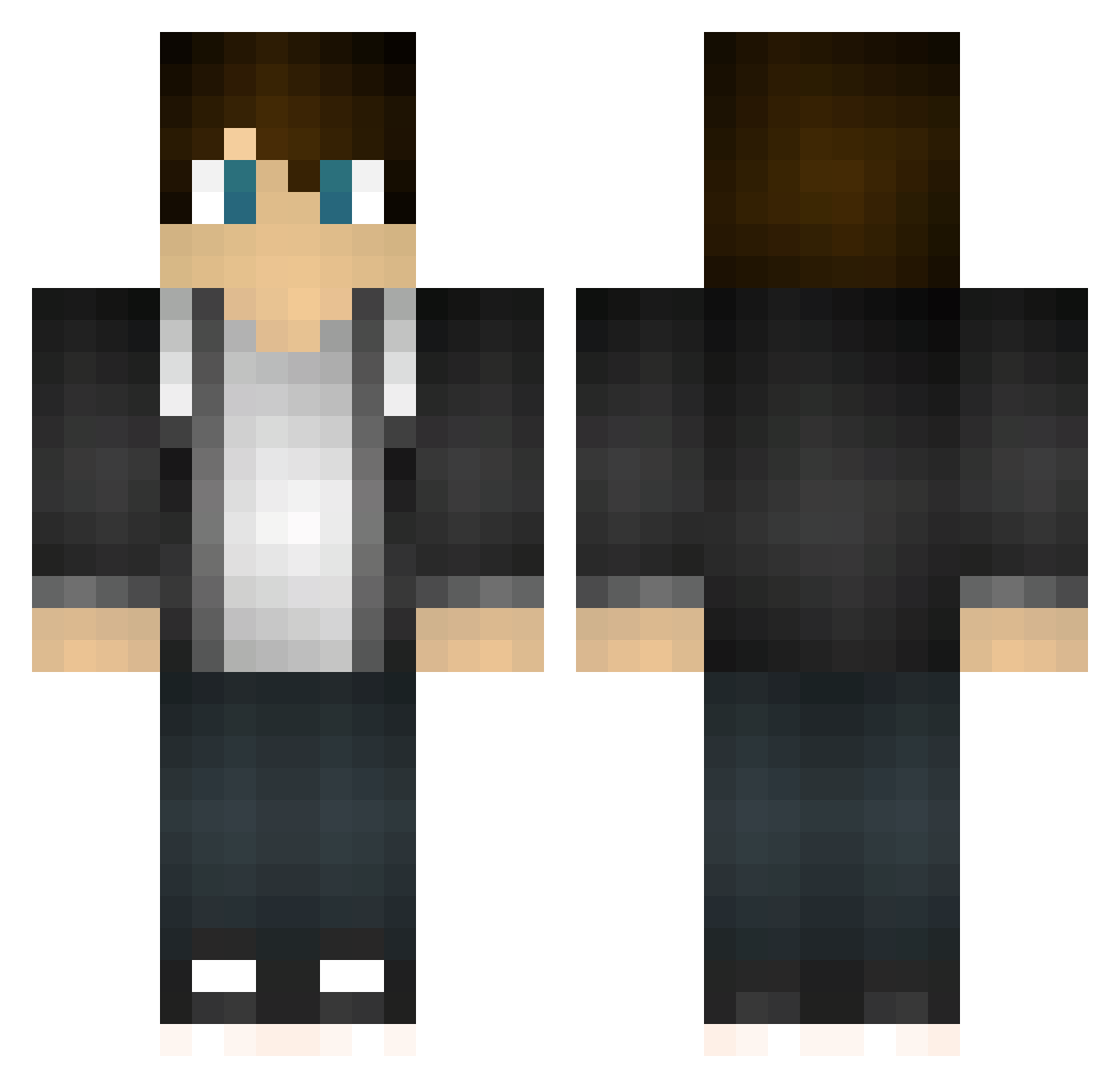
Current Minecraft skin of the player Joelode, loaded from the official Mojang API. Rotate the 3D model with your mouse or finger, then download the skin as a PNG file and use it in Minecraft: Bedrock Edition or Java Edition for free. When Joelode changes their skin, this page updates automatically and the old skin stays in the history below.
Other players with this skin (467)
Joelode was the 67th player we have seen with this skin, first spotted on 09.08.2026. The same skin was seen on these players. Open a nickname to see their current skin and skin history.
 jonty_b MoroseBadge08 KasperVerhelst momothebro xaustinmcgrath landonsims17 XKingOfKakaSwagX Ez_Alex2 wear123456 Thiaguinho_cross Magemaid Harry_Ben Knone123 Zachsbee zhao_yu Yeoxy ThomasK1994 Carlos_Javier10 Magicdagatherin land_of_000 BustYoBuns DarkRuler1931 TheAwesomeSeb HershyzHD xK3T0 jellesenne _ashketchum_ magicbluemarker mathias506 _calen OwnedByDarius Deaflord99 Amazing_itay Winner2812 TheLightSage Martarella wbrianw8 sm0312 Kozsie creeperkilla901 SmeepeDALT R7NALDO xSinon__ Atlas_Markoh __Menno__ gangstaman765 Kingtona123 UnholySins xavie1one CroXser tooner Sadelax njl402 TomStar3 skully6465 S1LV3R1 MPGamer17 linukx TRJerry202 Panda_Louis
How to install the Joelode skin
- Press the Download button above to save the skin as a PNG file.
- Minecraft: Bedrock Edition (PE): open the Dressing Room from the main menu (or tap your character → Edit Character), go to Classic Skins → Owned, press the + (new skin) button, choose the downloaded PNG and pick the Classic (Steve) model. Works on PC and mobile; consoles cannot import custom skins.
- Minecraft: Java Edition: open the Minecraft Launcher, go to the Skins tab, click New Skin, load the PNG, pick the Classic (Steve) model and press Save & Use. You can also upload it at minecraft.net → Profile → Change Skin.
The skin does not show up after import - what should I do?
Restart Minecraft and open the Dressing Room again - imported skins sometimes appear only after a restart. Also make sure you selected the imported skin and picked the Classic (Steve) model.
Which model should I choose, Classic or Slim?
This skin is designed for the Classic (Steve) model. If you pick the wrong model, the arms of the skin will look stretched or squeezed.
Is the skin of Joelode free to download?
Yes. Press Download, save the PNG file and use it in Minecraft: Bedrock Edition or Java Edition - no payment or registration needed. The skin also works on multiplayer servers and Realms.
More skins
Looking for more? Go back to all Minecraft skins and check the top skins of the week, month and all time, or find any player's skin by nickname.