
Jockl33 - Minecraft Skins & Skin History
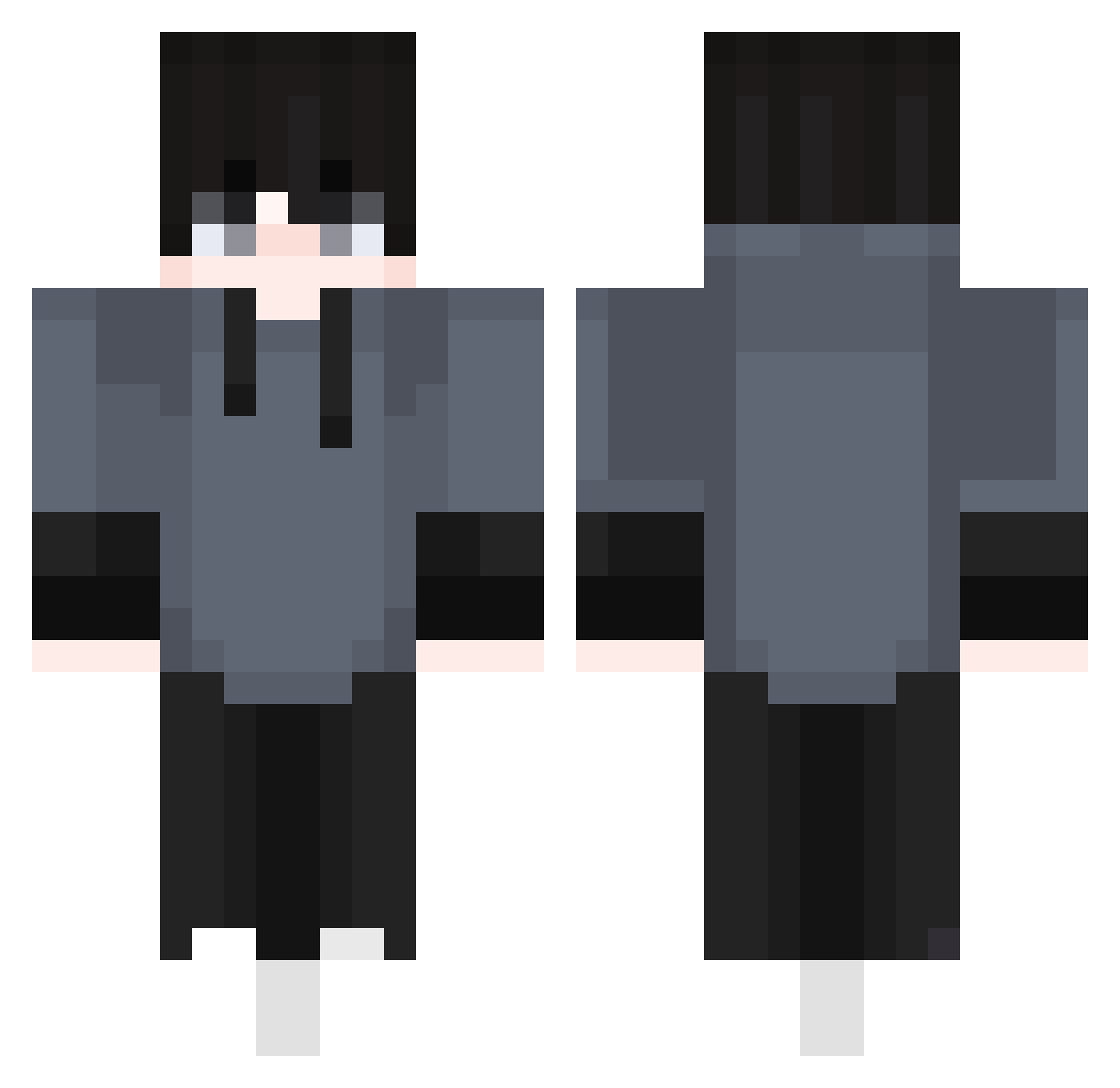
Current Minecraft skin of the player Jockl33, loaded from the official Mojang API. Rotate the 3D model with your mouse or finger, then download the skin as a PNG file and use it in Minecraft: Bedrock Edition or Java Edition for free. When Jockl33 changes their skin, this page updates automatically and the old skin stays in the history below.
Other players with this skin (410)
Jockl33 was the 175th player we have seen with this skin, first spotted on 09.09.2026. The same skin was seen on these players. Open a nickname to see their current skin and skin history.
 Saaket_MC ihategumtoo CrazyGamesLPs YIHII1219 Uq76 CookieDorgado Taiyou_no_shu kdjdkdn666 VEVEX_ pyhsico pickle0264 arslankob2 PeterMa158 wiewiorsz AIb3rto X_lolus_X huuma123 SpectroZ_7
 Daviddb7
 dfsa0420_YT Noweks_ TheWayplay ST4W Bommizauber245 vamjon Itz_Eroxe_3 NateOnMinecraft2 kyh02_2023 G_Giri SillyRobots SkyLiCh
 andy081511 dyueyue SS1nu TestD larkinlmao Cxm_115 FeLiPeLorRd UnleqitWiggly _Kays Steve20156381 Nathandb24 Tennisgott2012 Elfacheso JoaoIRL perpi6677 Hyun_Sooming DaviFx danieload Afinenc Vipex5412 SuperFrancuz9 PolillaZz kojaemin000 calpoladdict Jilonac Izansillo 3rbe_ fairy1217 Nyvren
How to install the Jockl33 skin
- Press the Download button above to save the skin as a PNG file.
- Minecraft: Bedrock Edition (PE): open the Dressing Room from the main menu (or tap your character → Edit Character), go to Classic Skins → Owned, press the + (new skin) button, choose the downloaded PNG and pick the Classic (Steve) model. Works on PC and mobile; consoles cannot import custom skins.
- Minecraft: Java Edition: open the Minecraft Launcher, go to the Skins tab, click New Skin, load the PNG, pick the Classic (Steve) model and press Save & Use. You can also upload it at minecraft.net → Profile → Change Skin.
The skin does not show up after import - what should I do?
Restart Minecraft and open the Dressing Room again - imported skins sometimes appear only after a restart. Also make sure you selected the imported skin and picked the Classic (Steve) model.
Which model should I choose, Classic or Slim?
This skin is designed for the Classic (Steve) model. If you pick the wrong model, the arms of the skin will look stretched or squeezed.
Is the skin of Jockl33 free to download?
Yes. Press Download, save the PNG file and use it in Minecraft: Bedrock Edition or Java Edition - no payment or registration needed. The skin also works on multiplayer servers and Realms.
More skins
Looking for more? Go back to all Minecraft skins and check the top skins of the week, month and all time, or find any player's skin by nickname.