
JoaoFrangoBR - Minecraft Skins & Skin History
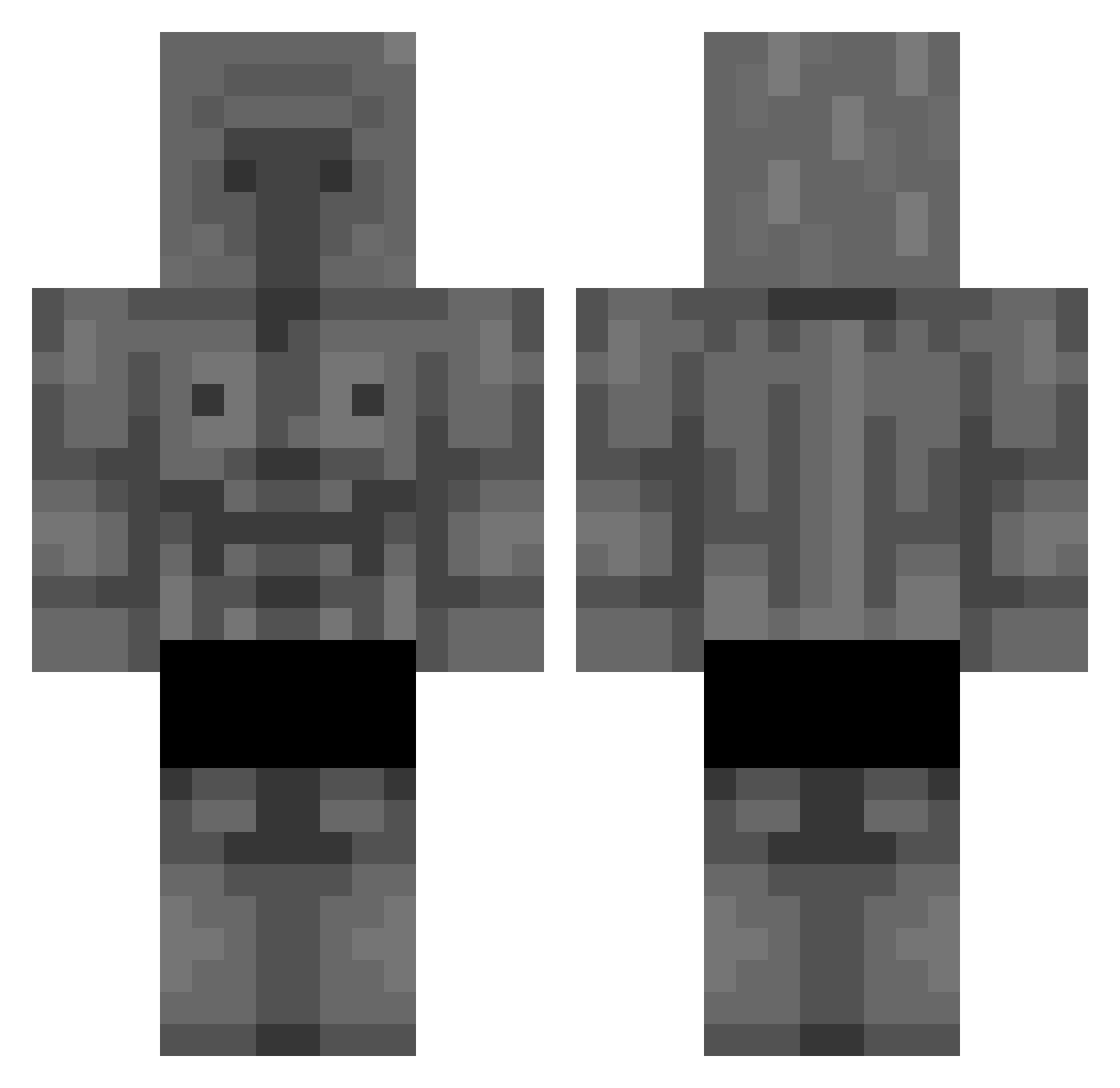
Current Minecraft skin of the player JoaoFrangoBR, loaded from the official Mojang API. Rotate the 3D model with your mouse or finger, then download the skin as a PNG file and use it in Minecraft: Bedrock Edition or Java Edition for free. When JoaoFrangoBR changes their skin, this page updates automatically and the old skin stays in the history below.
Other players with this skin (294)
JoaoFrangoBR was the 50th player we have seen with this skin, first spotted on 11.08.2026. The same skin was seen on these players. Open a nickname to see their current skin and skin history.
 PappaNiko Ne_Shpion Thepapafrita Crockmou701 Waku_ez KcC648 DobaDoba9 Grafik178 Zamorozka42 iamalireza9999 arjonaguillermo Old_HunterHenryk matras20000 Elicell Ankara_Messsi KadBaneX _Carlao_ Pokekev07 xXpromete26trXx JerrytheIII capysecher Bunz__ Mr_Kyll murble9950 ElPola_ JeffPC FelipeAJ13 x_FabL HohlImKopf Zbosta LoLThoRiCa dharmaxyz Leshabigpencil iKasjan CraneCode Gab8iell UnKn0wN1307 zuck_1234 L1nze_ 0BIT007 cris1538 zBrickZ capycaps Hillorocks khan163 PEPERONSSS Serka00 sussyDuck187 Bu99z0 l3g1tGaming_Seal d3deh DEATHKVK
 Iucifer_ Rxb736 KillerKeahi23 cookieEnjoyer69 yeuyiyupixd vcre Paul_Cat5 C4E2M0Z
More Stone Golem Minecraft skins
How to install the JoaoFrangoBR skin
- Press the Download button above to save the skin as a PNG file.
- Minecraft: Bedrock Edition (PE): open the Dressing Room from the main menu (or tap your character → Edit Character), go to Classic Skins → Owned, press the + (new skin) button, choose the downloaded PNG and pick the Classic (Steve) model. Works on PC and mobile; consoles cannot import custom skins.
- Minecraft: Java Edition: open the Minecraft Launcher, go to the Skins tab, click New Skin, load the PNG, pick the Classic (Steve) model and press Save & Use. You can also upload it at minecraft.net → Profile → Change Skin.
The skin does not show up after import - what should I do?
Restart Minecraft and open the Dressing Room again - imported skins sometimes appear only after a restart. Also make sure you selected the imported skin and picked the Classic (Steve) model.
Which model should I choose, Classic or Slim?
This skin is designed for the Classic (Steve) model. If you pick the wrong model, the arms of the skin will look stretched or squeezed.
Is the skin of JoaoFrangoBR free to download?
Yes. Press Download, save the PNG file and use it in Minecraft: Bedrock Edition or Java Edition - no payment or registration needed. The skin also works on multiplayer servers and Realms.
More skins
Looking for more? Go back to all Minecraft skins and check the top skins of the week, month and all time, or find any player's skin by nickname.