
JoanMSR - Minecraft Skins & Skin History
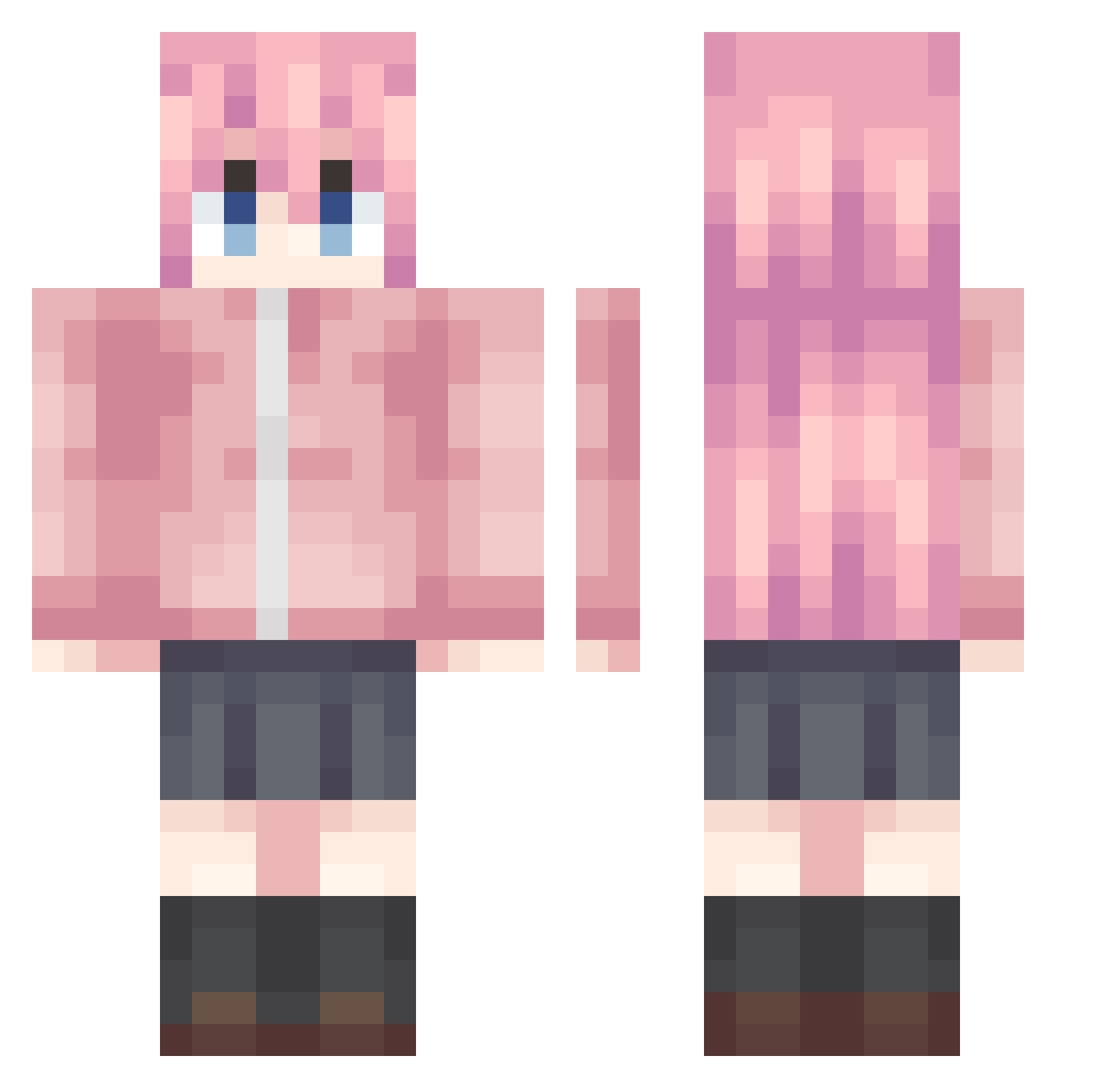
Current Minecraft skin of the player JoanMSR, loaded from the official Mojang API. Rotate the 3D model with your mouse or finger, then download the skin as a PNG file and use it in Minecraft: Bedrock Edition or Java Edition for free. When JoanMSR changes their skin, this page updates automatically and the old skin stays in the history below.
Other players with this skin (992)
JoanMSR was the 570th player we have seen with this skin, first spotted on 27.09.2026. The same skin was seen on these players. Open a nickname to see their current skin and skin history.
 Eternal9958 Ba_Ji886 zerrun Astro_blue AhDwD yuechu03 nineyi BF114514 xi_ti_ruo_li XD1an shinzy1235 0RexH0 OnRainbow Smokeboy114514 liumengfei aaasaki NaKaToYuKi MIZUKING1804 avieve WW306 Fisherflo bravepents AAAYY Bocchi__chan YellowToilet cpt301 NaokiGotoh Ygwyyt Word_big Greek_Tragedy_ LZFOL QDD1203 Bocchimouto Error_mj KTTheshy moxuanchen shinagi_samsung RaNeXy Kurisu_cat AlexFuture Regfert muasaki linlinzi21 Gikaro Miwane zxhclf yuhouyu hanpioxo Bocchi_the_Lucca JUNAS0097 shayshayshayshay Bolsheiv inspiring8 SK1982 Kana____ ji_mi_ha_ha ANG0139 dartexxx_ xiaoxie815 BluePoison233
More Bocchi Minecraft skins
How to install the JoanMSR skin
- Press the Download button above to save the skin as a PNG file.
- Minecraft: Bedrock Edition (PE): open the Dressing Room from the main menu (or tap your character → Edit Character), go to Classic Skins → Owned, press the + (new skin) button, choose the downloaded PNG and pick the Classic (Steve) model. Works on PC and mobile; consoles cannot import custom skins.
- Minecraft: Java Edition: open the Minecraft Launcher, go to the Skins tab, click New Skin, load the PNG, pick the Classic (Steve) model and press Save & Use. You can also upload it at minecraft.net → Profile → Change Skin.
The skin does not show up after import - what should I do?
Restart Minecraft and open the Dressing Room again - imported skins sometimes appear only after a restart. Also make sure you selected the imported skin and picked the Classic (Steve) model.
Which model should I choose, Classic or Slim?
This skin is designed for the Classic (Steve) model. If you pick the wrong model, the arms of the skin will look stretched or squeezed.
Is the skin of JoanMSR free to download?
Yes. Press Download, save the PNG file and use it in Minecraft: Bedrock Edition or Java Edition - no payment or registration needed. The skin also works on multiplayer servers and Realms.
More skins
Looking for more? Go back to all Minecraft skins and check the top skins of the week, month and all time, or find any player's skin by nickname.