
JlNJlN - Minecraft Skins & Skin History
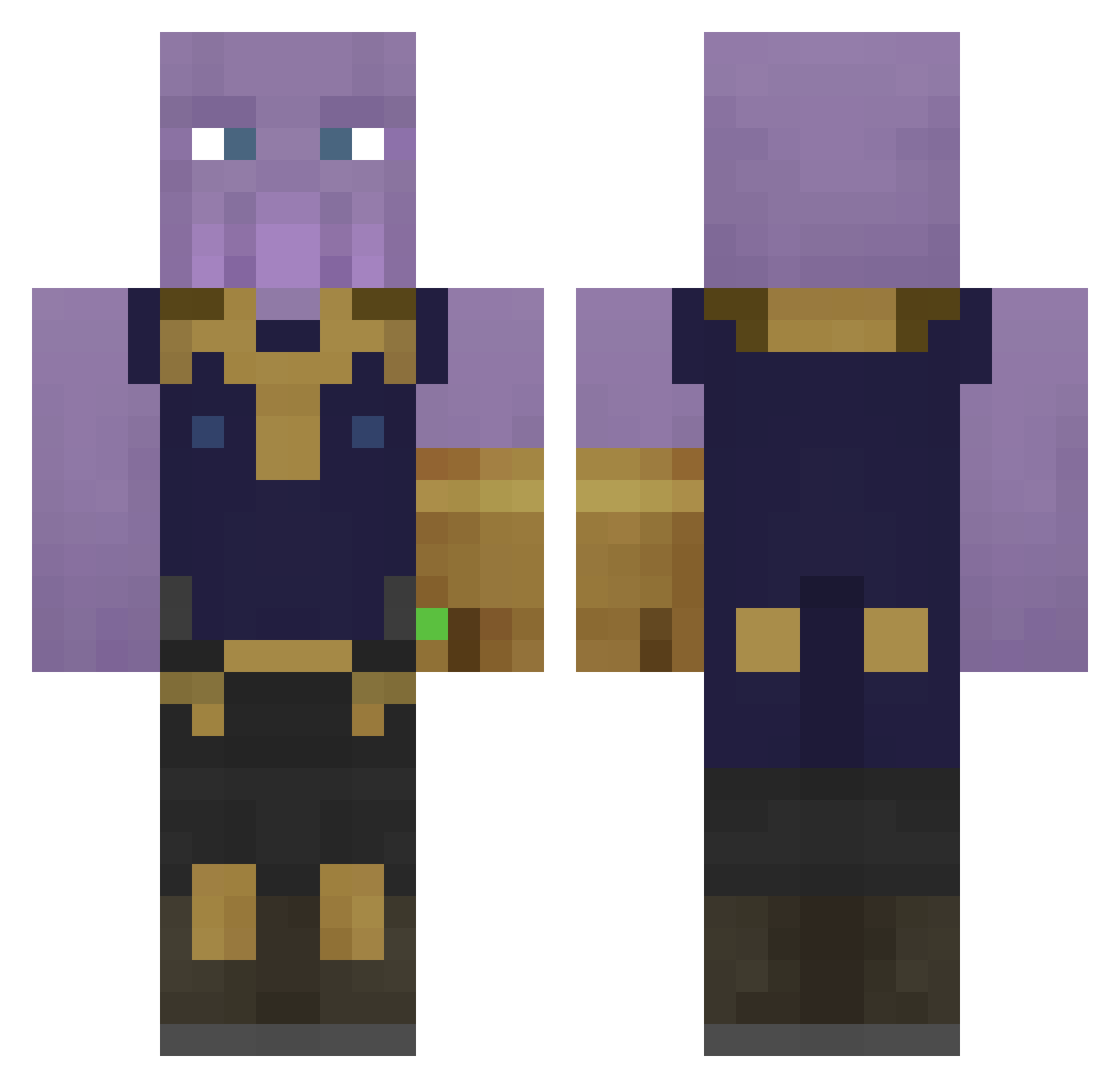
Current Minecraft skin of the player JlNJlN, loaded from the official Mojang API. Rotate the 3D model with your mouse or finger, then download the skin as a PNG file and use it in Minecraft: Bedrock Edition or Java Edition for free. When JlNJlN changes their skin, this page updates automatically and the old skin stays in the history below.
Other players with this skin (323)
JlNJlN was the 247th player we have seen with this skin, first spotted on 04.10.2026. The same skin was seen on these players. Open a nickname to see their current skin and skin history.
 gaygon09 Get_Rich232 ThanosEnergy rambo_agree word8203 seemenot234 Meanwhat GcBrother Leniellll Bragotti BloodHoundMM CruchyCheetoPuff Ctkovac TheG_Squad2 DolanASMR Nate432N YellowVarik Allycant Viniciusbrz LushMoon6525006 KustoszRyszard Zebrad ShrekTheGangster Gogliukas SkipFTW H_Bomb2001 Kaci_ ChoPPerS666 FreUd_swe Jericho420 June6974 Cpliz_ JuntaroW kagiyann Bubovic tac_0316 FrederikVG egrx petternja SUZUKYY HaikuLeaderPrice Kubonek AirMaintenance gagethemage07 ErNoI JimmyNoCandy TheYellowCube patcrafft TheCommandoAndo sledziona tnturoff UndeadRipper chuks21 SalvatoreRave KidneyStone3000 BioPneub Notchs000 brunosouza jamiehansson punkysan
More Thanos Minecraft skins
How to install the JlNJlN skin
- Press the Download button above to save the skin as a PNG file.
- Minecraft: Bedrock Edition (PE): open the Dressing Room from the main menu (or tap your character → Edit Character), go to Classic Skins → Owned, press the + (new skin) button, choose the downloaded PNG and pick the Classic (Steve) model. Works on PC and mobile; consoles cannot import custom skins.
- Minecraft: Java Edition: open the Minecraft Launcher, go to the Skins tab, click New Skin, load the PNG, pick the Classic (Steve) model and press Save & Use. You can also upload it at minecraft.net → Profile → Change Skin.
The skin does not show up after import - what should I do?
Restart Minecraft and open the Dressing Room again - imported skins sometimes appear only after a restart. Also make sure you selected the imported skin and picked the Classic (Steve) model.
Which model should I choose, Classic or Slim?
This skin is designed for the Classic (Steve) model. If you pick the wrong model, the arms of the skin will look stretched or squeezed.
Is the skin of JlNJlN free to download?
Yes. Press Download, save the PNG file and use it in Minecraft: Bedrock Edition or Java Edition - no payment or registration needed. The skin also works on multiplayer servers and Realms.
More skins
Looking for more? Go back to all Minecraft skins and check the top skins of the week, month and all time, or find any player's skin by nickname.