
JitJitJit - Minecraft Skins & Skin History
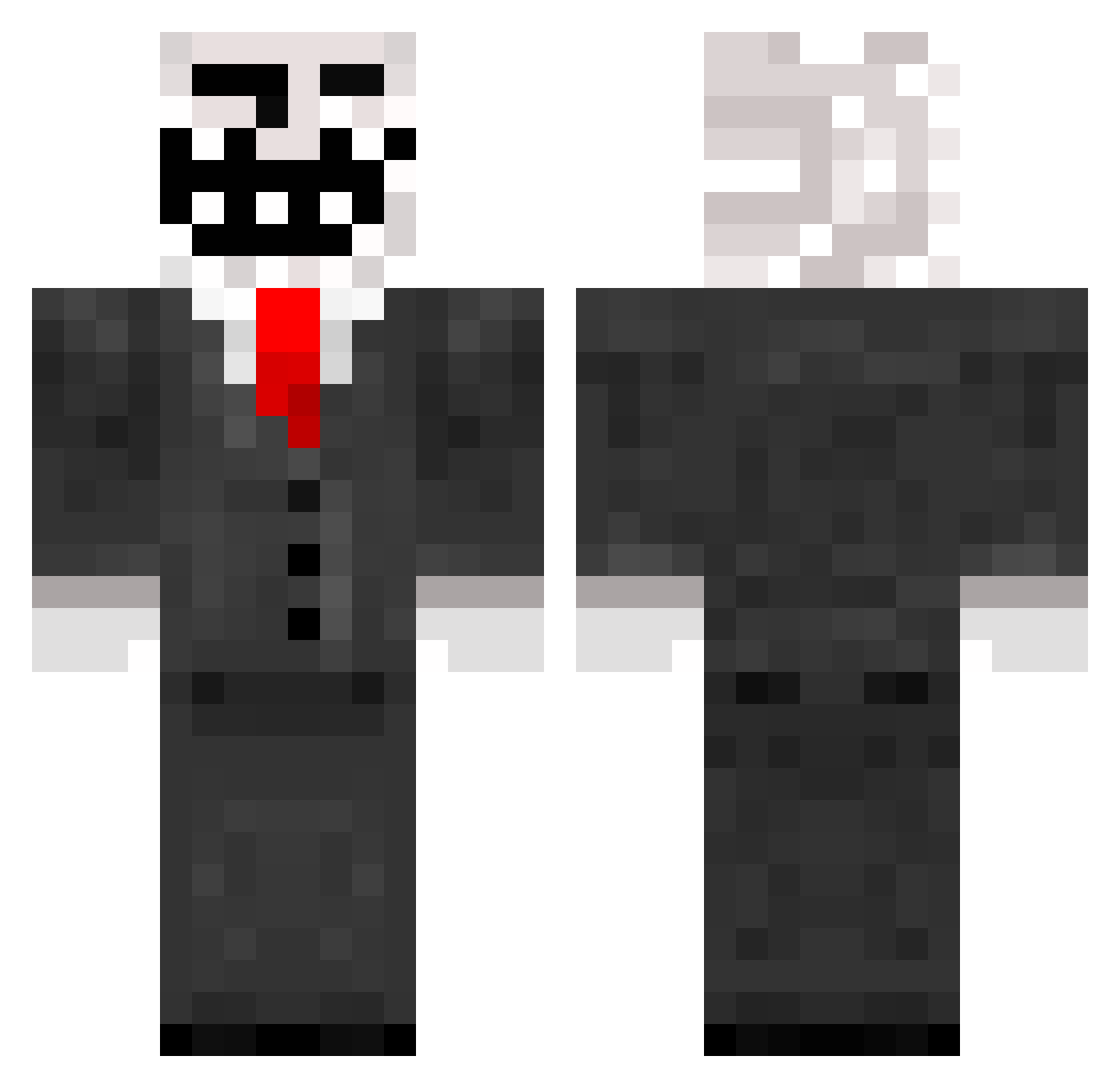
Current Minecraft skin of the player JitJitJit, loaded from the official Mojang API. Rotate the 3D model with your mouse or finger, then download the skin as a PNG file and use it in Minecraft: Bedrock Edition or Java Edition for free. When JitJitJit changes their skin, this page updates automatically and the old skin stays in the history below.
Other players with this skin (787)
JitJitJit was the 738th player we have seen with this skin, first spotted on 26.10.2026. The same skin was seen on these players. Open a nickname to see their current skin and skin history.
 coolguy1803 Waxywarbear Hcs_MasterX Slavatar adrbizarre Calszy nachos109 MrYeager XceeeL TrollerK1ng gabry47 Brambaas rapha32 CraftDorian jroberts44 stefan2435 SGT_KJ Fr0styPedoBear surfingalex Steep CyberStallion69 dead_raiz marbar03 Dannymck123 KSFR RORMAN123 CrossB95 swine13 Bigwillis524 DiMitR_1 blockman01 Faselhorst J3zzz andy0064 seal37 jolarex WildShark87 TROLLFACE1104 DJMikeyG wille75 kevin27460 s3r1al1337 RhythmicWookie James_A_Murray marksewell dontlookup01 AidanPlaysMc_XD robloxnxx ricc2001 CAPTAIN_DEW timbros59 Stampythecat500 DevilDouche SteamApples Trollf4ce highfe ButterWB kody337 timonmuc123 D3m0nFr34k
More Trollface Minecraft skins
How to install the JitJitJit skin
- Press the Download button above to save the skin as a PNG file.
- Minecraft: Bedrock Edition (PE): open the Dressing Room from the main menu (or tap your character → Edit Character), go to Classic Skins → Owned, press the + (new skin) button, choose the downloaded PNG and pick the Classic (Steve) model. Works on PC and mobile; consoles cannot import custom skins.
- Minecraft: Java Edition: open the Minecraft Launcher, go to the Skins tab, click New Skin, load the PNG, pick the Classic (Steve) model and press Save & Use. You can also upload it at minecraft.net → Profile → Change Skin.
The skin does not show up after import - what should I do?
Restart Minecraft and open the Dressing Room again - imported skins sometimes appear only after a restart. Also make sure you selected the imported skin and picked the Classic (Steve) model.
Which model should I choose, Classic or Slim?
This skin is designed for the Classic (Steve) model. If you pick the wrong model, the arms of the skin will look stretched or squeezed.
Is the skin of JitJitJit free to download?
Yes. Press Download, save the PNG file and use it in Minecraft: Bedrock Edition or Java Edition - no payment or registration needed. The skin also works on multiplayer servers and Realms.
More skins
Looking for more? Go back to all Minecraft skins and check the top skins of the week, month and all time, or find any player's skin by nickname.