
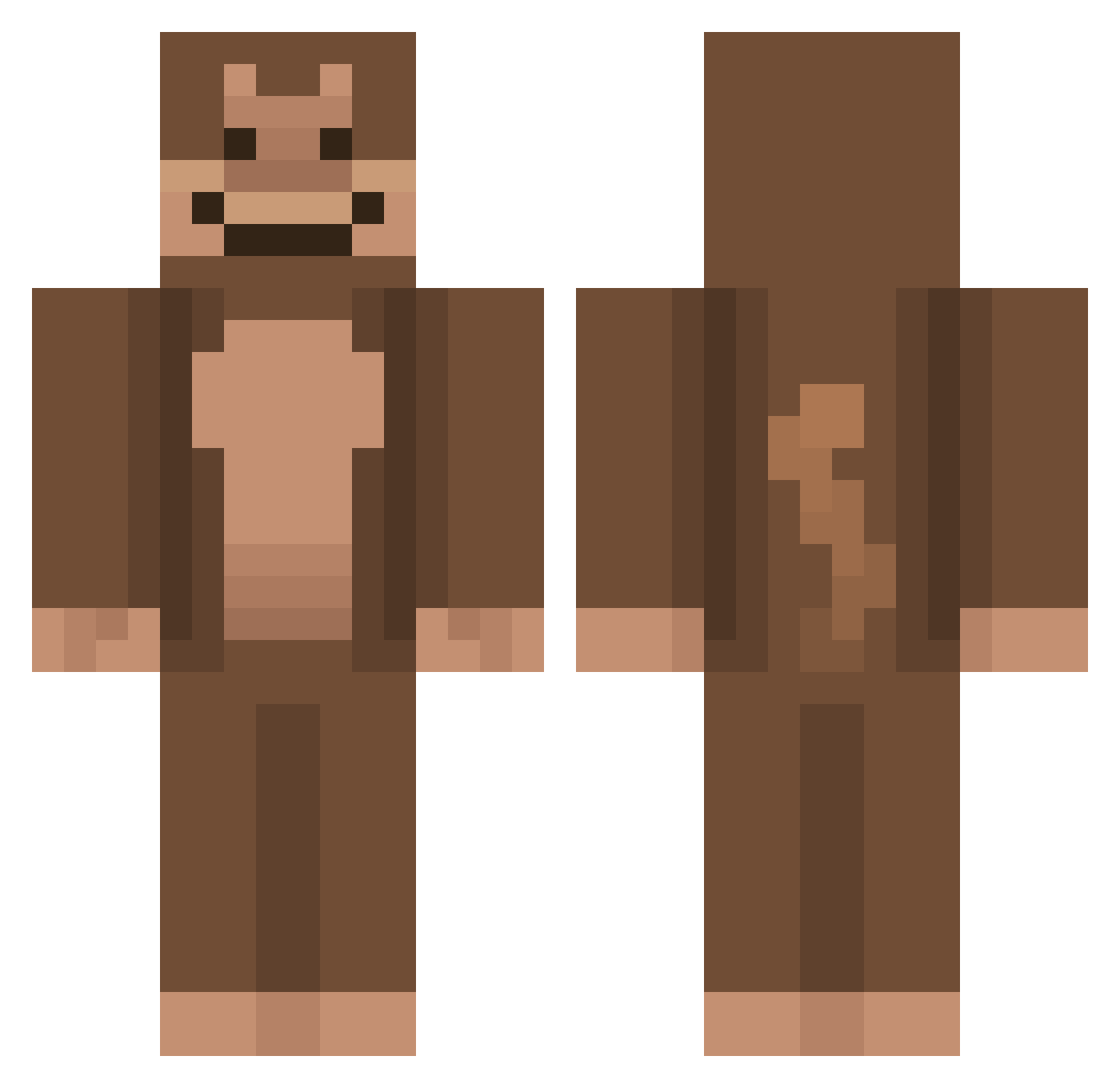
Current Minecraft skin of the player Jettaco, loaded from the official Mojang API. Rotate the 3D model with your mouse or finger, then download the skin as a PNG file and use it in Minecraft: Bedrock Edition or Java Edition for free. When Jettaco changes their skin, this page updates automatically and the old skin stays in the history below.
Other players with this skin (564)
Jettaco was the 133rd player we have seen with this skin, first spotted on 12.08.2026. The same skin was seen on these players. Open a nickname to see their current skin and skin history.
 rvzense gimbalgofast PRAEDITUS_HD chloeb_03 Ytarmani Kingkong_690 Bigbattygal120 LostMonkey1 H4YASHII Robaza Exticxk Terasami cokeisgoodforu AuraLucas KingNiel ButeryMonkey
 ingik123 kramala frnizar j1zy mokeymonkey BrandonMonkeyToe ChimpBo1 ConnorLyle2K FreneticGoblin Flygoow albertreis JsAlbxrt milesthemonkey J_xho marcosxd999 mynarwhalbutt wamblingchimp65 antscanes Itsyourboyjude MayoThe3rd yonig123 aapjet PhantomThrasher Dustikas BC_Parker lPumal CaityCay Stimmie Driftablepants TheWofy PS_Theta TheAwsomeN34 Elyon_0G monkeManridh chilakil1212 DAVE42657 __SillyMonkey__ moinkesy WIXEDY LinusSexTechTips GiGi_doge Itz_Linken_13 Munkky Evans08
More Ape Minecraft skins
How to install the Jettaco skin
- Press the Download button above to save the skin as a PNG file.
- Minecraft: Bedrock Edition (PE): open the Dressing Room from the main menu (or tap your character → Edit Character), go to Classic Skins → Owned, press the + (new skin) button, choose the downloaded PNG and pick the Classic (Steve) model. Works on PC and mobile; consoles cannot import custom skins.
- Minecraft: Java Edition: open the Minecraft Launcher, go to the Skins tab, click New Skin, load the PNG, pick the Classic (Steve) model and press Save & Use. You can also upload it at minecraft.net → Profile → Change Skin.
The skin does not show up after import - what should I do?
Restart Minecraft and open the Dressing Room again - imported skins sometimes appear only after a restart. Also make sure you selected the imported skin and picked the Classic (Steve) model.
Which model should I choose, Classic or Slim?
This skin is designed for the Classic (Steve) model. If you pick the wrong model, the arms of the skin will look stretched or squeezed.
Is the skin of Jettaco free to download?
Yes. Press Download, save the PNG file and use it in Minecraft: Bedrock Edition or Java Edition - no payment or registration needed. The skin also works on multiplayer servers and Realms.
More skins
Looking for more? Go back to all Minecraft skins and check the top skins of the week, month and all time, or find any player's skin by nickname.