
JesterAtlas - Minecraft Skins & Skin History
Current Minecraft skin of the player JesterAtlas, loaded from the official Mojang API. Rotate the 3D model with your mouse or finger, then download the skin as a PNG file and use it in Minecraft: Bedrock Edition or Java Edition for free. When JesterAtlas changes their skin, this page updates automatically and the old skin stays in the history below.
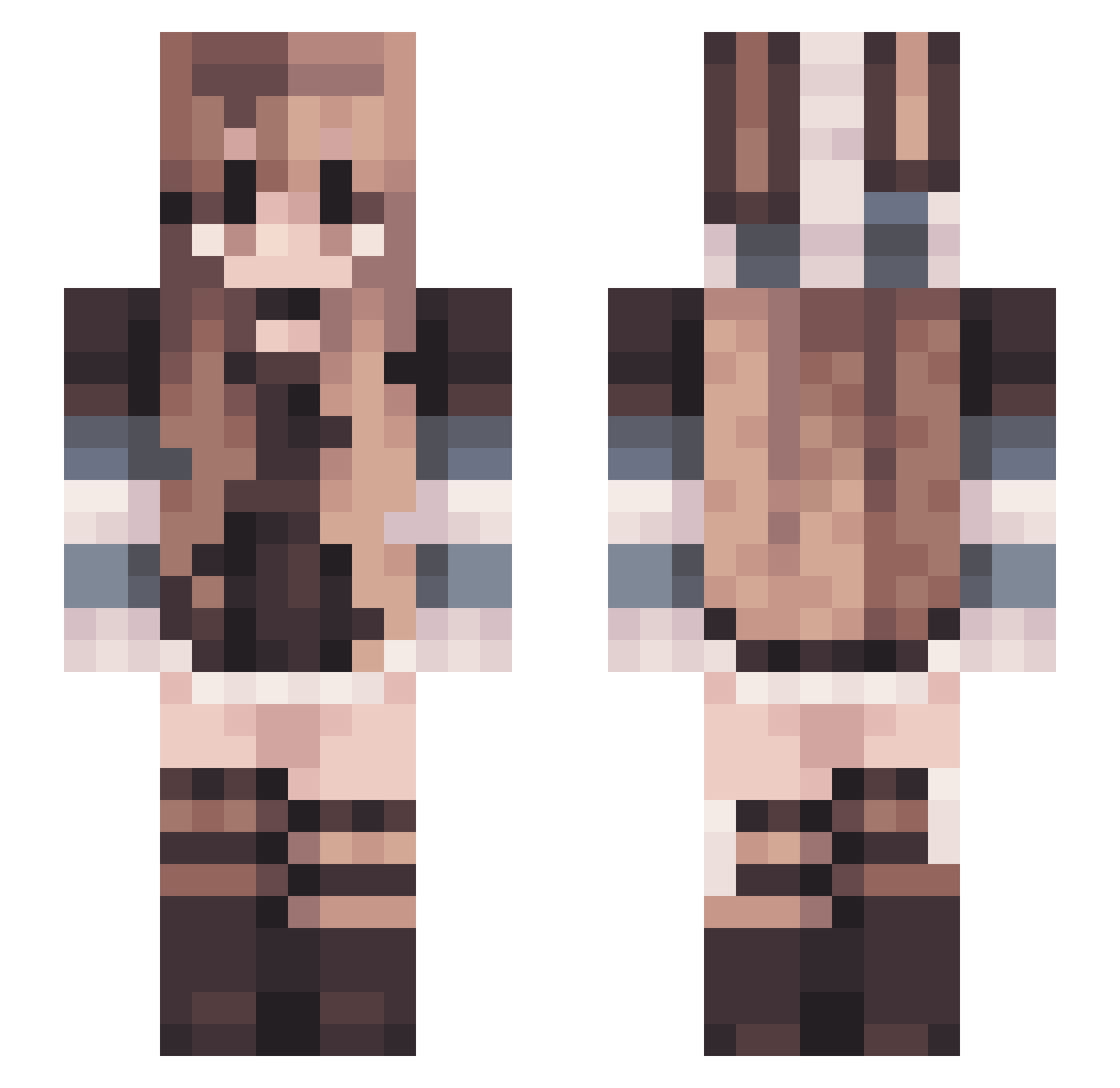
Other players with this skin (106)
JesterAtlas was the 22nd player we have seen with this skin, first spotted on 16.08.2026. The same skin was seen on these players. Open a nickname to see their current skin and skin history.
 Hallow_Gamer1
 imNaphy Bubashuba
 Jessica3347 11r_mc thrat crazynes1000 Sweetie_Bunny Jackamoto7207
 Echo___06 Bearrr05 GamesR4Girls0 MAKKARONEE25 cheetahGoat Mythiknight lailayoon ItsSierraMarie RTX_M3 Emilirose Hannah_89
 VishnyaE FlyANR Endergirl910
 linuxAR ScorchiZoryn
 jxyleen staairway aNNiHiL8r BluOrchid4me Inqxs Seertost _MrsMyers_
 AceOfCards679 Dirzzla LemonadeLychee cinnamon_bun21 Andreea0707 waifub tongsoknuee Beagl67 Sleepy_Pumpkim isangell FemUwUss Valeblue
 vivi1302 KuroMaggie Bittybop67 LordKermitt Julcixvx TannOF07 Astcue sqwishiii Mchemo Produalx RugSniffer Hydrrangea Evonjr WildBlossom_7 magdax16x Orochirisu
More Striped Sleeves Minecraft skins
See all 1190 Striped Sleeves skins
How to install the JesterAtlas skin
- Press the Download button above to save the skin as a PNG file.
- Minecraft: Bedrock Edition (PE): open the Dressing Room from the main menu (or tap your character → Edit Character), go to Classic Skins → Owned, press the + (new skin) button, choose the downloaded PNG and pick the Slim (Alex) model. Works on PC and mobile; consoles cannot import custom skins.
- Minecraft: Java Edition: open the Minecraft Launcher, go to the Skins tab, click New Skin, load the PNG, pick the Slim (Alex) model and press Save & Use. You can also upload it at minecraft.net → Profile → Change Skin.
The skin does not show up after import - what should I do?
Restart Minecraft and open the Dressing Room again - imported skins sometimes appear only after a restart. Also make sure you selected the imported skin and picked the Slim (Alex) model.
Which model should I choose, Classic or Slim?
This skin is designed for the Slim (Alex) model. If you pick the wrong model, the arms of the skin will look stretched or squeezed.
Is the skin of JesterAtlas free to download?
Yes. Press Download, save the PNG file and use it in Minecraft: Bedrock Edition or Java Edition - no payment or registration needed. The skin also works on multiplayer servers and Realms.
More skins
Looking for more? Go back to all Minecraft skins and check the top skins of the week, month and all time, or find any player's skin by nickname.