
Jess_sier - Minecraft Skins & Skin History
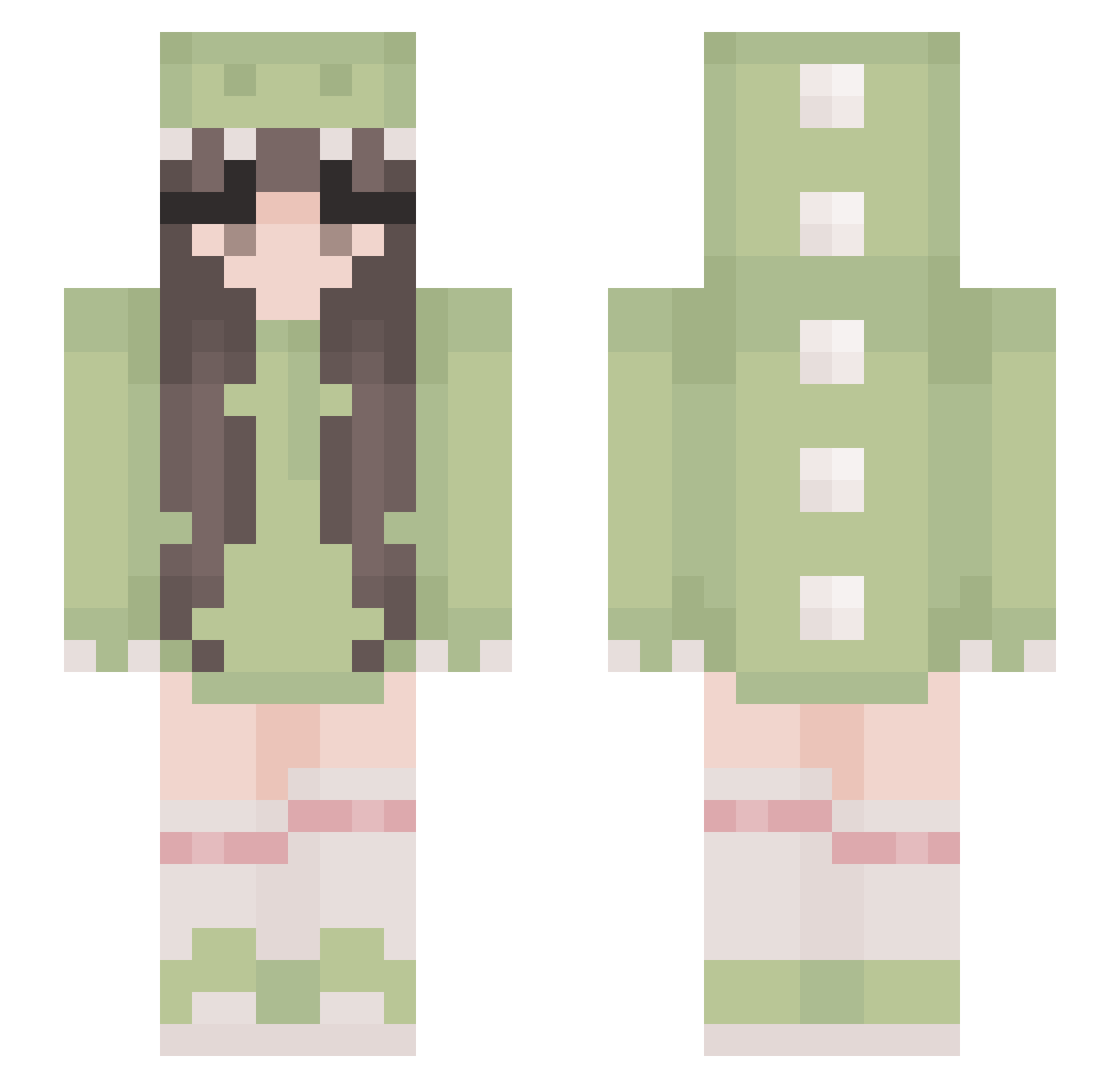
Current Minecraft skin of the player Jess_sier, loaded from the official Mojang API. Rotate the 3D model with your mouse or finger, then download the skin as a PNG file and use it in Minecraft: Bedrock Edition or Java Edition for free. When Jess_sier changes their skin, this page updates automatically and the old skin stays in the history below.
Other players with this skin (529)
Jess_sier was the 392nd player we have seen with this skin, first spotted on 13.10.2026. The same skin was seen on these players. Open a nickname to see their current skin and skin history.
 GaminGrandma1 s1mps0n123 _kusa I3ean Karolajna0331 itzztheweebxx hyedam__ Dinobugz_ kitkatek saradigiulio mitaa009 goobea_ NUKE_T3WN bootybandit05 confusedpears baobao_04 emilyzhouuu friedchenken CheeseCake644 Ellem_ Holis_Phoenix Prisciliin Venuslvy Taylor237 summerkitty012 Smindle lotten0tfound ayameko11 Mily_y illlillii Holly__Marie Bearixia08 OMDubers Liv_Realms paintismyfav hey_wait_ toriyaki_chicken smelnykova hakuphanthomhive candiceeeeee Arilinchen blxsh LadyJulq Clara_S2_ reminde xiaomu_xuzm Zoveria kaliner_weiner Amelka_tu Princesspup09 Boniat0 Ice0_o7 Jessy_0211 Poopis_ iollanda67 alienee beyoncaya liuuwu Saieko KessiSoares
More Cute Minecraft skins
How to install the Jess_sier skin
- Press the Download button above to save the skin as a PNG file.
- Minecraft: Bedrock Edition (PE): open the Dressing Room from the main menu (or tap your character → Edit Character), go to Classic Skins → Owned, press the + (new skin) button, choose the downloaded PNG and pick the Slim (Alex) model. Works on PC and mobile; consoles cannot import custom skins.
- Minecraft: Java Edition: open the Minecraft Launcher, go to the Skins tab, click New Skin, load the PNG, pick the Slim (Alex) model and press Save & Use. You can also upload it at minecraft.net → Profile → Change Skin.
The skin does not show up after import - what should I do?
Restart Minecraft and open the Dressing Room again - imported skins sometimes appear only after a restart. Also make sure you selected the imported skin and picked the Slim (Alex) model.
Which model should I choose, Classic or Slim?
This skin is designed for the Slim (Alex) model. If you pick the wrong model, the arms of the skin will look stretched or squeezed.
Is the skin of Jess_sier free to download?
Yes. Press Download, save the PNG file and use it in Minecraft: Bedrock Edition or Java Edition - no payment or registration needed. The skin also works on multiplayer servers and Realms.
More skins
Looking for more? Go back to all Minecraft skins and check the top skins of the week, month and all time, or find any player's skin by nickname.