
JelloShat - Minecraft Skins & Skin History
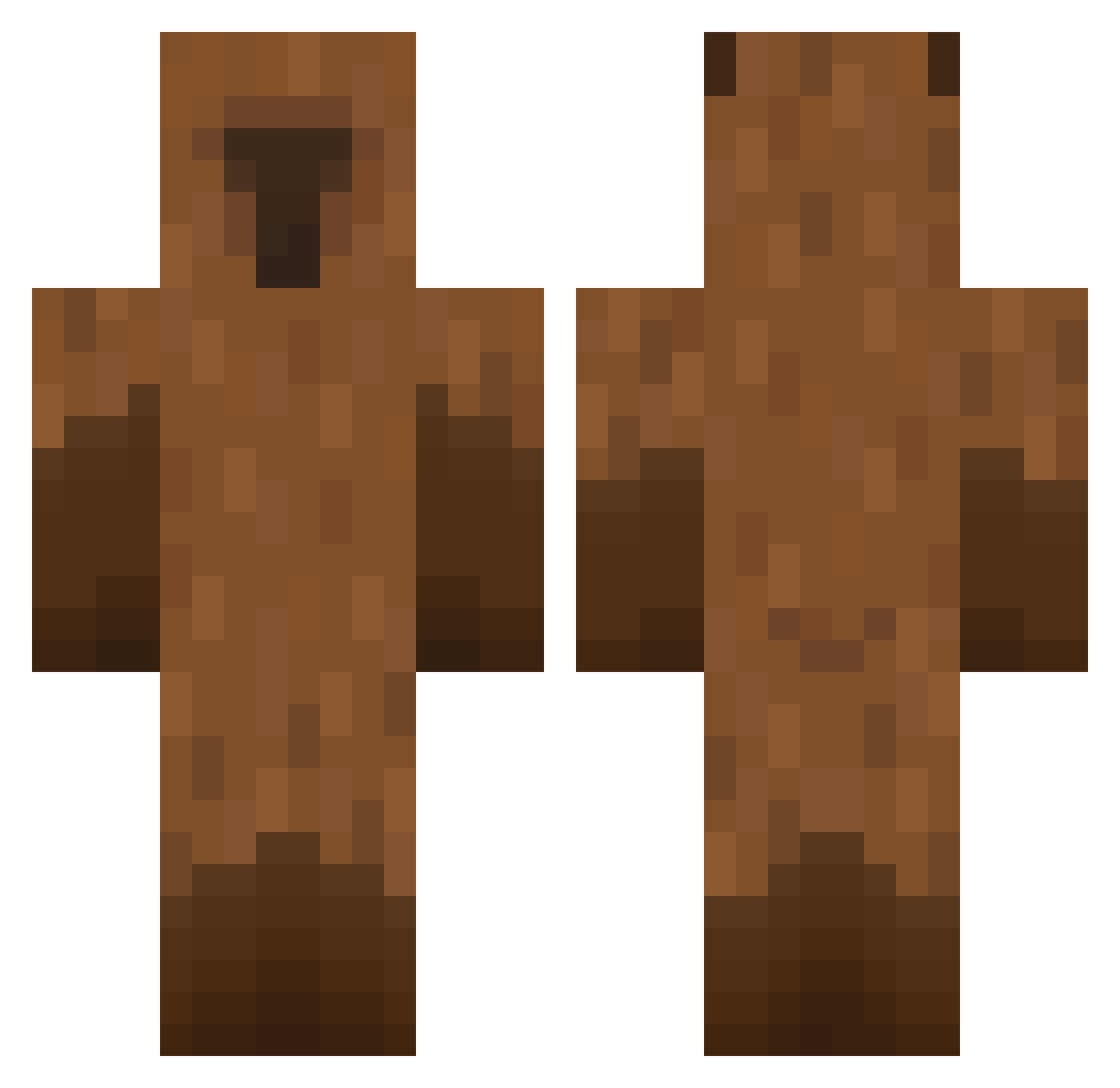
Current Minecraft skin of the player JelloShat, loaded from the official Mojang API. Rotate the 3D model with your mouse or finger, then download the skin as a PNG file and use it in Minecraft: Bedrock Edition or Java Edition for free. When JelloShat changes their skin, this page updates automatically and the old skin stays in the history below.
Other players with this skin (449)
JelloShat was the 356th player we have seen with this skin, first spotted on 11.10.2026. The same skin was seen on these players. Open a nickname to see their current skin and skin history.
 Load2013 AnoyingGuy6000 Cracel ShnjtZel Kjames0930 queensuarez awe0615 DaniSahni02 SmallFriee Szmatec MonkaBorz0 jeennn01 SAHYORA_ prh0510 brxndonj fff_god Mazdaniel aptem89 rhtars Baeyeonu TheRealJJDogs Maxverstapem Nathaniscool61 lilnarutoe Wr4yx fabrysito ziggy004 W8Ben B0RRY TATIAGO33 davidpao2006 PoopyMike LillEmmas shro0mie Kimaejun ro4567 Nesslaits IOBBOI savinrj KKCcola mcxiaoma ConKit jekashiff PURPLE_CYCLOPES yyloo8 liliilllilili Monkey_Bara exiqq XtenuattorJr Perkeloaf dlalstmd Baedal04 LinhEAYoW1226 brickke Zooweemama00 Lazybara idavidpod yanguiun wannaRNG MOSKAMS
More Capybara Minecraft skins
How to install the JelloShat skin
- Press the Download button above to save the skin as a PNG file.
- Minecraft: Bedrock Edition (PE): open the Dressing Room from the main menu (or tap your character → Edit Character), go to Classic Skins → Owned, press the + (new skin) button, choose the downloaded PNG and pick the Classic (Steve) model. Works on PC and mobile; consoles cannot import custom skins.
- Minecraft: Java Edition: open the Minecraft Launcher, go to the Skins tab, click New Skin, load the PNG, pick the Classic (Steve) model and press Save & Use. You can also upload it at minecraft.net → Profile → Change Skin.
The skin does not show up after import - what should I do?
Restart Minecraft and open the Dressing Room again - imported skins sometimes appear only after a restart. Also make sure you selected the imported skin and picked the Classic (Steve) model.
Which model should I choose, Classic or Slim?
This skin is designed for the Classic (Steve) model. If you pick the wrong model, the arms of the skin will look stretched or squeezed.
Is the skin of JelloShat free to download?
Yes. Press Download, save the PNG file and use it in Minecraft: Bedrock Edition or Java Edition - no payment or registration needed. The skin also works on multiplayer servers and Realms.
More skins
Looking for more? Go back to all Minecraft skins and check the top skins of the week, month and all time, or find any player's skin by nickname.