
Jeffersucc - Minecraft Skins & Skin History
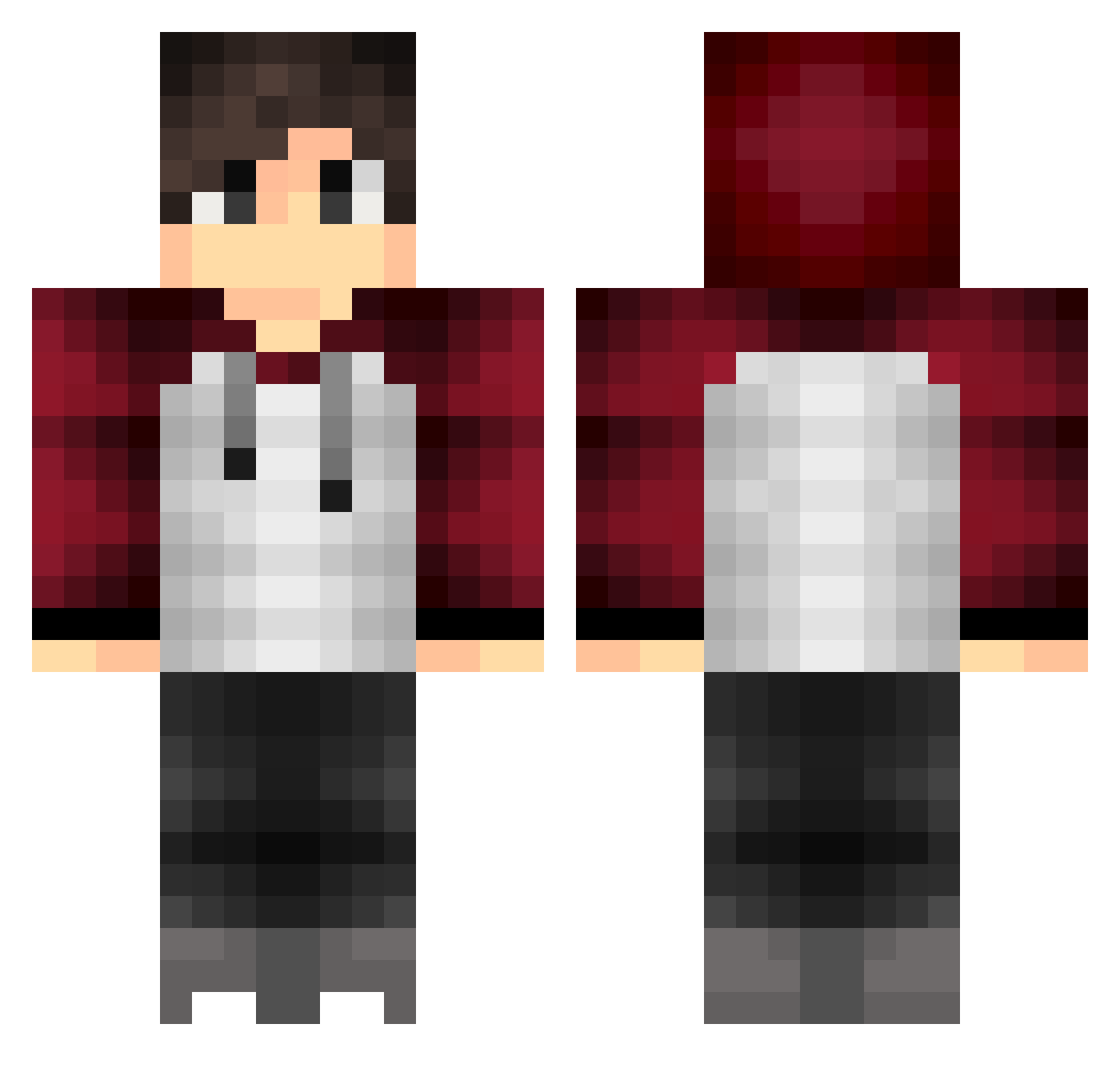
Current Minecraft skin of the player Jeffersucc, loaded from the official Mojang API. Rotate the 3D model with your mouse or finger, then download the skin as a PNG file and use it in Minecraft: Bedrock Edition or Java Edition for free. When Jeffersucc changes their skin, this page updates automatically and the old skin stays in the history below.
Other players with this skin (318)
Jeffersucc was the 270th player we have seen with this skin, first spotted on 08.10.2026. The same skin was seen on these players. Open a nickname to see their current skin and skin history.
 Newest I_Be3uMeC_I GladyoooKings Mr_Lisol zAaron52 Reegser Veaxoo kikopower syndilate_12 antrow ChickenDonuts Alecccc HugoTheB3east angurw TIM_2K2 Meggomegg sasasawa28 OliverMx 25ml BeawulF gamzer9989 Apple2T4ch Turrieboy Mad_Fisher AzChohan _LarsDeAansteker NeedAPic __Marcel_ LarrytheBuckHead Squads ImFer4sCr4ft ciroo88 xImGamerHD Tellus12 Gwoble Shindy1310 Simobusce riyu_2 SlimeKILLERDK hwan862 Marre_GM D_Con5 HWTL CrazyTrevor1 Blicher Muurti Maroon21 MineMasterStar SuPa_MaTT02 KNKT Jezzoo Kiwistaude SmileyCr4ft TaDeeee al33x SuperlLame Quinta19 PoisonDragon123 Nasc2005 Anton_2
How to install the Jeffersucc skin
- Press the Download button above to save the skin as a PNG file.
- Minecraft: Bedrock Edition (PE): open the Dressing Room from the main menu (or tap your character → Edit Character), go to Classic Skins → Owned, press the + (new skin) button, choose the downloaded PNG and pick the Classic (Steve) model. Works on PC and mobile; consoles cannot import custom skins.
- Minecraft: Java Edition: open the Minecraft Launcher, go to the Skins tab, click New Skin, load the PNG, pick the Classic (Steve) model and press Save & Use. You can also upload it at minecraft.net → Profile → Change Skin.
The skin does not show up after import - what should I do?
Restart Minecraft and open the Dressing Room again - imported skins sometimes appear only after a restart. Also make sure you selected the imported skin and picked the Classic (Steve) model.
Which model should I choose, Classic or Slim?
This skin is designed for the Classic (Steve) model. If you pick the wrong model, the arms of the skin will look stretched or squeezed.
Is the skin of Jeffersucc free to download?
Yes. Press Download, save the PNG file and use it in Minecraft: Bedrock Edition or Java Edition - no payment or registration needed. The skin also works on multiplayer servers and Realms.
More skins
Looking for more? Go back to all Minecraft skins and check the top skins of the week, month and all time, or find any player's skin by nickname.