
Jed_I_Knight99 - Minecraft Skins & Skin History
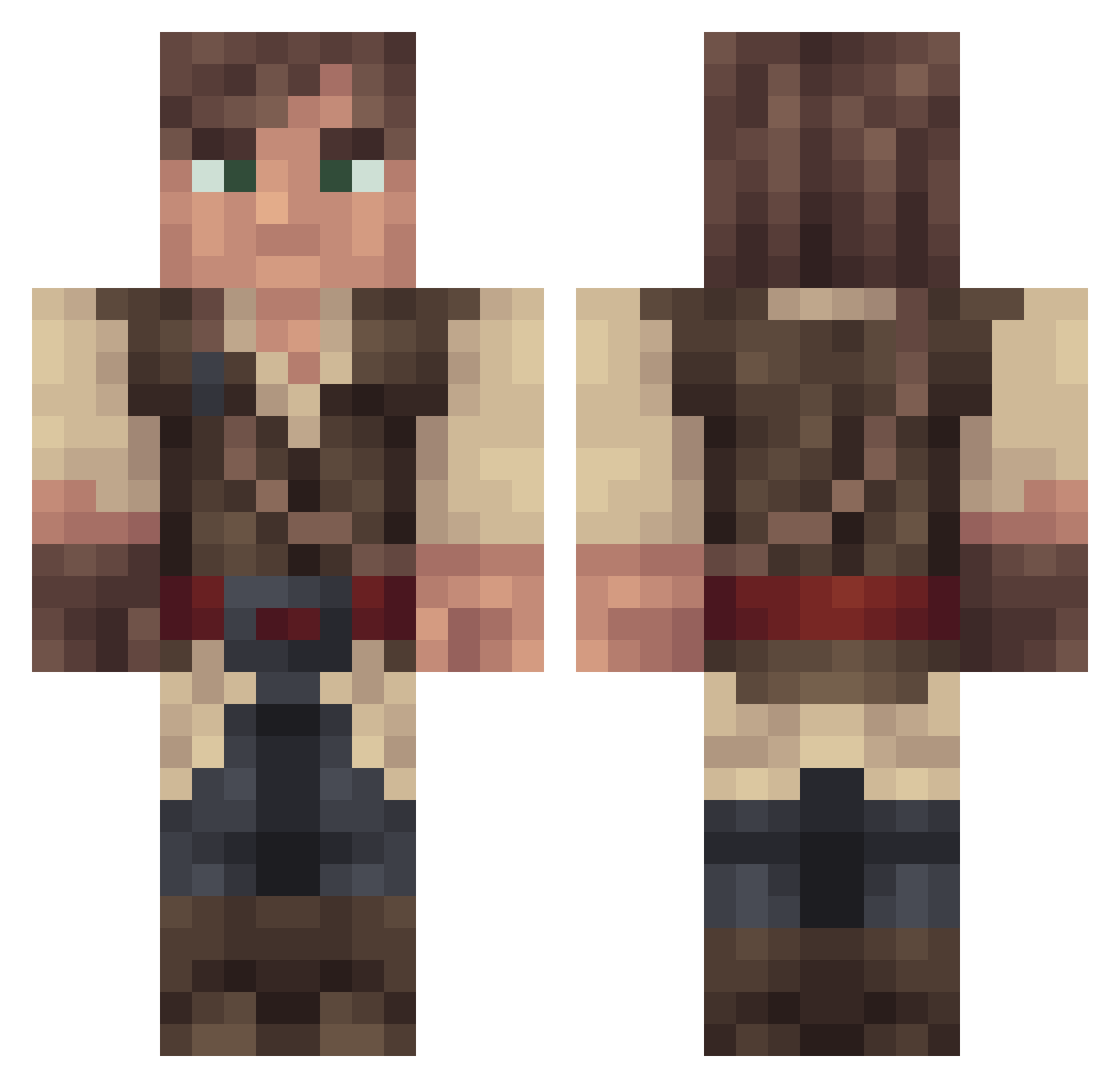
Current Minecraft skin of the player Jed_I_Knight99, loaded from the official Mojang API. Rotate the 3D model with your mouse or finger, then download the skin as a PNG file and use it in Minecraft: Bedrock Edition or Java Edition for free. When Jed_I_Knight99 changes their skin, this page updates automatically and the old skin stays in the history below.
Other players with this skin (385)
Jed_I_Knight99 was the 355th player we have seen with this skin, first spotted on 11.11.2026. The same skin was seen on these players. Open a nickname to see their current skin and skin history.
 LoeMib Kooks_17 POTUS808 Papa_Pluto Debora765 Oxtailtripod kameronjpg JakeVoluntary Rabbinovich PhilItzMe amb2010 joshuaBWH KoolerComstar aplatinumshadow L_i_m_e HazretiHz RussMoney Jmrt3881 IlFiddy 7t4hi Slerms theman_frommars dldrake Shinnimegami johnny_ole_man AbsoluteMolotov Zlaimix2 ScottTheCreator Qinak Tsunamibird D3athBr1nger AARONFFZ KillerClownXD69 ReturnedLizard SoulstormAPP chokoboyespersen victorverpoort Dodis_ alasdain lars0_0 jnpop Lynex89 Pakuruhl MrMavu File_Not_Found jopeas Full_zombie Procentese Hylarion RpSSS cyan_tag Lerendil Gregor1115 Snazzydingo Propashiy Elix27 Bursk92 _LiquidDragon_ oldeuboy Jochem_STVRS
More Nathan Drake Minecraft skins
See all 135 Nathan Drake skins
How to install the Jed_I_Knight99 skin
- Press the Download button above to save the skin as a PNG file.
- Minecraft: Bedrock Edition (PE): open the Dressing Room from the main menu (or tap your character → Edit Character), go to Classic Skins → Owned, press the + (new skin) button, choose the downloaded PNG and pick the Classic (Steve) model. Works on PC and mobile; consoles cannot import custom skins.
- Minecraft: Java Edition: open the Minecraft Launcher, go to the Skins tab, click New Skin, load the PNG, pick the Classic (Steve) model and press Save & Use. You can also upload it at minecraft.net → Profile → Change Skin.
The skin does not show up after import - what should I do?
Restart Minecraft and open the Dressing Room again - imported skins sometimes appear only after a restart. Also make sure you selected the imported skin and picked the Classic (Steve) model.
Which model should I choose, Classic or Slim?
This skin is designed for the Classic (Steve) model. If you pick the wrong model, the arms of the skin will look stretched or squeezed.
Is the skin of Jed_I_Knight99 free to download?
Yes. Press Download, save the PNG file and use it in Minecraft: Bedrock Edition or Java Edition - no payment or registration needed. The skin also works on multiplayer servers and Realms.
More skins
Looking for more? Go back to all Minecraft skins and check the top skins of the week, month and all time, or find any player's skin by nickname.