
JeanJackDaniel - Minecraft Skins & Skin History
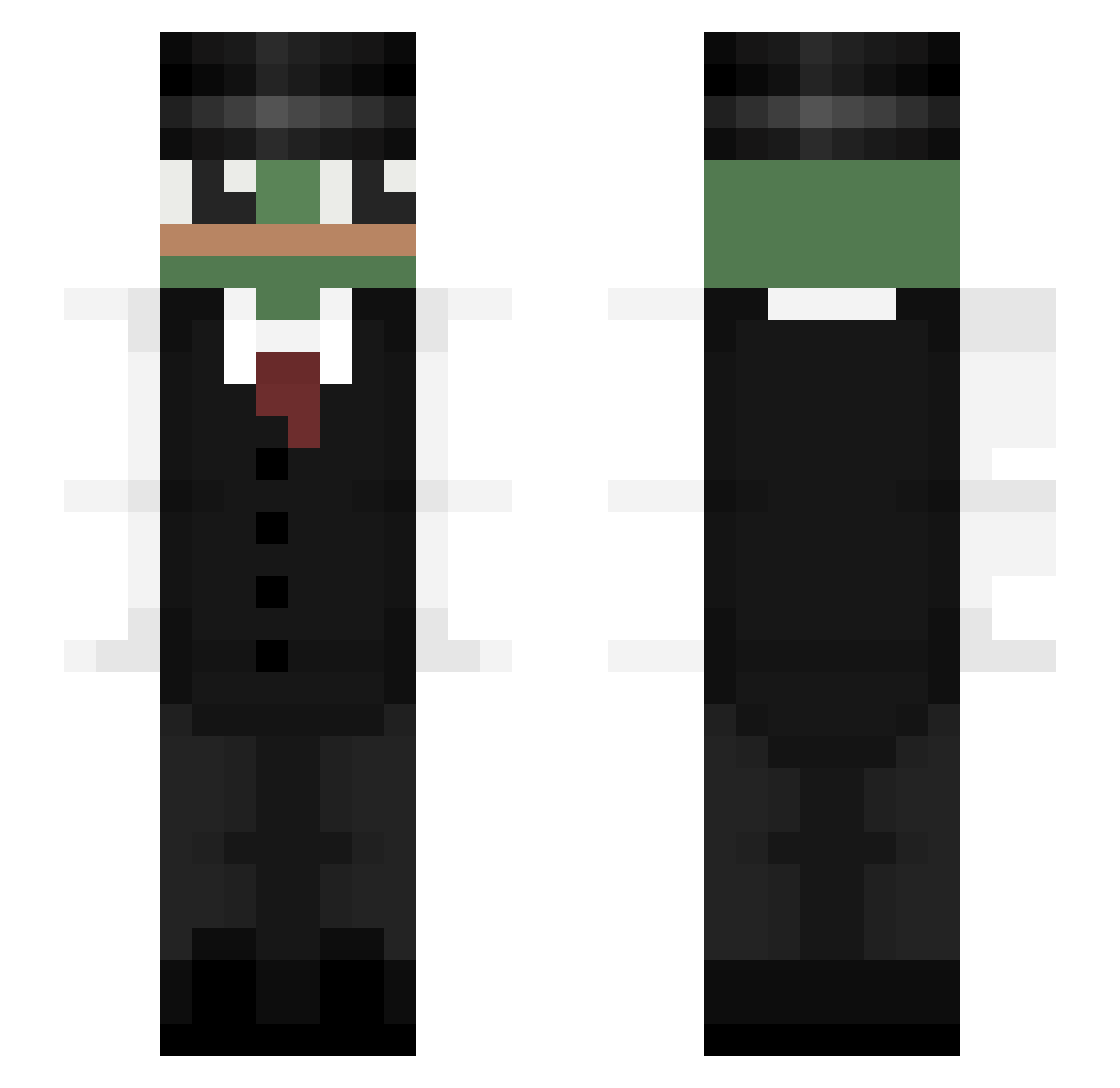
Current Minecraft skin of the player JeanJackDaniel, loaded from the official Mojang API. Rotate the 3D model with your mouse or finger, then download the skin as a PNG file and use it in Minecraft: Bedrock Edition or Java Edition for free. When JeanJackDaniel changes their skin, this page updates automatically and the old skin stays in the history below.
Other players with this skin (323)
JeanJackDaniel was the 123rd player we have seen with this skin, first spotted on 29.08.2026. The same skin was seen on these players. Open a nickname to see their current skin and skin history.
 ItzFrostex CalderaTheArcane HoRong__ Blakinson Bela2403 RandomRandomak Bruder_Julien NostrBamus DefinitelyOP kazik2124 Ch8_Trop_CraZY Positive_Jeffrey tylertseng _danon IdoBeygel Brekali zdenys M0H4M3DN4K4T4 ChickenUD Gravilight2010 TheL0neW0lf _Eso_ DonnyT_ A_xDssA KeepTheCrocsOn Jomopomo lmzeghbeb Tapo4ek_YT obasty pablooml Maela39 _oing Skinny_Matt pablinjonhzin123 ilyHashi Gwagamole ShhhouT zGestPy50 jakes123 pr0gramat0r mmmmaloy EdwardChien9999 TopGunBK KarottenDodo COPUS_ ayrobot Netiqq OllyWebby IwataniH paradox26_____ _Big_Chungus_1 KillStea1 Simsonowicz IThaRpI Darkside0587 zChrono Enot_222 pepe_193 Rubberduck0011 MoeJanton
More Pepe Minecraft skins
How to install the JeanJackDaniel skin
- Press the Download button above to save the skin as a PNG file.
- Minecraft: Bedrock Edition (PE): open the Dressing Room from the main menu (or tap your character → Edit Character), go to Classic Skins → Owned, press the + (new skin) button, choose the downloaded PNG and pick the Slim (Alex) model. Works on PC and mobile; consoles cannot import custom skins.
- Minecraft: Java Edition: open the Minecraft Launcher, go to the Skins tab, click New Skin, load the PNG, pick the Slim (Alex) model and press Save & Use. You can also upload it at minecraft.net → Profile → Change Skin.
The skin does not show up after import - what should I do?
Restart Minecraft and open the Dressing Room again - imported skins sometimes appear only after a restart. Also make sure you selected the imported skin and picked the Slim (Alex) model.
Which model should I choose, Classic or Slim?
This skin is designed for the Slim (Alex) model. If you pick the wrong model, the arms of the skin will look stretched or squeezed.
Is the skin of JeanJackDaniel free to download?
Yes. Press Download, save the PNG file and use it in Minecraft: Bedrock Edition or Java Edition - no payment or registration needed. The skin also works on multiplayer servers and Realms.
More skins
Looking for more? Go back to all Minecraft skins and check the top skins of the week, month and all time, or find any player's skin by nickname.