
Jcook990 - Minecraft Skins & Skin History
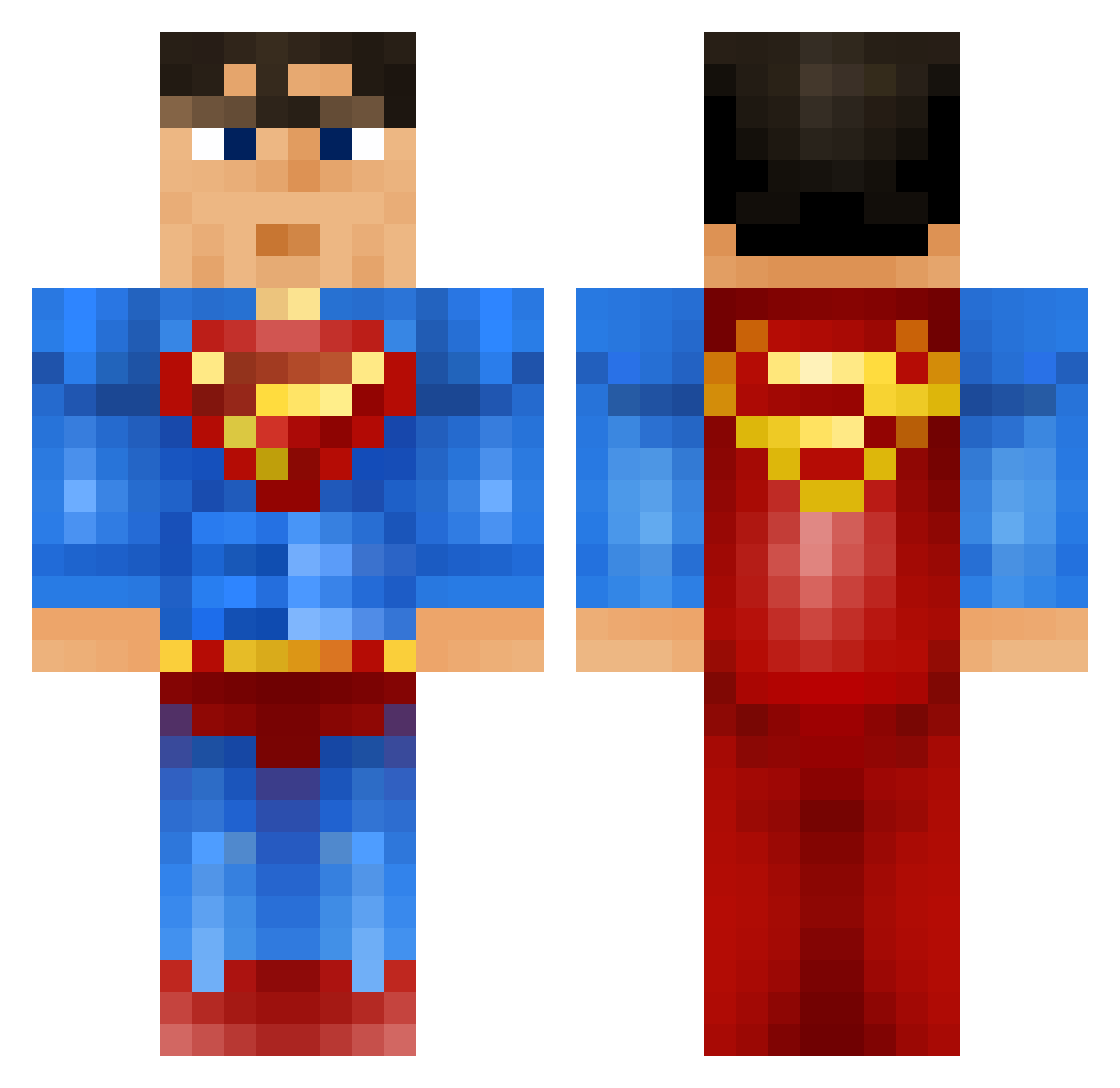
Current Minecraft skin of the player Jcook990, loaded from the official Mojang API. Rotate the 3D model with your mouse or finger, then download the skin as a PNG file and use it in Minecraft: Bedrock Edition or Java Edition for free. When Jcook990 changes their skin, this page updates automatically and the old skin stays in the history below.
Other players with this skin (914)
Jcook990 was the 136th player we have seen with this skin, first spotted on 11.08.2026. The same skin was seen on these players. Open a nickname to see their current skin and skin history.
 Mikkelham moomy12345 hchaker ELZ_MAN snipe04 ShadowZ_JG pika_5116 mldog cancan226 noreallifex Niegen dancingdj10 Popules EL2610 Kopesky5 Artus2007 Simonson04 death559 Ziabra Shuel0418 MiguelHancho Apsouille bunnners omar_2309 juss1ck einaragust seaniej DeepakCherian crazydragster Domefiree FatherChristian Slooperman LionChicken analrammer1 jayzay98 herminator99 Twiix9 lakrisrod LeopoldFire jorreds1999 Retrosniper30 TheGamingSupermn xxDurandalxx Gingerbreadett originalxbanga schmun leerielly RoyalNite06 _Mich3al_ Jeppe_dk05 RojinX Bryan17600 nicolem12 vegardflekstad wavyreed vif0u SemSuperman04 madmait tesquito Pur3Light
More Superman Minecraft skins
How to install the Jcook990 skin
- Press the Download button above to save the skin as a PNG file.
- Minecraft: Bedrock Edition (PE): open the Dressing Room from the main menu (or tap your character → Edit Character), go to Classic Skins → Owned, press the + (new skin) button, choose the downloaded PNG and pick the Classic (Steve) model. Works on PC and mobile; consoles cannot import custom skins.
- Minecraft: Java Edition: open the Minecraft Launcher, go to the Skins tab, click New Skin, load the PNG, pick the Classic (Steve) model and press Save & Use. You can also upload it at minecraft.net → Profile → Change Skin.
The skin does not show up after import - what should I do?
Restart Minecraft and open the Dressing Room again - imported skins sometimes appear only after a restart. Also make sure you selected the imported skin and picked the Classic (Steve) model.
Which model should I choose, Classic or Slim?
This skin is designed for the Classic (Steve) model. If you pick the wrong model, the arms of the skin will look stretched or squeezed.
Is the skin of Jcook990 free to download?
Yes. Press Download, save the PNG file and use it in Minecraft: Bedrock Edition or Java Edition - no payment or registration needed. The skin also works on multiplayer servers and Realms.
More skins
Looking for more? Go back to all Minecraft skins and check the top skins of the week, month and all time, or find any player's skin by nickname.