
Jayson1998XD - Minecraft Skins & Skin History
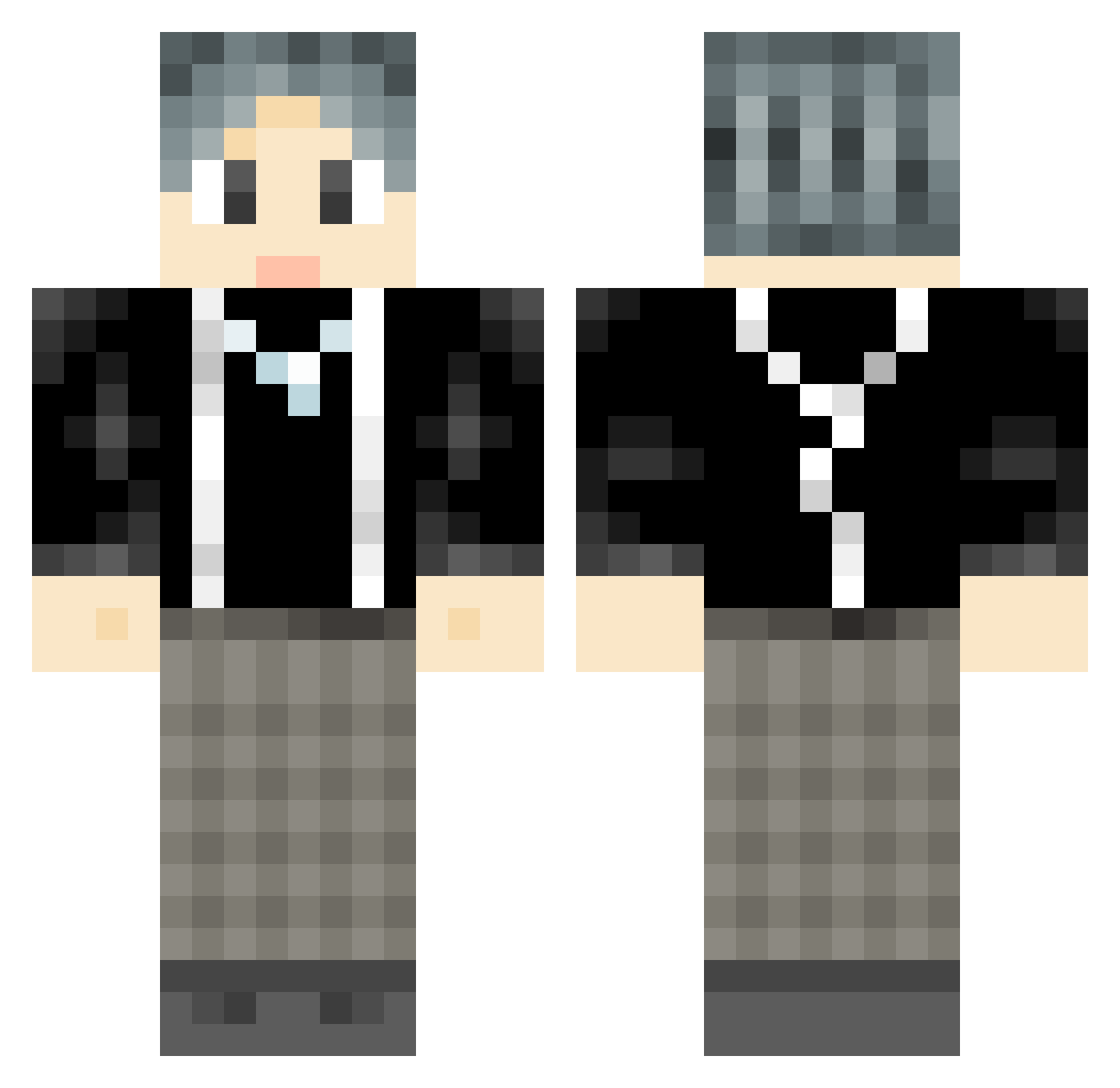
Current Minecraft skin of the player Jayson1998XD, loaded from the official Mojang API. Rotate the 3D model with your mouse or finger, then download the skin as a PNG file and use it in Minecraft: Bedrock Edition or Java Edition for free. When Jayson1998XD changes their skin, this page updates automatically and the old skin stays in the history below.
Other players with this skin (779)
Jayson1998XD was the 541st player we have seen with this skin, first spotted on 30.09.2026. The same skin was seen on these players. Open a nickname to see their current skin and skin history.
 H_SmallFish dammadd WXYZero 0r1gami silencez3 whjd95 promiseazon dzx35 God_Y ChenxiX CleverHao jie_geng MrHenryLiu IKUN019 Fighting_CN FuXiaoHei sqxgd Matchman_H wait0528 hhhcsb RyealAlts_328741 bobofish1 laowuwu yuxiYaop logan_kone JingYiMaster felinehoney Best_mx j_n_t_m_CXK mantoumantou Youkaicy alexpalm Monk_mo SlidMarigold53 Stoneheart9 SenZhiYaojing Moynihan skywalker_4096 xinye999 LuoYitang sttyyh AlexOrigin GTABLACKCAT Ferbit666 yezzzzzz guanhai66 Xiao_Ya codekaikai PPDNP XiaoNan2333666 yuhanhan233 Dengmingjun whywx KKbone crazeduckkkkk HaihaiHa Guo0u0 RachelGardnerV Z1_LU Sekl7
How to install the Jayson1998XD skin
- Press the Download button above to save the skin as a PNG file.
- Minecraft: Bedrock Edition (PE): open the Dressing Room from the main menu (or tap your character → Edit Character), go to Classic Skins → Owned, press the + (new skin) button, choose the downloaded PNG and pick the Classic (Steve) model. Works on PC and mobile; consoles cannot import custom skins.
- Minecraft: Java Edition: open the Minecraft Launcher, go to the Skins tab, click New Skin, load the PNG, pick the Classic (Steve) model and press Save & Use. You can also upload it at minecraft.net → Profile → Change Skin.
The skin does not show up after import - what should I do?
Restart Minecraft and open the Dressing Room again - imported skins sometimes appear only after a restart. Also make sure you selected the imported skin and picked the Classic (Steve) model.
Which model should I choose, Classic or Slim?
This skin is designed for the Classic (Steve) model. If you pick the wrong model, the arms of the skin will look stretched or squeezed.
Is the skin of Jayson1998XD free to download?
Yes. Press Download, save the PNG file and use it in Minecraft: Bedrock Edition or Java Edition - no payment or registration needed. The skin also works on multiplayer servers and Realms.
More skins
Looking for more? Go back to all Minecraft skins and check the top skins of the week, month and all time, or find any player's skin by nickname.