
Jay1_7 - Minecraft Skins & Skin History
Current Minecraft skin of the player Jay1_7, loaded from the official Mojang API. Rotate the 3D model with your mouse or finger, then download the skin as a PNG file and use it in Minecraft: Bedrock Edition or Java Edition for free. When Jay1_7 changes their skin, this page updates automatically and the old skin stays in the history below.
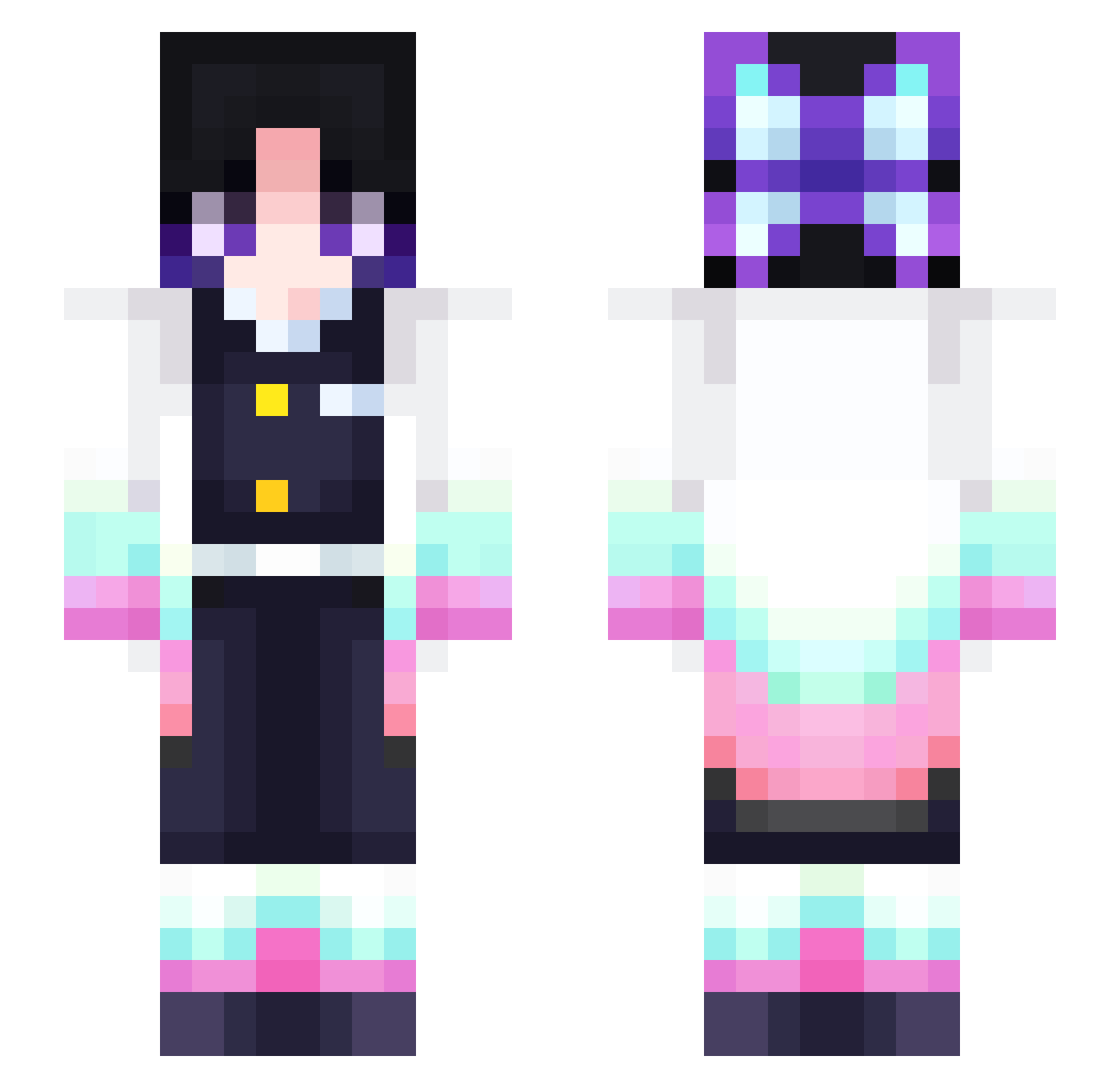
Other players with this skin (312)
Jay1_7 was the 288th player we have seen with this skin, first spotted on 26.10.2026. The same skin was seen on these players. Open a nickname to see their current skin and skin history.
 leeyisin Loatra Gtsakmakis menma_dayo Nidrion snowmochis nokonoko1 ClaireBeaRz_ ImpostorLN faursey lechonking cherry_nana sskk2236 JRamirezSV sonvanie Koorurin xianchifanba ShaShaTV aishterui Milasus HiIamKatie bibidubu Jeremyhd333 Dani_mm Stulle81 Kiroto7 Daisydayee EthanLin87 Snii_ aynik LunarKeal WRound Yuyunyaw A_kella RidingATractor Sisi0107 AoHan8 Nuage84 hockey0055 Crazy0taku TIKHUNG_TTH Brugorg IceL4tt3 Flippybelle thefloust Alah_ nohayconsuelo Tavar3sx_ lM0NTE RainbowLaser_ Hampshire Huzaifa2 Daubeny420 kolbugi soulinblue krasnyansky Yobi1016 Draxend Chloe2263 xmilex09
More Shinobu Kocho Minecraft skins
See all 127 Shinobu Kocho skins
How to install the Jay1_7 skin
- Press the Download button above to save the skin as a PNG file.
- Minecraft: Bedrock Edition (PE): open the Dressing Room from the main menu (or tap your character → Edit Character), go to Classic Skins → Owned, press the + (new skin) button, choose the downloaded PNG and pick the Slim (Alex) model. Works on PC and mobile; consoles cannot import custom skins.
- Minecraft: Java Edition: open the Minecraft Launcher, go to the Skins tab, click New Skin, load the PNG, pick the Slim (Alex) model and press Save & Use. You can also upload it at minecraft.net → Profile → Change Skin.
The skin does not show up after import - what should I do?
Restart Minecraft and open the Dressing Room again - imported skins sometimes appear only after a restart. Also make sure you selected the imported skin and picked the Slim (Alex) model.
Which model should I choose, Classic or Slim?
This skin is designed for the Slim (Alex) model. If you pick the wrong model, the arms of the skin will look stretched or squeezed.
Is the skin of Jay1_7 free to download?
Yes. Press Download, save the PNG file and use it in Minecraft: Bedrock Edition or Java Edition - no payment or registration needed. The skin also works on multiplayer servers and Realms.
More skins
Looking for more? Go back to all Minecraft skins and check the top skins of the week, month and all time, or find any player's skin by nickname.