
Javilele - Minecraft Skins & Skin History
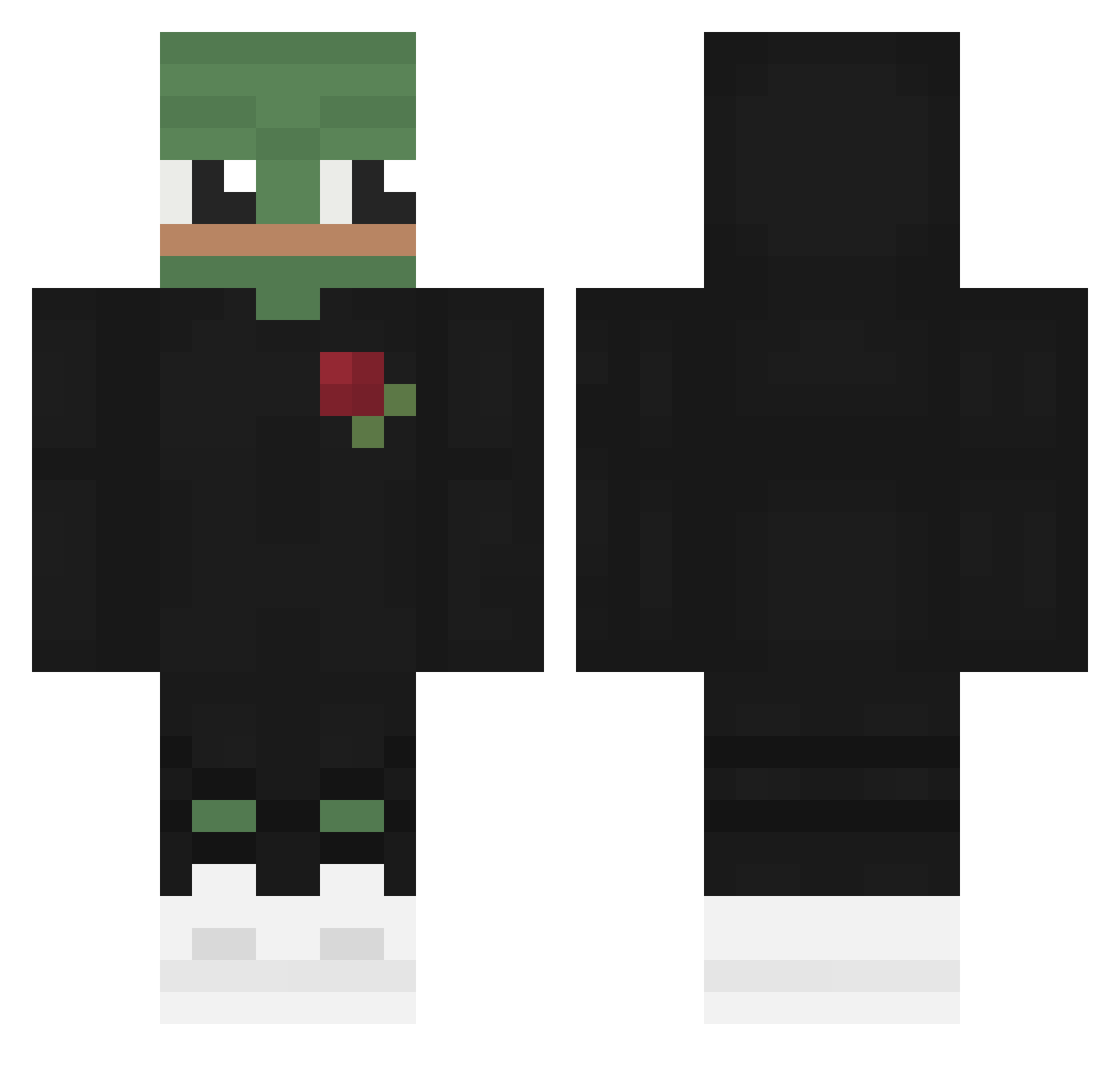
Current Minecraft skin of the player Javilele, loaded from the official Mojang API. Rotate the 3D model with your mouse or finger, then download the skin as a PNG file and use it in Minecraft: Bedrock Edition or Java Edition for free. When Javilele changes their skin, this page updates automatically and the old skin stays in the history below.
Other players with this skin (567)
Javilele was the 245th player we have seen with this skin, first spotted on 10.09.2026. The same skin was seen on these players. Open a nickname to see their current skin and skin history.
 fantazlolo123 KEPTYNS tipashnik Viiruzh KnucklesSythe JooNyaKK CSGO130303 Thubey DeepInU juice427 RanOuttaJokes jbthompson TaiGerMia vincent89030 PeepoJohnTV PsyDura SaintJang YikesGG Pedro62ms Shiller Raffy0711 quwixson S1xten6 Ranzi0330 R8881 kero9duke Mephal x1fly kobeara friperr
 RallyPo MasterSphinx CharlieGMillar Kami_Rui Zack01 TeTra1der Ith_ elpengu18 yigiqin MrCoolBoi Charbellop W1ll2on HecticRex804930 _Satirick_ Oleq1233 Zakweli Exhausity UmuTT8 Last_miner Garikss elomenelo1234 SanPellegrin0 Bobbele007 fareslego Kansozi ELPAPl_ ryuh01 Kradom Flam228 LEGGITIMO
More Pepe Minecraft skins
How to install the Javilele skin
- Press the Download button above to save the skin as a PNG file.
- Minecraft: Bedrock Edition (PE): open the Dressing Room from the main menu (or tap your character → Edit Character), go to Classic Skins → Owned, press the + (new skin) button, choose the downloaded PNG and pick the Classic (Steve) model. Works on PC and mobile; consoles cannot import custom skins.
- Minecraft: Java Edition: open the Minecraft Launcher, go to the Skins tab, click New Skin, load the PNG, pick the Classic (Steve) model and press Save & Use. You can also upload it at minecraft.net → Profile → Change Skin.
The skin does not show up after import - what should I do?
Restart Minecraft and open the Dressing Room again - imported skins sometimes appear only after a restart. Also make sure you selected the imported skin and picked the Classic (Steve) model.
Which model should I choose, Classic or Slim?
This skin is designed for the Classic (Steve) model. If you pick the wrong model, the arms of the skin will look stretched or squeezed.
Is the skin of Javilele free to download?
Yes. Press Download, save the PNG file and use it in Minecraft: Bedrock Edition or Java Edition - no payment or registration needed. The skin also works on multiplayer servers and Realms.
More skins
Looking for more? Go back to all Minecraft skins and check the top skins of the week, month and all time, or find any player's skin by nickname.