
JavaJoe90 - Minecraft Skins & Skin History
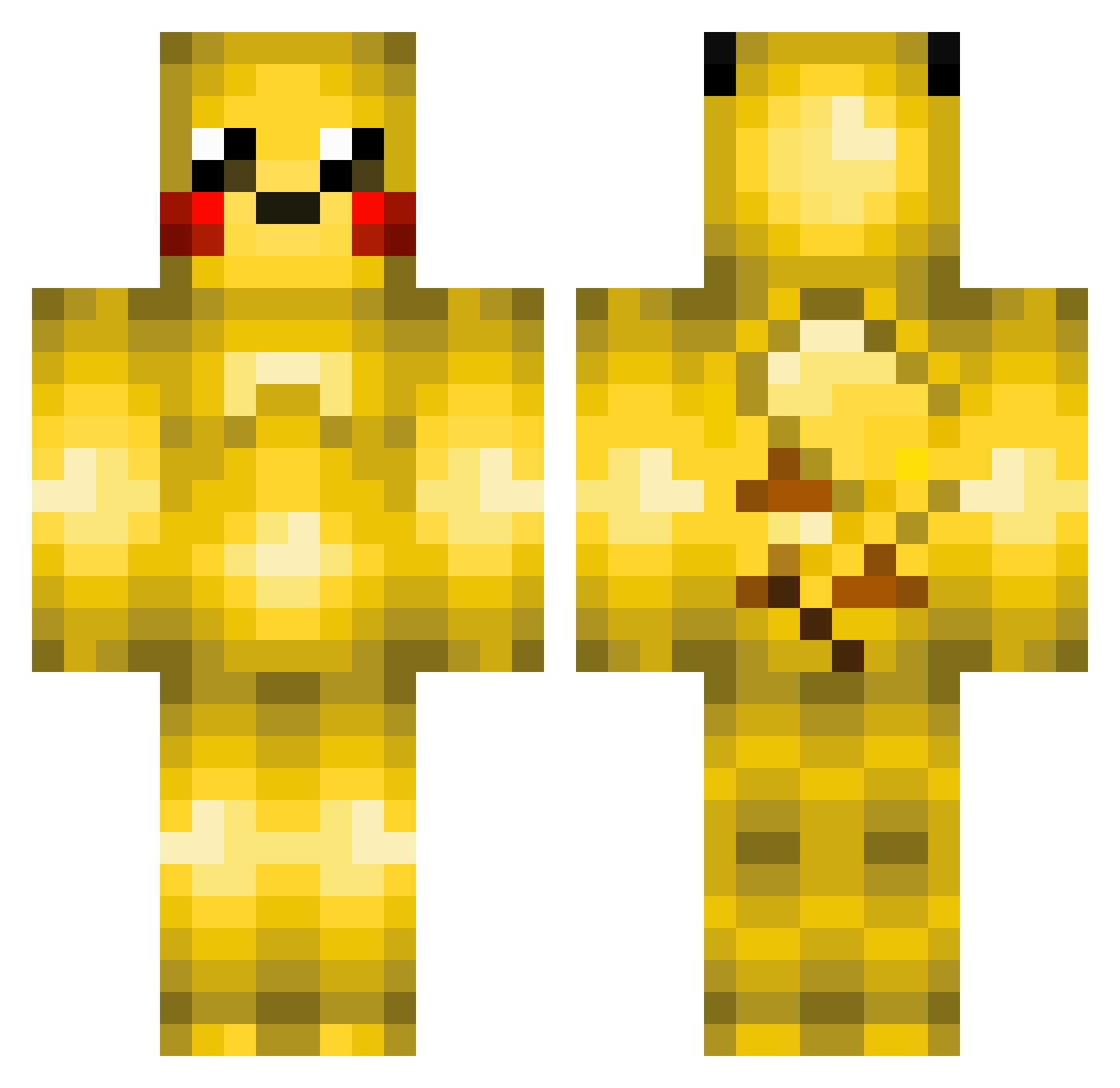
Current Minecraft skin of the player JavaJoe90, loaded from the official Mojang API. Rotate the 3D model with your mouse or finger, then download the skin as a PNG file and use it in Minecraft: Bedrock Edition or Java Edition for free. When JavaJoe90 changes their skin, this page updates automatically and the old skin stays in the history below.
Other players with this skin (370)
JavaJoe90 was the 281st player we have seen with this skin, first spotted on 10.10.2026. The same skin was seen on these players. Open a nickname to see their current skin and skin history.
 OG_trashman ArchiveTigris noops2005 PikaPower2581 JaguarFan2016 MoaLova jaydin1000 LightningBulb5 mr_dx9 goblinchrist WillDaugherty marita2 galiba1 shuka13 MasterMiner910 Cooltiger456 QuickTornado JayKea payapayan Piromanka viperboy7 ICEDWOLF7 T3RR3T KKairo 7chicken SASH4 Matmac77 Teton08 boshesap alfieisawesome1 TheFortKnox88 zombiekian blueeyedspaz Ryan0781 Will1508 benj5597 badutnut Zapakin ApplsTheGiant fartman0705 Lukas4864 rforce99 tiernan61 RotterM1 Mr_Potato_Lover atene15 _Originality dota2 McMeika JonPet000 ben72203 MilanMcK emimessi maranata777666 DrRapey Abros Kittens1710 jacoblg BluPikachu41 kingKeeZa
More Pikachu Minecraft skins
How to install the JavaJoe90 skin
- Press the Download button above to save the skin as a PNG file.
- Minecraft: Bedrock Edition (PE): open the Dressing Room from the main menu (or tap your character → Edit Character), go to Classic Skins → Owned, press the + (new skin) button, choose the downloaded PNG and pick the Classic (Steve) model. Works on PC and mobile; consoles cannot import custom skins.
- Minecraft: Java Edition: open the Minecraft Launcher, go to the Skins tab, click New Skin, load the PNG, pick the Classic (Steve) model and press Save & Use. You can also upload it at minecraft.net → Profile → Change Skin.
The skin does not show up after import - what should I do?
Restart Minecraft and open the Dressing Room again - imported skins sometimes appear only after a restart. Also make sure you selected the imported skin and picked the Classic (Steve) model.
Which model should I choose, Classic or Slim?
This skin is designed for the Classic (Steve) model. If you pick the wrong model, the arms of the skin will look stretched or squeezed.
Is the skin of JavaJoe90 free to download?
Yes. Press Download, save the PNG file and use it in Minecraft: Bedrock Edition or Java Edition - no payment or registration needed. The skin also works on multiplayer servers and Realms.
More skins
Looking for more? Go back to all Minecraft skins and check the top skins of the week, month and all time, or find any player's skin by nickname.