
Jasper1776 - Minecraft Skins & Skin History
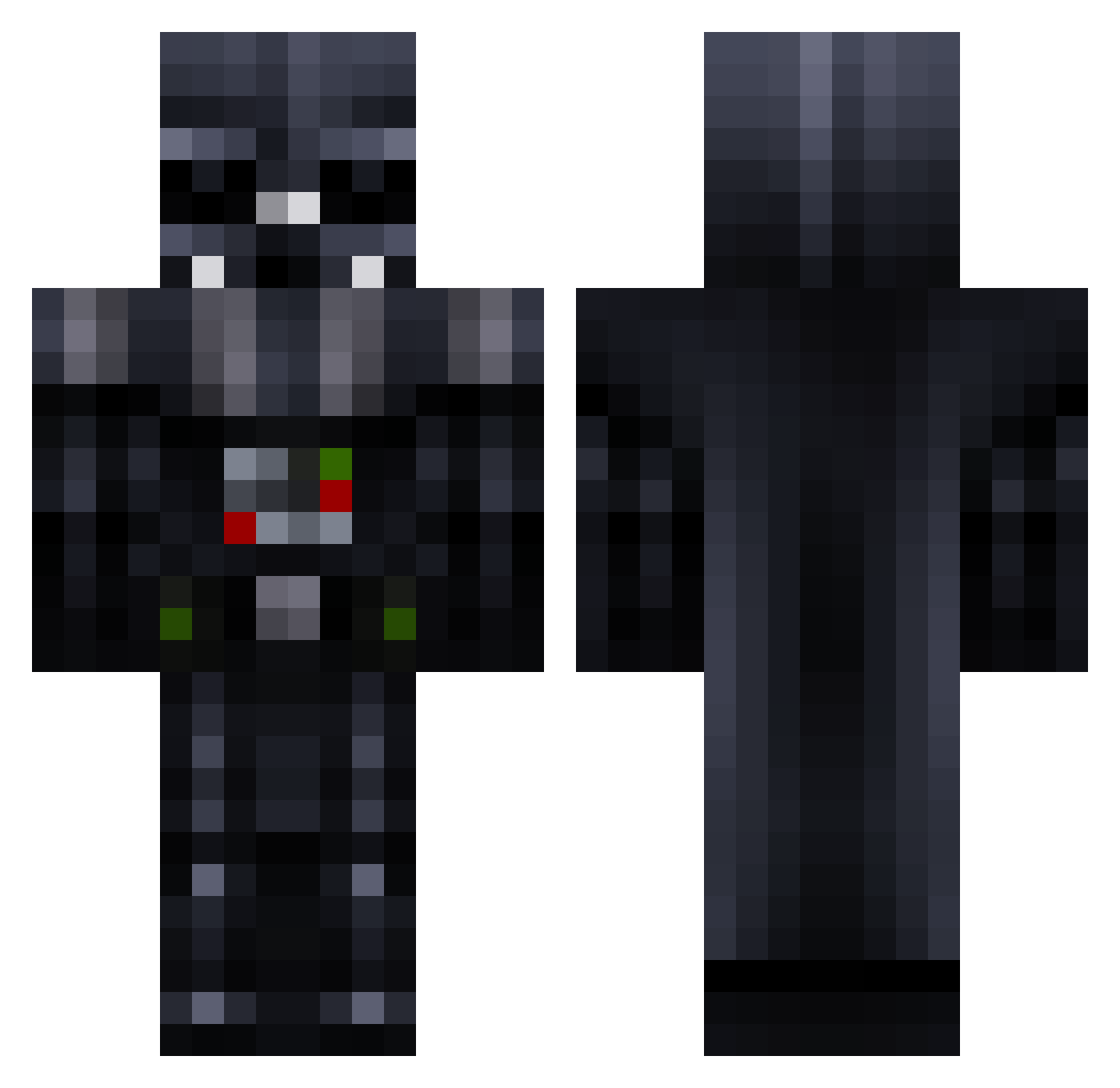
Current Minecraft skin of the player Jasper1776, loaded from the official Mojang API. Rotate the 3D model with your mouse or finger, then download the skin as a PNG file and use it in Minecraft: Bedrock Edition or Java Edition for free. When Jasper1776 changes their skin, this page updates automatically and the old skin stays in the history below.
Other players with this skin (781)
Jasper1776 was the 437th player we have seen with this skin, first spotted on 26.09.2026. The same skin was seen on these players. Open a nickname to see their current skin and skin history.
 xXSmugmoor114Xx Hell_cow21 BlueTeaPot Ale_Reye DarthSivad NukeHKC Blomrutger10 LiterallyHitler nobodyepic599 NickBruce Lehugeur retrogue HighVindicator Shalafish Smuntacus Nevsb00 endgegnerchen Call_Of_DutyMat icecut3719 dancas3741 YeaNahYea COH3N mussi99 Darthmyron MrMartino startrek1p2p RoflanPomoyka StArWaRsSC87 XxAgent SithLordBrock18 XpertSThom Bluee5 MONSTER875559 JustOneHunter Darth_Snake TEDSTAR_13 tainan45 Nicko_Barbeque kagato87 Haunter99zx breadmanbrendan KnightRider0070 HappyVader hgbambi droffig ilya_men ECO7 Darth_Wedler TaylanBaba Reneco Sho420 Gelderat wondarr Hasfyri jonasaa97 ganndoe trishleatherwood MrNicholas thefusilier 23darthvader
More Darth Vader Minecraft skins
How to install the Jasper1776 skin
- Press the Download button above to save the skin as a PNG file.
- Minecraft: Bedrock Edition (PE): open the Dressing Room from the main menu (or tap your character → Edit Character), go to Classic Skins → Owned, press the + (new skin) button, choose the downloaded PNG and pick the Classic (Steve) model. Works on PC and mobile; consoles cannot import custom skins.
- Minecraft: Java Edition: open the Minecraft Launcher, go to the Skins tab, click New Skin, load the PNG, pick the Classic (Steve) model and press Save & Use. You can also upload it at minecraft.net → Profile → Change Skin.
The skin does not show up after import - what should I do?
Restart Minecraft and open the Dressing Room again - imported skins sometimes appear only after a restart. Also make sure you selected the imported skin and picked the Classic (Steve) model.
Which model should I choose, Classic or Slim?
This skin is designed for the Classic (Steve) model. If you pick the wrong model, the arms of the skin will look stretched or squeezed.
Is the skin of Jasper1776 free to download?
Yes. Press Download, save the PNG file and use it in Minecraft: Bedrock Edition or Java Edition - no payment or registration needed. The skin also works on multiplayer servers and Realms.
More skins
Looking for more? Go back to all Minecraft skins and check the top skins of the week, month and all time, or find any player's skin by nickname.