
Japoones - Minecraft Skins & Skin History
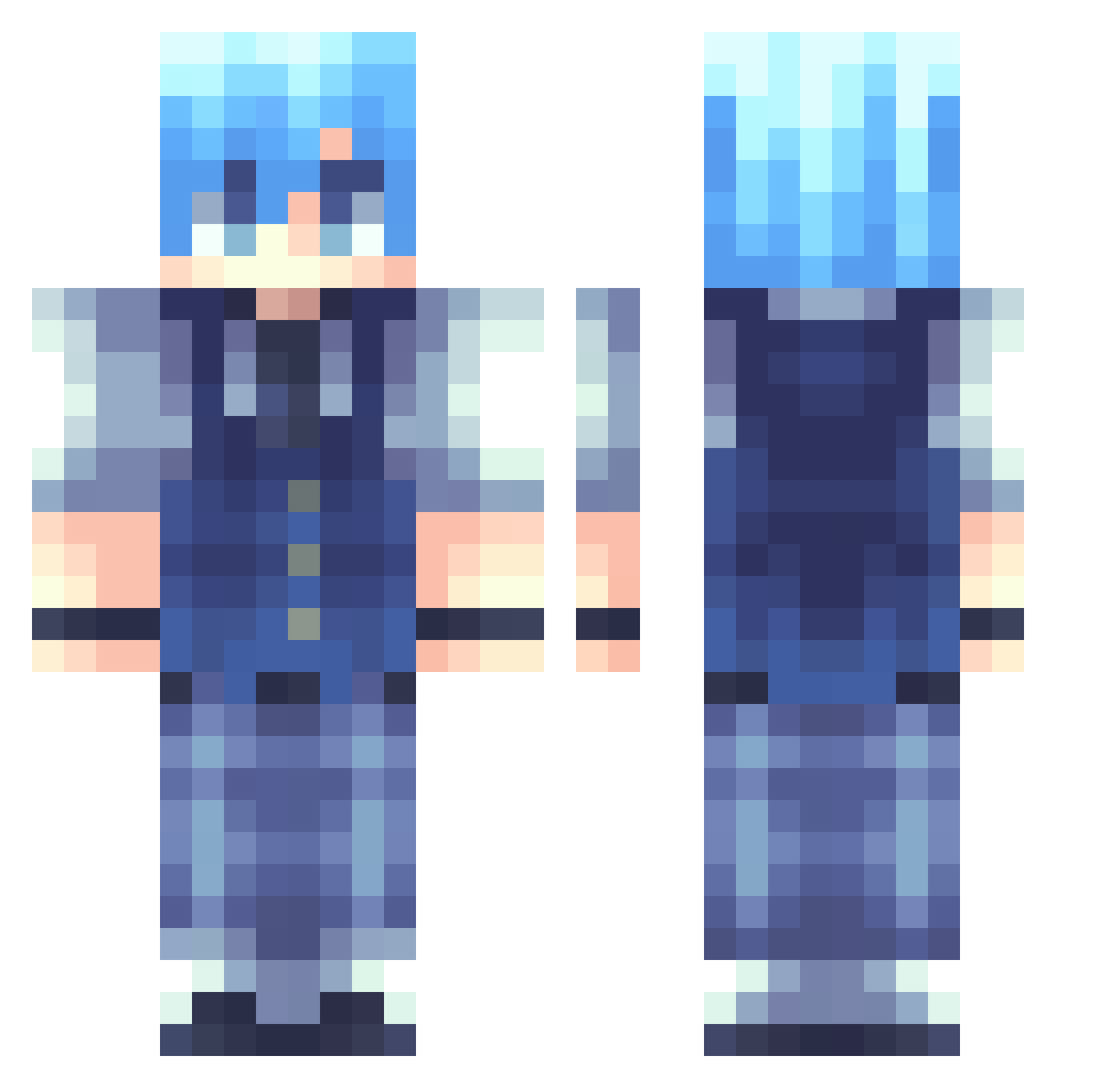
Current Minecraft skin of the player Japoones, loaded from the official Mojang API. Rotate the 3D model with your mouse or finger, then download the skin as a PNG file and use it in Minecraft: Bedrock Edition or Java Edition for free. When Japoones changes their skin, this page updates automatically and the old skin stays in the history below.
Other players with this skin (262)
Japoones was the 169th player we have seen with this skin, first spotted on 07.10.2026. The same skin was seen on these players. Open a nickname to see their current skin and skin history.
 NagisaShiotaFan LinYG Ckrom FemboyOG crispeko bigmuffinboi StarAngel ToGetZero Neyro618 Kyliance12 s3k4i_ Tian_Heng HAMANAIDDA MekumiUwU ZBAIH HinaseKawaii remembersethrich zw62 Dragueyron Atchisuper hanahan22 Soyeon78 NagisaS8 Kuronoss Nagisa207 midorimi xCookiez_T Rafaelemil stardust972 Gemma60 Kathale Xiao_Guaii mohaymen unkowngamer2144 MrMonkey909 PatateRebelle Limency Minigrank MasonatorX Smalljin heatinq MarqueAe kitsunedesu dangerdays003 Cjh44 Nagisas4n PGElektro Leon479999 MiaoXIA7 quartz_0 VirgosOath ZiFan1 J0YFUL_ Shykune Dummmmmmmmmmmmy Snowflakes1025 JangIra mrg_hyeok KisucoXD Spicyyramenn
How to install the Japoones skin
- Press the Download button above to save the skin as a PNG file.
- Minecraft: Bedrock Edition (PE): open the Dressing Room from the main menu (or tap your character → Edit Character), go to Classic Skins → Owned, press the + (new skin) button, choose the downloaded PNG and pick the Classic (Steve) model. Works on PC and mobile; consoles cannot import custom skins.
- Minecraft: Java Edition: open the Minecraft Launcher, go to the Skins tab, click New Skin, load the PNG, pick the Classic (Steve) model and press Save & Use. You can also upload it at minecraft.net → Profile → Change Skin.
The skin does not show up after import - what should I do?
Restart Minecraft and open the Dressing Room again - imported skins sometimes appear only after a restart. Also make sure you selected the imported skin and picked the Classic (Steve) model.
Which model should I choose, Classic or Slim?
This skin is designed for the Classic (Steve) model. If you pick the wrong model, the arms of the skin will look stretched or squeezed.
Is the skin of Japoones free to download?
Yes. Press Download, save the PNG file and use it in Minecraft: Bedrock Edition or Java Edition - no payment or registration needed. The skin also works on multiplayer servers and Realms.
More skins
Looking for more? Go back to all Minecraft skins and check the top skins of the week, month and all time, or find any player's skin by nickname.