
Jantarjr11 - Minecraft Skins & Skin History
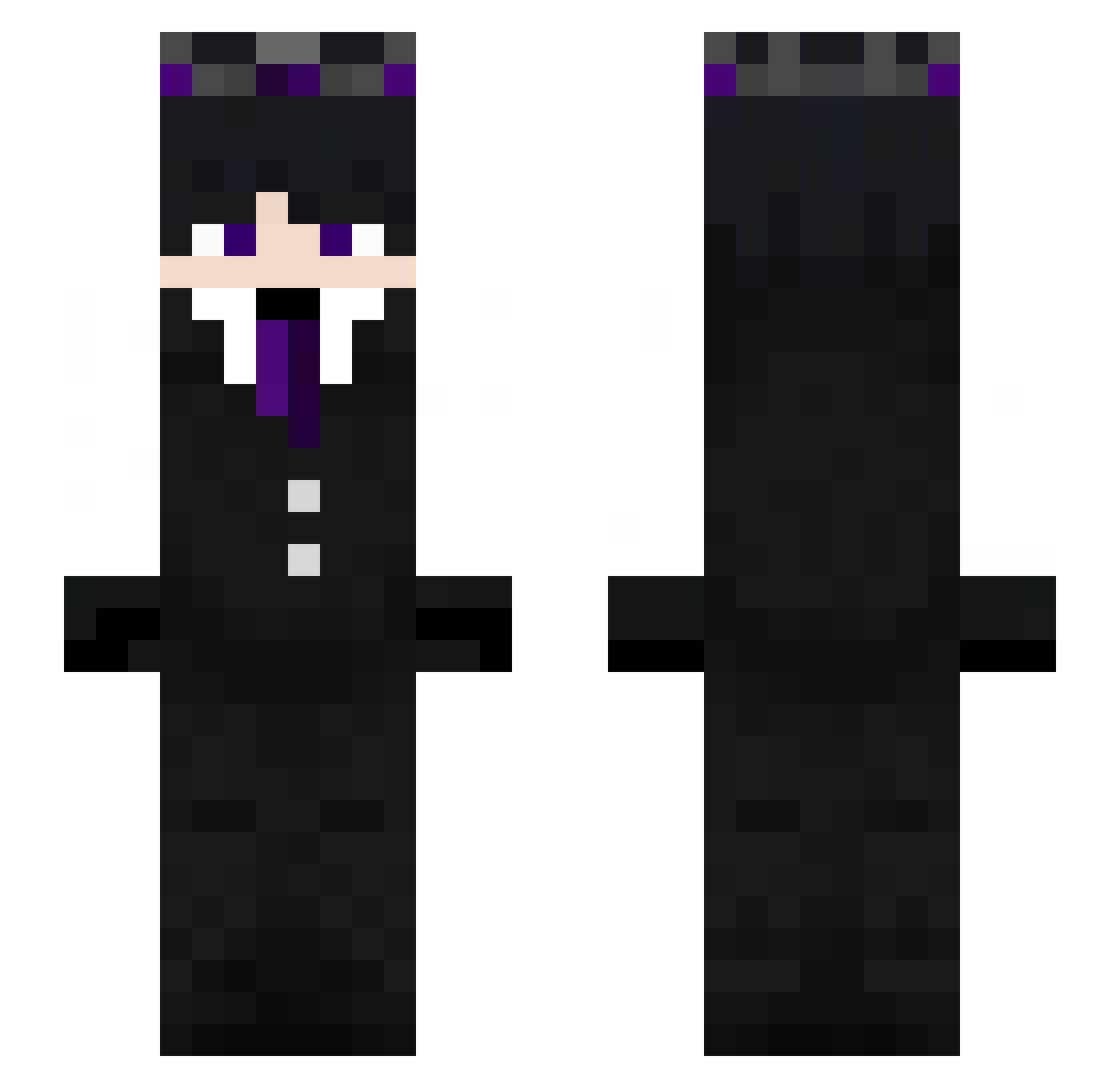
Current Minecraft skin of the player Jantarjr11, loaded from the official Mojang API. Rotate the 3D model with your mouse or finger, then download the skin as a PNG file and use it in Minecraft: Bedrock Edition or Java Edition for free. When Jantarjr11 changes their skin, this page updates automatically and the old skin stays in the history below.
Other players with this skin (272)
Jantarjr11 was the 151st player we have seen with this skin, first spotted on 21.09.2026. The same skin was seen on these players. Open a nickname to see their current skin and skin history.
 canRtu_PGX LazyLuscax ScorpioTgol DEKUZIN07 leejoohyeon TistFast Brodyismypuppy3 KoppikD ItsFCLX Crystal_Halo FallenPrince6666 ChocoWolf18 Actimelek_topka FinalStrikerrr ImRAUS DARKk444 Imnoteser mrbasket0209 SrMilSim Livga_8 Gameboy2400 Sakoya ANGIE45679 mkrewer santiprogamer11 giray20 m_za Kronos_play Abo7med44 Shawtygirls maximeeeeeeeeee csh1028 ReachIX Rainfall7 SALLyS_03 Ahhhhcrap Duck123_XD _Sno0py_ Vade_INH konk2yt karahansmt Magnsz Taj_RasK25 Esteban25425 Fame_July6 jotails Ludovica_ GULUY Tom113Cz SeoulLand_hoony AKKying CagedestMonkey KenCry cairocuestaff kkenne Patximp SebastianAndrs1 LinhxHGCW19UwU LaiMeng Godvampire
More Ender King Minecraft skins
How to install the Jantarjr11 skin
- Press the Download button above to save the skin as a PNG file.
- Minecraft: Bedrock Edition (PE): open the Dressing Room from the main menu (or tap your character → Edit Character), go to Classic Skins → Owned, press the + (new skin) button, choose the downloaded PNG and pick the Slim (Alex) model. Works on PC and mobile; consoles cannot import custom skins.
- Minecraft: Java Edition: open the Minecraft Launcher, go to the Skins tab, click New Skin, load the PNG, pick the Slim (Alex) model and press Save & Use. You can also upload it at minecraft.net → Profile → Change Skin.
The skin does not show up after import - what should I do?
Restart Minecraft and open the Dressing Room again - imported skins sometimes appear only after a restart. Also make sure you selected the imported skin and picked the Slim (Alex) model.
Which model should I choose, Classic or Slim?
This skin is designed for the Slim (Alex) model. If you pick the wrong model, the arms of the skin will look stretched or squeezed.
Is the skin of Jantarjr11 free to download?
Yes. Press Download, save the PNG file and use it in Minecraft: Bedrock Edition or Java Edition - no payment or registration needed. The skin also works on multiplayer servers and Realms.
More skins
Looking for more? Go back to all Minecraft skins and check the top skins of the week, month and all time, or find any player's skin by nickname.