
JamieKempson - Minecraft Skins & Skin History
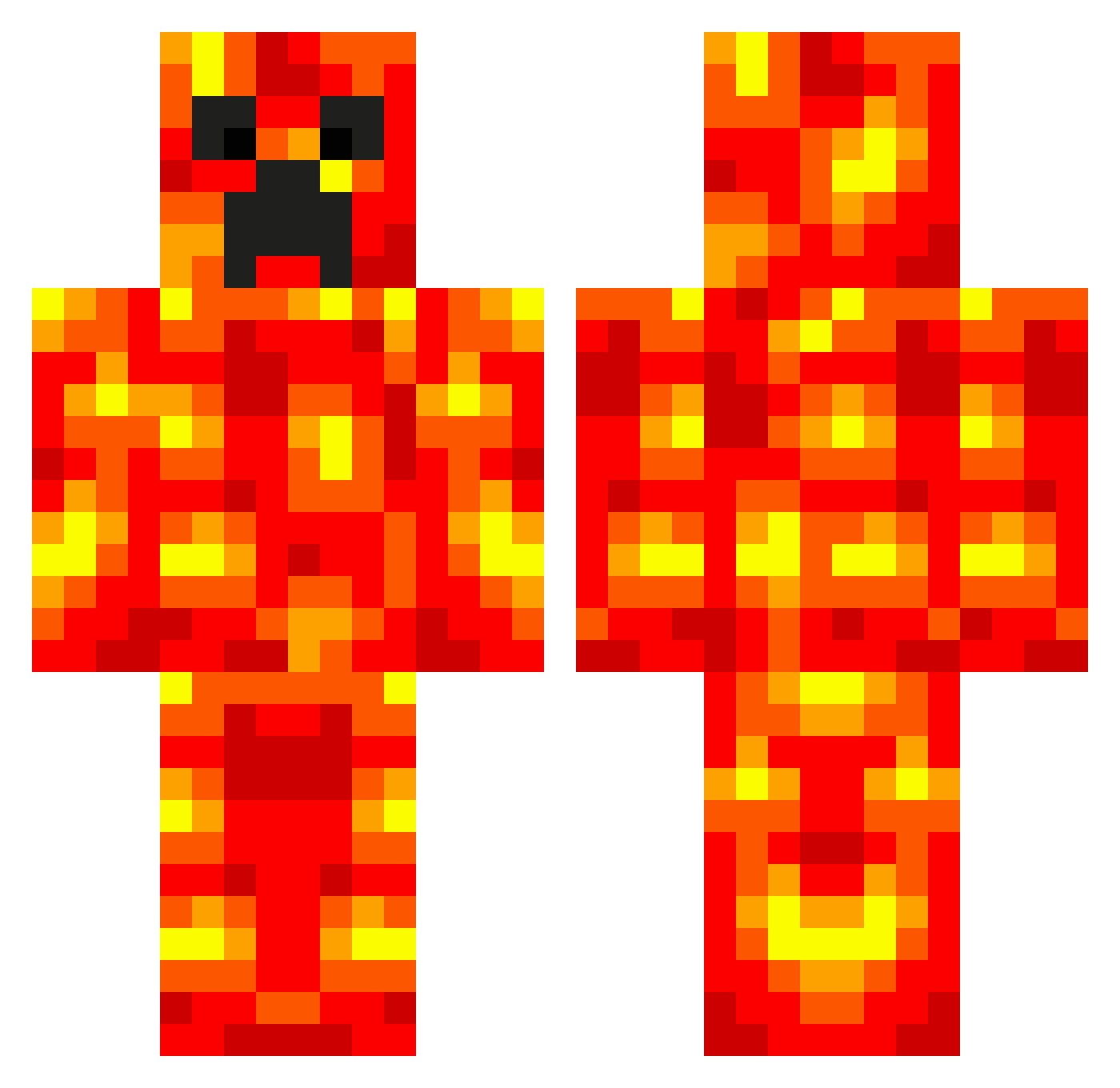
Current Minecraft skin of the player JamieKempson, loaded from the official Mojang API. Rotate the 3D model with your mouse or finger, then download the skin as a PNG file and use it in Minecraft: Bedrock Edition or Java Edition for free. When JamieKempson changes their skin, this page updates automatically and the old skin stays in the history below.
Other players with this skin (702)
JamieKempson was the 682nd player we have seen with this skin, first spotted on 07.11.2026. The same skin was seen on these players. Open a nickname to see their current skin and skin history.
 Father_Squid JordRotta_ DarkCain ParkourDK eliasnyg BeastAdict tyfoon999 firez600 blockbuster2312 slicknic14 JackManTheBest CaptainGao Kade53 maxpower3002 juntyhunty ForbiddenOne chickens2011 LeJoel zaynbob44 nic4ever dagola1 JBRawesome zuaz96 AustinDaly iiMeat Minelan zGodlyBerkay football916 jkpearce sparky9196 jbstrafuss Creepy_Lava x9_2 Austinz1 devin1198 RageBonto Moneydude25 CaptainCalgar Dillionion JayAnthony808 rejectedrocky ThePyramid ViolentMontage Dr_Drakey hjkalp jack54321f savagearms270 Twan1403 Fabi100H m_awesome17 ThePlayrHawk chris5703 enderboyWill uuz1 1o2l3a VacantRoad mvp193 coolepicbro Ready2Rock Poke_M
More Magma Minecraft skins
How to install the JamieKempson skin
- Press the Download button above to save the skin as a PNG file.
- Minecraft: Bedrock Edition (PE): open the Dressing Room from the main menu (or tap your character → Edit Character), go to Classic Skins → Owned, press the + (new skin) button, choose the downloaded PNG and pick the Classic (Steve) model. Works on PC and mobile; consoles cannot import custom skins.
- Minecraft: Java Edition: open the Minecraft Launcher, go to the Skins tab, click New Skin, load the PNG, pick the Classic (Steve) model and press Save & Use. You can also upload it at minecraft.net → Profile → Change Skin.
The skin does not show up after import - what should I do?
Restart Minecraft and open the Dressing Room again - imported skins sometimes appear only after a restart. Also make sure you selected the imported skin and picked the Classic (Steve) model.
Which model should I choose, Classic or Slim?
This skin is designed for the Classic (Steve) model. If you pick the wrong model, the arms of the skin will look stretched or squeezed.
Is the skin of JamieKempson free to download?
Yes. Press Download, save the PNG file and use it in Minecraft: Bedrock Edition or Java Edition - no payment or registration needed. The skin also works on multiplayer servers and Realms.
More skins
Looking for more? Go back to all Minecraft skins and check the top skins of the week, month and all time, or find any player's skin by nickname.