
JambyelFavo66 - Minecraft Skins & Skin History
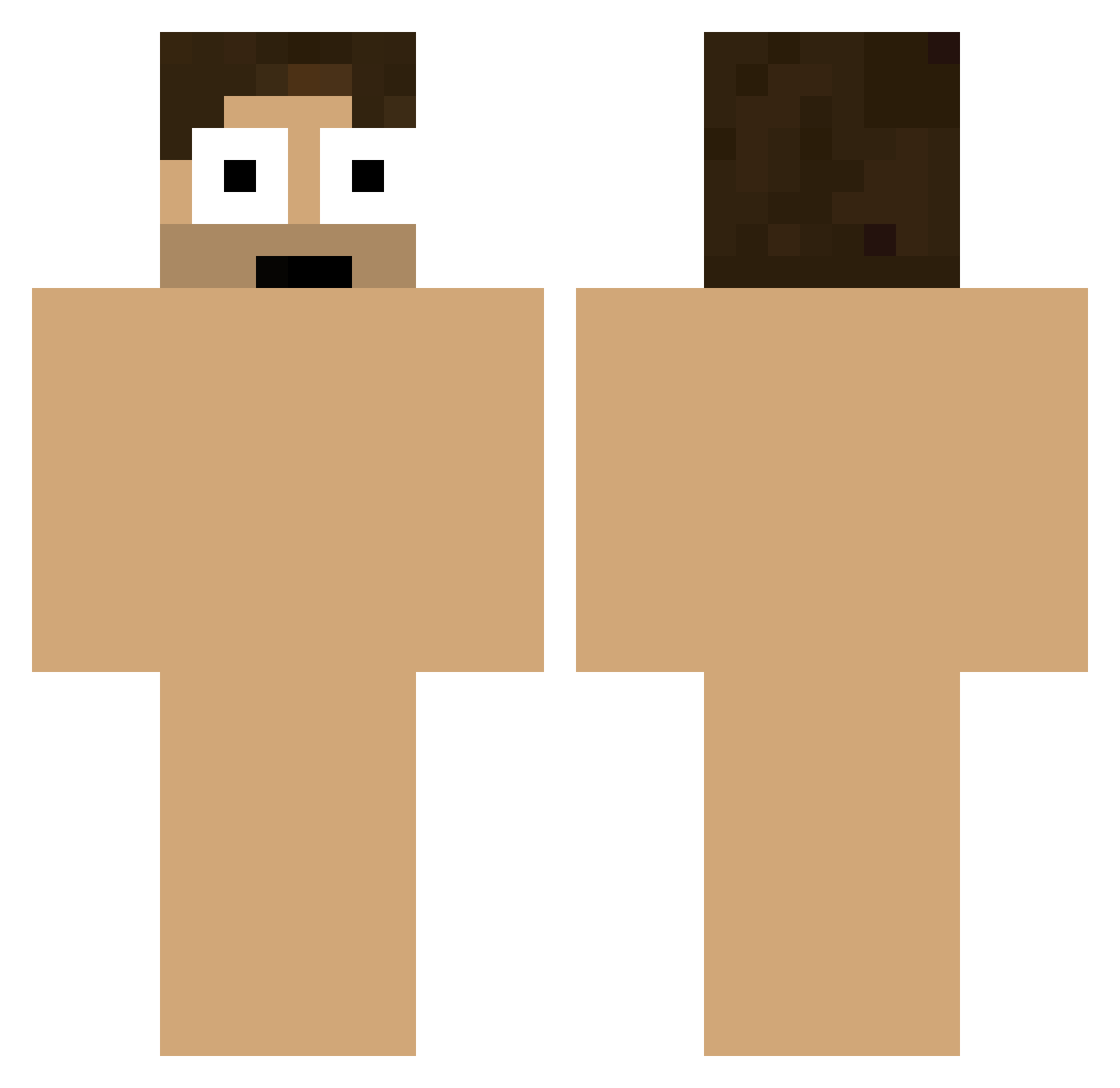
Current Minecraft skin of the player JambyelFavo66, loaded from the official Mojang API. Rotate the 3D model with your mouse or finger, then download the skin as a PNG file and use it in Minecraft: Bedrock Edition or Java Edition for free. When JambyelFavo66 changes their skin, this page updates automatically and the old skin stays in the history below.
Other players with this skin (220)
JambyelFavo66 was the 189th player we have seen with this skin, first spotted on 05.11.2026. The same skin was seen on these players. Open a nickname to see their current skin and skin history.
 EdoMala Kaoxz NexatJb SakomiN xinhang16 koukinntyo Tontellini AddMeOnSnapBabe ElPonaWe OverlordParadox zCagann Pv55y faded_lights Yulenn Chak_97 Thegreengab OmiStick robloxprogamer13 QkeySan J1mmyDestoyer Boudher qkzuswb shedded AllyMey perseoozz7 Fariine awesomemikey443 juangui_094 ivanrey Acfy Picklelowpo Skipluto skateco exeQted hao112 ZamnknijMorde Fusilao Knownjairjair hmudog Omen999 Where_Did_U_Go ValoFlexxify happyboy12345 munky555 Johnnyy4 WHITEBOYLAMAR nnazika jthidma BabushkaBoi38 _chamchi_____ Galerso fivetwoindian CookieClickr Welly6013 Keksbarsch JaquavisSmith beachs NickTalope Brunost____ __CALMO__
How to install the JambyelFavo66 skin
- Press the Download button above to save the skin as a PNG file.
- Minecraft: Bedrock Edition (PE): open the Dressing Room from the main menu (or tap your character → Edit Character), go to Classic Skins → Owned, press the + (new skin) button, choose the downloaded PNG and pick the Classic (Steve) model. Works on PC and mobile; consoles cannot import custom skins.
- Minecraft: Java Edition: open the Minecraft Launcher, go to the Skins tab, click New Skin, load the PNG, pick the Classic (Steve) model and press Save & Use. You can also upload it at minecraft.net → Profile → Change Skin.
The skin does not show up after import - what should I do?
Restart Minecraft and open the Dressing Room again - imported skins sometimes appear only after a restart. Also make sure you selected the imported skin and picked the Classic (Steve) model.
Which model should I choose, Classic or Slim?
This skin is designed for the Classic (Steve) model. If you pick the wrong model, the arms of the skin will look stretched or squeezed.
Is the skin of JambyelFavo66 free to download?
Yes. Press Download, save the PNG file and use it in Minecraft: Bedrock Edition or Java Edition - no payment or registration needed. The skin also works on multiplayer servers and Realms.
More skins
Looking for more? Go back to all Minecraft skins and check the top skins of the week, month and all time, or find any player's skin by nickname.