
JakobR00 - Minecraft Skins & Skin History
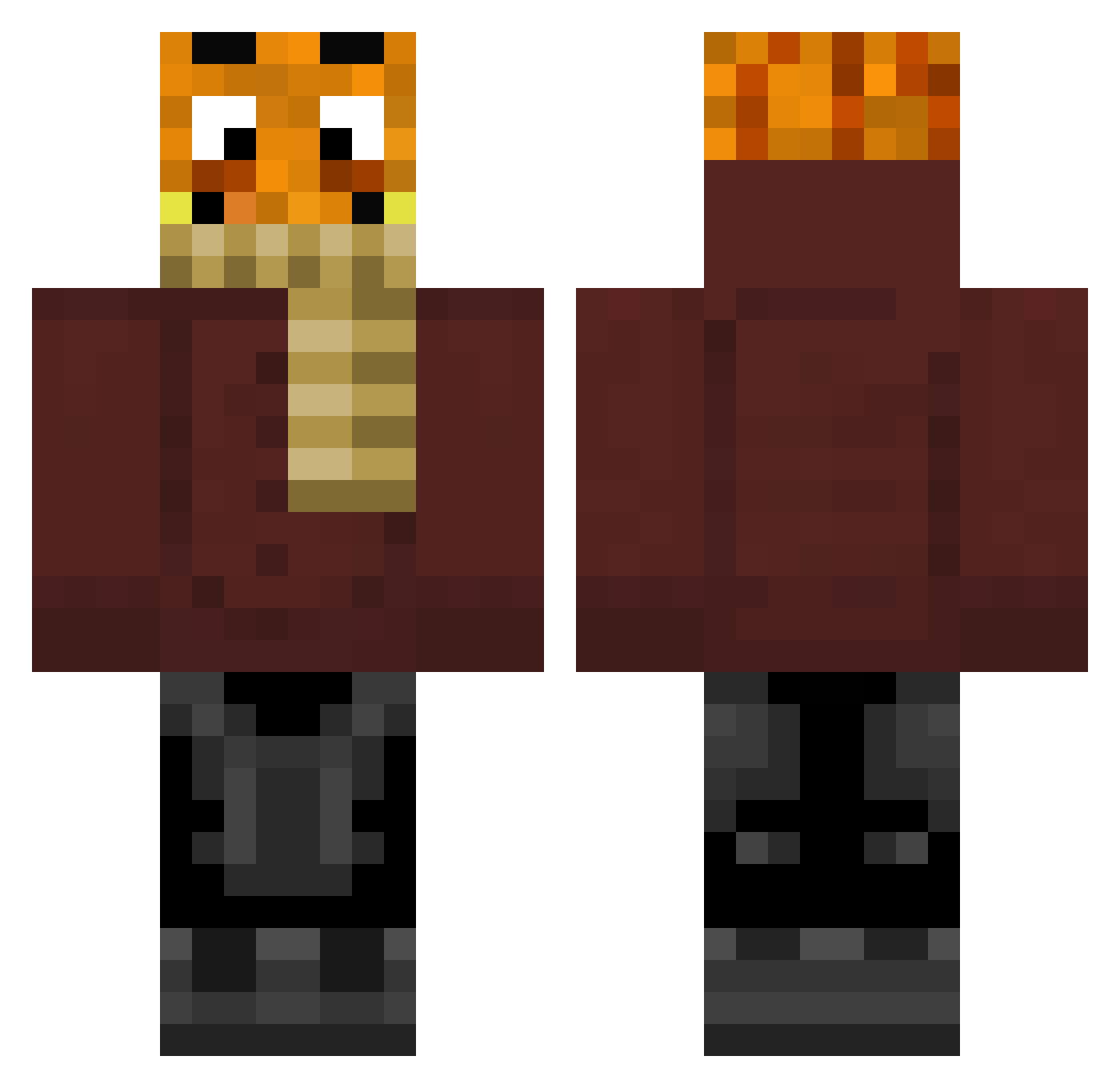
Current Minecraft skin of the player JakobR00, loaded from the official Mojang API. Rotate the 3D model with your mouse or finger, then download the skin as a PNG file and use it in Minecraft: Bedrock Edition or Java Edition for free. When JakobR00 changes their skin, this page updates automatically and the old skin stays in the history below.
Other players with this skin (51)
JakobR00 was the 28th player we have seen with this skin, first spotted on 15.09.2026. The same skin was seen on these players. Open a nickname to see their current skin and skin history.
 KevKev1990 Big_Builder_2 PalutenLetsPlay jucker CrafterTv1 killmebe4youdie Simon3491 DerGamerXD Hahanamaruu byNesi PandaboyEVR PaulaZockt Palle_boy BusterHD Lucy_Life tobiiiiiiii ElRaiko XY4NN1CKX _Paaluten_ Ride98 palletten_LP xxxFranzxx xxfbxa Vivianleonie Radiergummi01 PalutenMitte Serdemk12 Fafinator007 MC_Franco_2504 Cxdric_061 rachensaschn zerhackt MinecraftSchykis Robi2503 BroGamerH glpf Stevenhi ICE_Swat IGiantix Paluten maxedomeeee Paulltd KingBro13 Ibisevic mycrafter4002 Kittening DomiLP2007 ThePlayerTIM LucasDa Lineargleichung PixelMC_
More Pumpkin Head Minecraft skins
See all 435 Pumpkin Head skins
How to install the JakobR00 skin
- Press the Download button above to save the skin as a PNG file.
- Minecraft: Bedrock Edition (PE): open the Dressing Room from the main menu (or tap your character → Edit Character), go to Classic Skins → Owned, press the + (new skin) button, choose the downloaded PNG and pick the Classic (Steve) model. Works on PC and mobile; consoles cannot import custom skins.
- Minecraft: Java Edition: open the Minecraft Launcher, go to the Skins tab, click New Skin, load the PNG, pick the Classic (Steve) model and press Save & Use. You can also upload it at minecraft.net → Profile → Change Skin.
The skin does not show up after import - what should I do?
Restart Minecraft and open the Dressing Room again - imported skins sometimes appear only after a restart. Also make sure you selected the imported skin and picked the Classic (Steve) model.
Which model should I choose, Classic or Slim?
This skin is designed for the Classic (Steve) model. If you pick the wrong model, the arms of the skin will look stretched or squeezed.
Is the skin of JakobR00 free to download?
Yes. Press Download, save the PNG file and use it in Minecraft: Bedrock Edition or Java Edition - no payment or registration needed. The skin also works on multiplayer servers and Realms.
More skins
Looking for more? Go back to all Minecraft skins and check the top skins of the week, month and all time, or find any player's skin by nickname.