
Jack_Zilla226 - Minecraft Skins & Skin History
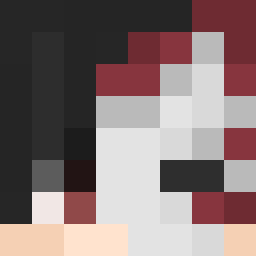
Current Minecraft skin of the player Jack_Zilla226, loaded from the official Mojang API. Rotate the 3D model with your mouse or finger, then download the skin as a PNG file and use it in Minecraft: Bedrock Edition or Java Edition for free. When Jack_Zilla226 changes their skin, this page updates automatically and the old skin stays in the history below.

Other players with this skin (1783)
Jack_Zilla226 was the 617th player we have seen with this skin, first spotted on 01.09.2026. The same skin was seen on these players. Open a nickname to see their current skin and skin history.
 GOJhonnyGO Zeast79 El_oscur0 NaniAliments Zeroday666 Biodynamic Schellingism Cucuy Manuwuu MarkB15
 Densetsios Anatolikk jeffneppl ULTRANATURAL syriaisfree MrsMorley BIGKEEG Solventless excavations LemAdapter Brahman eravi087 Morian Rhal38 Mnr_piesang735 Yaoyim Splayed Justin_herass_ OFKA_exe satschke Wakami69 oscsve BenTheToxic simbaby zombiekillersp marlinman Nizere rlaxodn_8 Nunez300 luisSzin Stru1 driftless x_mollyx Haufisk richtig_saftig lancashire Mattitbest ABraham_Abdelnby Dardin 19pkbravery Systole jongyun1 febularity2 wagonette dr1go KIMDONGSIK gbgamer557 Diapason SuperCargo ThekingUriel
How to install the Jack_Zilla226 skin
- Press the Download button above to save the skin as a PNG file.
- Minecraft: Bedrock Edition (PE): open the Dressing Room from the main menu (or tap your character → Edit Character), go to Classic Skins → Owned, press the + (new skin) button, choose the downloaded PNG and pick the Classic (Steve) model. Works on PC and mobile; consoles cannot import custom skins.
- Minecraft: Java Edition: open the Minecraft Launcher, go to the Skins tab, click New Skin, load the PNG, pick the Classic (Steve) model and press Save & Use. You can also upload it at minecraft.net → Profile → Change Skin.
The skin does not show up after import - what should I do?
Restart Minecraft and open the Dressing Room again - imported skins sometimes appear only after a restart. Also make sure you selected the imported skin and picked the Classic (Steve) model.
Which model should I choose, Classic or Slim?
This skin is designed for the Classic (Steve) model. If you pick the wrong model, the arms of the skin will look stretched or squeezed.
Is the skin of Jack_Zilla226 free to download?
Yes. Press Download, save the PNG file and use it in Minecraft: Bedrock Edition or Java Edition - no payment or registration needed. The skin also works on multiplayer servers and Realms.
More skins
Looking for more? Go back to all Minecraft skins and check the top skins of the week, month and all time, or find any player's skin by nickname.