
Jaaydar - Minecraft Skins & Skin History
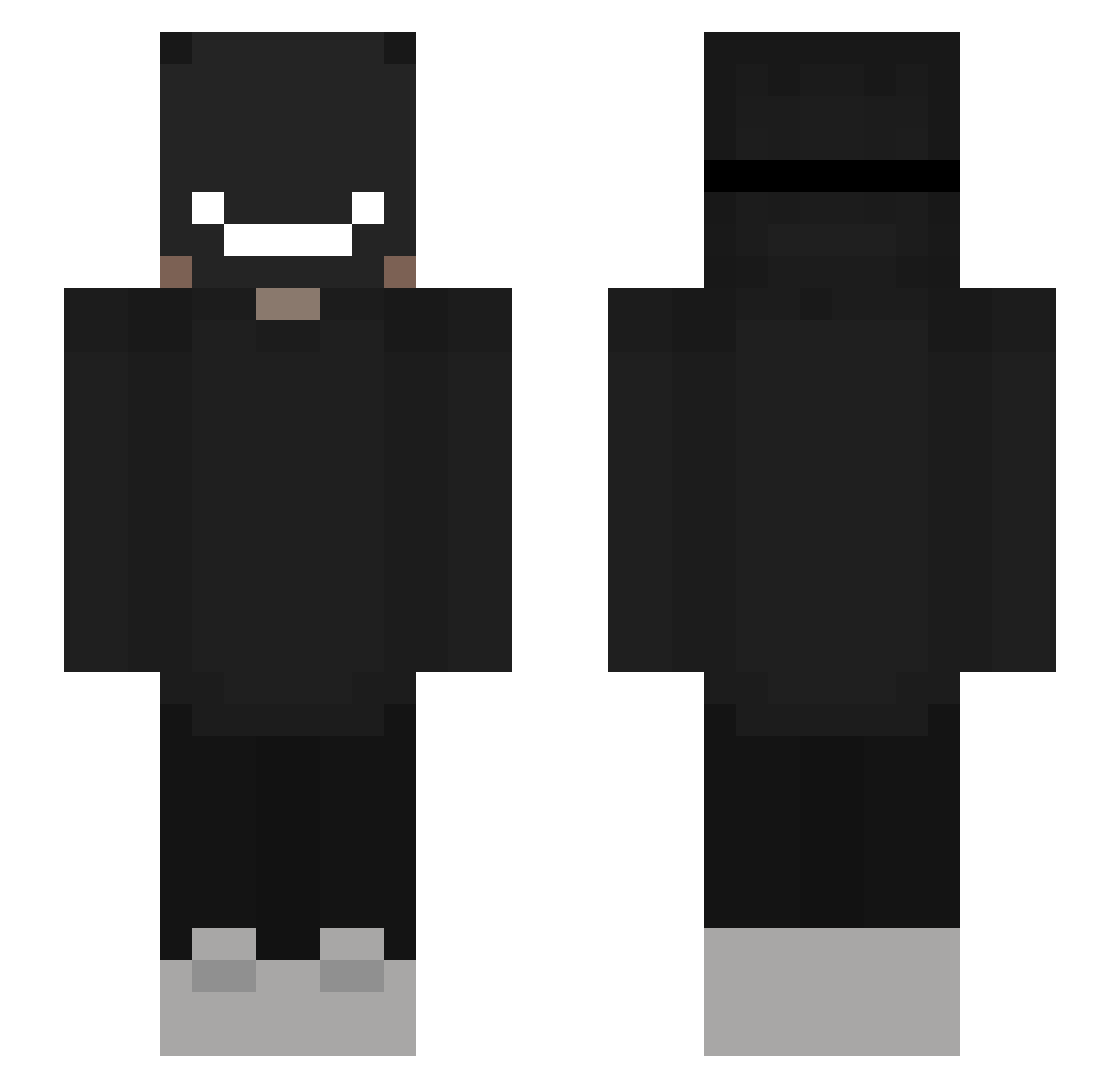
Current Minecraft skin of the player Jaaydar, loaded from the official Mojang API. Rotate the 3D model with your mouse or finger, then download the skin as a PNG file and use it in Minecraft: Bedrock Edition or Java Edition for free. When Jaaydar changes their skin, this page updates automatically and the old skin stays in the history below.
Other players with this skin (310)
Jaaydar was the 186th player we have seen with this skin, first spotted on 30.09.2026. The same skin was seen on these players. Open a nickname to see their current skin and skin history.
 zet4zzz lautriks Keetar12 MrPatogamer2209 MrBonq Cyber_Chunck TumbonaRumano 21nft ZONE6 DripDxstant vSxrenity LFT_TemPo Tepincho Wunsu Ferixinn BBQJoJ0 maxvrcon Frazt ButtrNutter2 evayramon Purplekazoo Lun4ticcc LordOfChaos_X DornaryGamer Xerk0s Jackuoh Farid107 Shadakai7 Rolocosa yamatet Nitemaere monkihu __DekU___ Chato_Gamer raybites Basia1981 onlyNJM Botineo Anonymer04 Veroshi ShaDowWolf_SD pythun kumichou09 Kooba21 STRAN000 11andrei Pouuu_playerrr doncorleone1957 GenuoSama sketchgfx Delay_Dream SHOGAN_14K Matias_xx28 LHz777 yLOOFZINN_ lou1she Cookiegrym elliott2002 Revisin laurino08yt
More Badboyhalo Minecraft skins
How to install the Jaaydar skin
- Press the Download button above to save the skin as a PNG file.
- Minecraft: Bedrock Edition (PE): open the Dressing Room from the main menu (or tap your character → Edit Character), go to Classic Skins → Owned, press the + (new skin) button, choose the downloaded PNG and pick the Slim (Alex) model. Works on PC and mobile; consoles cannot import custom skins.
- Minecraft: Java Edition: open the Minecraft Launcher, go to the Skins tab, click New Skin, load the PNG, pick the Slim (Alex) model and press Save & Use. You can also upload it at minecraft.net → Profile → Change Skin.
The skin does not show up after import - what should I do?
Restart Minecraft and open the Dressing Room again - imported skins sometimes appear only after a restart. Also make sure you selected the imported skin and picked the Slim (Alex) model.
Which model should I choose, Classic or Slim?
This skin is designed for the Slim (Alex) model. If you pick the wrong model, the arms of the skin will look stretched or squeezed.
Is the skin of Jaaydar free to download?
Yes. Press Download, save the PNG file and use it in Minecraft: Bedrock Edition or Java Edition - no payment or registration needed. The skin also works on multiplayer servers and Realms.
More skins
Looking for more? Go back to all Minecraft skins and check the top skins of the week, month and all time, or find any player's skin by nickname.