
JTPMinecraft - Minecraft Skins & Skin History
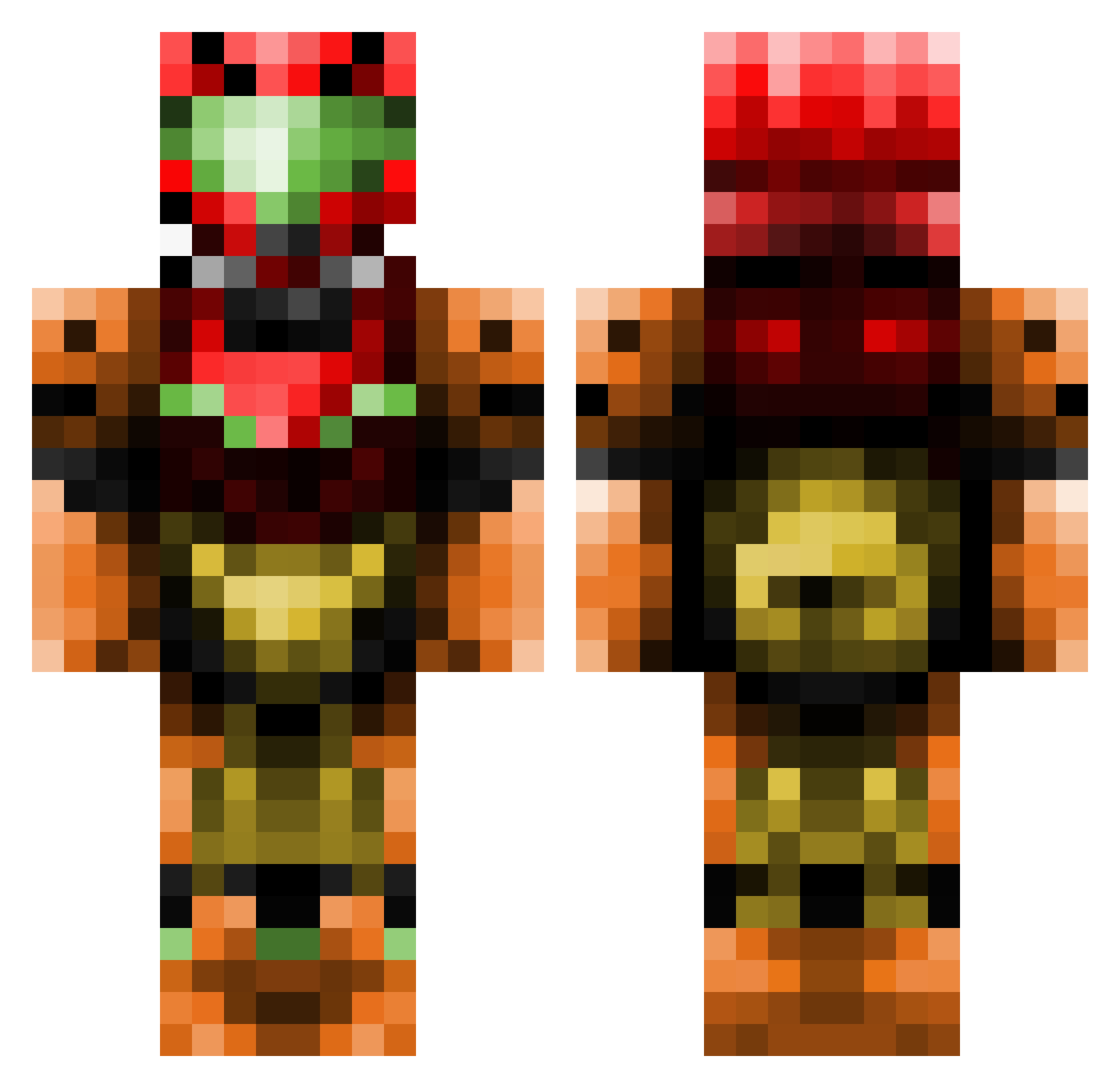
Current Minecraft skin of the player JTPMinecraft, loaded from the official Mojang API. Rotate the 3D model with your mouse or finger, then download the skin as a PNG file and use it in Minecraft: Bedrock Edition or Java Edition for free. When JTPMinecraft changes their skin, this page updates automatically and the old skin stays in the history below.
Other players with this skin (437)
JTPMinecraft was the 138th player we have seen with this skin, first spotted on 27.08.2026. The same skin was seen on these players. Open a nickname to see their current skin and skin history.
 yoursnowman Scurds Shankatank Things1n2 baseballkid2772 Silva_Rymes Fullmoon19 Fireanarchy Ronaldoz55555 darkclouds82 meister_dario pixter WorldRidley Kain69 ZelddaRin Vampire_Chick operationreflex OmegaMarty ThommyGunThomas dastingray mococat7 patoto12 Debarge WaffleDonkey THE_FUZ Ovagi Careyagimon konkon2919 FlammingCliff Vulbjorn MCcorpX danielcerny grandma2851 Zedlei mmmbigmac BarryJams chunkymuffins34 cyrilmanuel Loridia Onex4Ever Nametaker40 antodu89 SolarisYuna Zainazor Widlem Liasas TrueValiant celereh Kleze2a AdryFoster gh4ever ESprocket immortalkidd DD1214 jenoer DreadedMorpheus ChristofferZB SirGoldenGoat AFLYINGWII jayrock31
More Samus Aran Minecraft skins
How to install the JTPMinecraft skin
- Press the Download button above to save the skin as a PNG file.
- Minecraft: Bedrock Edition (PE): open the Dressing Room from the main menu (or tap your character → Edit Character), go to Classic Skins → Owned, press the + (new skin) button, choose the downloaded PNG and pick the Classic (Steve) model. Works on PC and mobile; consoles cannot import custom skins.
- Minecraft: Java Edition: open the Minecraft Launcher, go to the Skins tab, click New Skin, load the PNG, pick the Classic (Steve) model and press Save & Use. You can also upload it at minecraft.net → Profile → Change Skin.
The skin does not show up after import - what should I do?
Restart Minecraft and open the Dressing Room again - imported skins sometimes appear only after a restart. Also make sure you selected the imported skin and picked the Classic (Steve) model.
Which model should I choose, Classic or Slim?
This skin is designed for the Classic (Steve) model. If you pick the wrong model, the arms of the skin will look stretched or squeezed.
Is the skin of JTPMinecraft free to download?
Yes. Press Download, save the PNG file and use it in Minecraft: Bedrock Edition or Java Edition - no payment or registration needed. The skin also works on multiplayer servers and Realms.
More skins
Looking for more? Go back to all Minecraft skins and check the top skins of the week, month and all time, or find any player's skin by nickname.