
JRblaze4595 - Minecraft Skins & Skin History
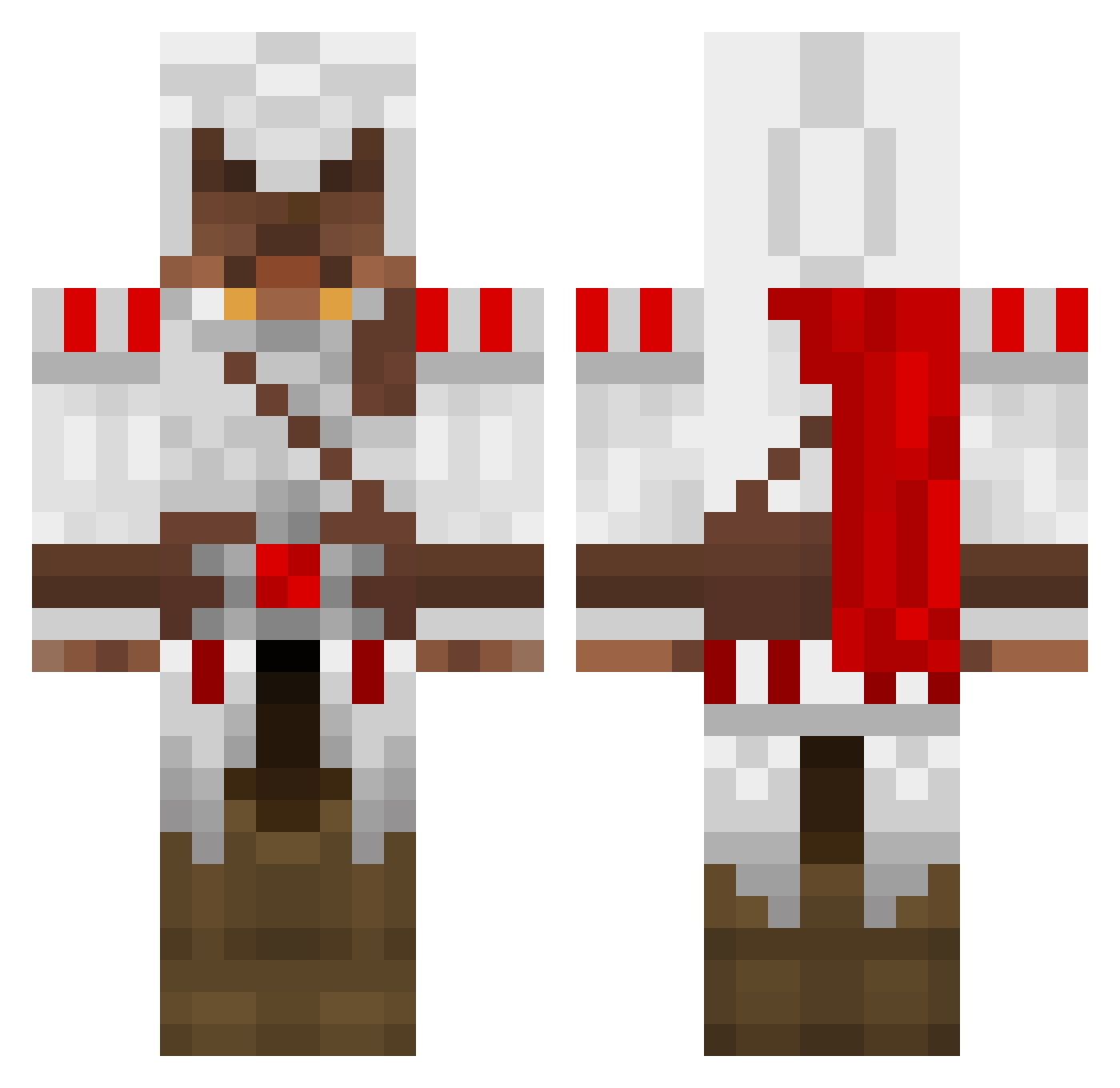
Current Minecraft skin of the player JRblaze4595, loaded from the official Mojang API. Rotate the 3D model with your mouse or finger, then download the skin as a PNG file and use it in Minecraft: Bedrock Edition or Java Edition for free. When JRblaze4595 changes their skin, this page updates automatically and the old skin stays in the history below.
Other players with this skin (1270)
JRblaze4595 was the 664th player we have seen with this skin, first spotted on 16.09.2026. The same skin was seen on these players. Open a nickname to see their current skin and skin history.
 stickboy334 icecreamreaper DoomSider zerotus camril megamaestro thewonderbull Bluff_NL Phyranum Aryaaaw MeanPanda12 JAFFA_95 PascalXXD savagedragon3 MattyDubz Dolphin2ii dunbar2598 m_tesar spoon128 Discord_Nitro Crateris nicoplaya30 CharThom bkts Garyalt_8 DDups XLNCE2 Jannick0103 ibanezart120 Beeman23 Snrm SatAnNorris GrangerB sharkhead1 0x1B6 DviTV Just_maxXx DontBeBeech rpcj151 ToastyFresh sharpsh00ter123 Trennerz conman65 Kasion Optical_Cow creepercom123 wasup47 mac5711 MrD1G1T privatepancake iy1999 beldion probat123 pvvb TRI006 ScottyWv mitchisaac 77Flash55 Ninjaseb66 meatmonster12
More Altair Ibn La Ahad Minecraft skins
See all 182 Altair Ibn La Ahad skins
How to install the JRblaze4595 skin
- Press the Download button above to save the skin as a PNG file.
- Minecraft: Bedrock Edition (PE): open the Dressing Room from the main menu (or tap your character → Edit Character), go to Classic Skins → Owned, press the + (new skin) button, choose the downloaded PNG and pick the Classic (Steve) model. Works on PC and mobile; consoles cannot import custom skins.
- Minecraft: Java Edition: open the Minecraft Launcher, go to the Skins tab, click New Skin, load the PNG, pick the Classic (Steve) model and press Save & Use. You can also upload it at minecraft.net → Profile → Change Skin.
The skin does not show up after import - what should I do?
Restart Minecraft and open the Dressing Room again - imported skins sometimes appear only after a restart. Also make sure you selected the imported skin and picked the Classic (Steve) model.
Which model should I choose, Classic or Slim?
This skin is designed for the Classic (Steve) model. If you pick the wrong model, the arms of the skin will look stretched or squeezed.
Is the skin of JRblaze4595 free to download?
Yes. Press Download, save the PNG file and use it in Minecraft: Bedrock Edition or Java Edition - no payment or registration needed. The skin also works on multiplayer servers and Realms.
More skins
Looking for more? Go back to all Minecraft skins and check the top skins of the week, month and all time, or find any player's skin by nickname.