
JNTMBABYAW - Minecraft Skins & Skin History
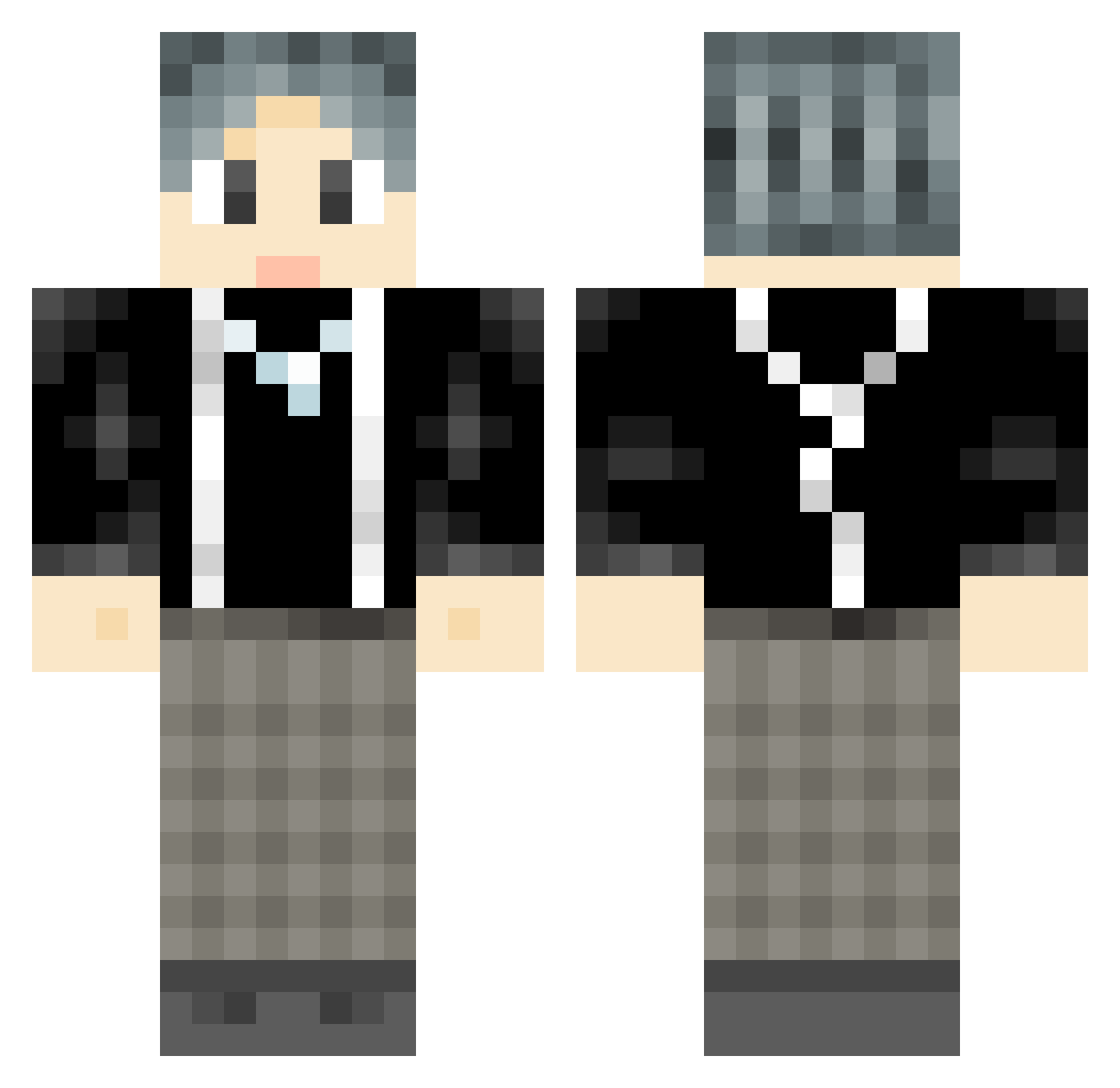
Current Minecraft skin of the player JNTMBABYAW, loaded from the official Mojang API. Rotate the 3D model with your mouse or finger, then download the skin as a PNG file and use it in Minecraft: Bedrock Edition or Java Edition for free. When JNTMBABYAW changes their skin, this page updates automatically and the old skin stays in the history below.
Other players with this skin (737)
JNTMBABYAW was the 104th player we have seen with this skin, first spotted on 07.08.2026. The same skin was seen on these players. Open a nickname to see their current skin and skin history.
 vectorone5 Wolfs_Death Tmmmmmmmy godlv Mr_XFan qingfong13 Colorful_W Mora520 YuChen442 Jue1 paula2 Sheepy928 ZZL_SAMA qsmgx Tuzzzzi Nick_F0x shaoye520 xiaolu420 Augunstern bilibili12345 cheng2333 CCMike2
 Folkland BingNing1119 SM_OS 66666666699 Zsy_0714 GreyTile Link7777777 Bigbigpanda666 Ashdrop lishugeigei Gasebe XHZ6666 RXSMYXS
 duang21 lranke mcDjiang Caixukur1 yxjs Pluto521 Matchman_x taonainai IKUN_No7 a_lai Pixel__Galaxy KissFree Evil_Shadow ruobing666 xiaoyaoXK 1A_salted_fish1 GoDoIt221 cjb00 ChangPing1 ZSDGFO jiuking_ zSixst jxqybye JIEj Has_away
How to install the JNTMBABYAW skin
- Press the Download button above to save the skin as a PNG file.
- Minecraft: Bedrock Edition (PE): open the Dressing Room from the main menu (or tap your character → Edit Character), go to Classic Skins → Owned, press the + (new skin) button, choose the downloaded PNG and pick the Classic (Steve) model. Works on PC and mobile; consoles cannot import custom skins.
- Minecraft: Java Edition: open the Minecraft Launcher, go to the Skins tab, click New Skin, load the PNG, pick the Classic (Steve) model and press Save & Use. You can also upload it at minecraft.net → Profile → Change Skin.
The skin does not show up after import - what should I do?
Restart Minecraft and open the Dressing Room again - imported skins sometimes appear only after a restart. Also make sure you selected the imported skin and picked the Classic (Steve) model.
Which model should I choose, Classic or Slim?
This skin is designed for the Classic (Steve) model. If you pick the wrong model, the arms of the skin will look stretched or squeezed.
Is the skin of JNTMBABYAW free to download?
Yes. Press Download, save the PNG file and use it in Minecraft: Bedrock Edition or Java Edition - no payment or registration needed. The skin also works on multiplayer servers and Realms.
More skins
Looking for more? Go back to all Minecraft skins and check the top skins of the week, month and all time, or find any player's skin by nickname.