
JMX147 - Minecraft Skins & Skin History
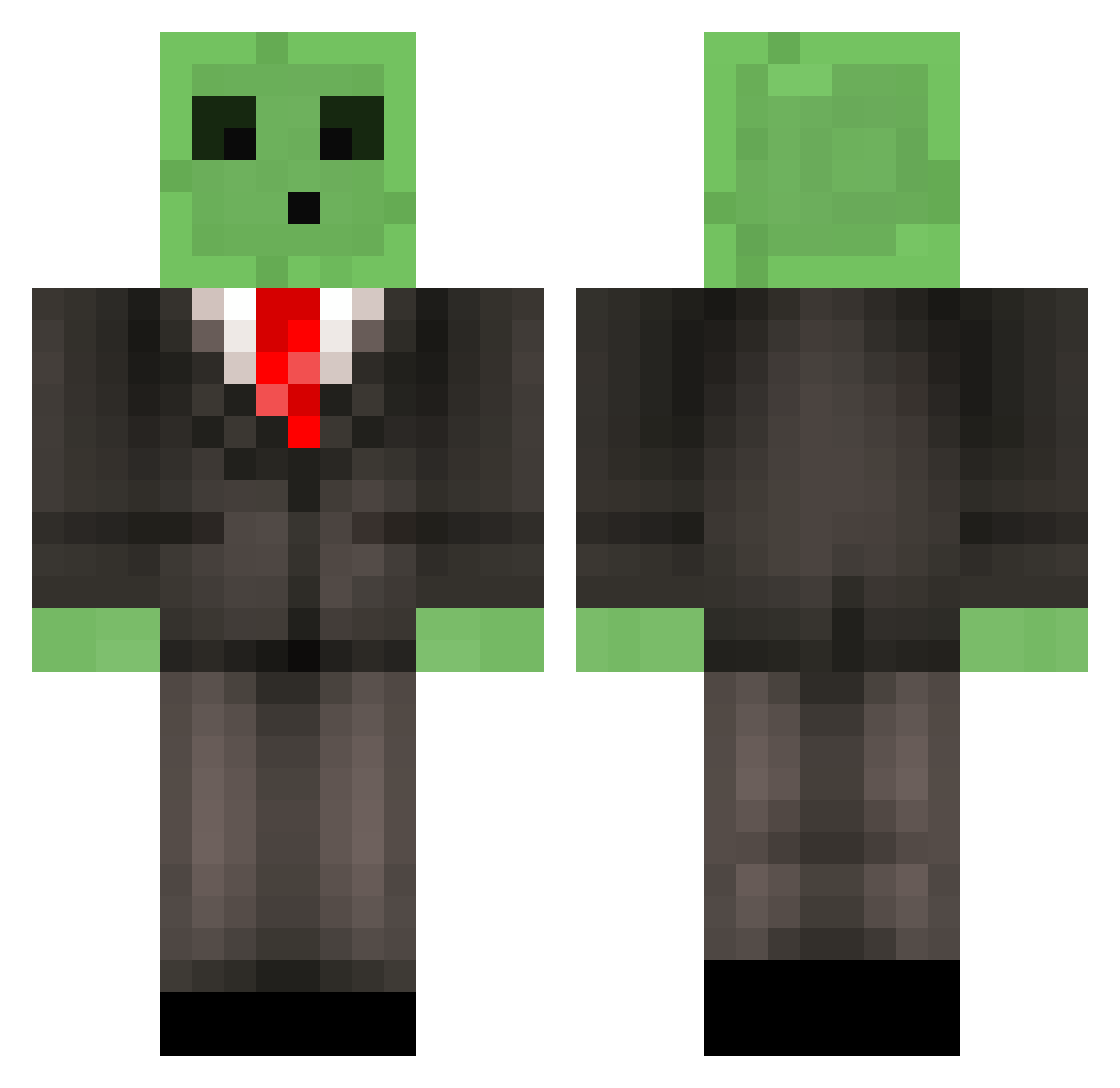
Current Minecraft skin of the player JMX147, loaded from the official Mojang API. Rotate the 3D model with your mouse or finger, then download the skin as a PNG file and use it in Minecraft: Bedrock Edition or Java Edition for free. When JMX147 changes their skin, this page updates automatically and the old skin stays in the history below.
Other players with this skin (510)
JMX147 was the 106th player we have seen with this skin, first spotted on 13.08.2026. The same skin was seen on these players. Open a nickname to see their current skin and skin history.
 whitebully Agent833 SiAllan Intrusive Jack6587 Michaeltv124 Fakeod kinzazemingu redadrenalin99 MickTheEpic378 bit_FLIP ColtonNovaBolt Levrend legosarecool xtrahoney Schwolli witesoxfan12 uhhsnyder yo_yomama Xoraxx rabid_turtle7 mobstan Volcaronic BryanMC13 SaultySurprise Ronnin926 ninjagreggz AK_Arthur SkyTheKidpc Vinboy360 Woh1110 Po0n_Slayer Florisss SimplyKevin2 limpbizkit129 GamingSquid009 Drexhx zjm71100 Jenspluim Arr0wYT CPTN_K1LLJ0Y ClayMoreClare w33ble OnyxLynx lassekiller twiggz20 Lagontinas DoughBoy27 eat_a_biscuit roel_2000 legomine77 SlipperySlime333 Edner r_batsbak11 Zyronian Oatmeal_larry5 greenpois0n15 stifken Haipi henners118
More Slime Minecraft skins
How to install the JMX147 skin
- Press the Download button above to save the skin as a PNG file.
- Minecraft: Bedrock Edition (PE): open the Dressing Room from the main menu (or tap your character → Edit Character), go to Classic Skins → Owned, press the + (new skin) button, choose the downloaded PNG and pick the Classic (Steve) model. Works on PC and mobile; consoles cannot import custom skins.
- Minecraft: Java Edition: open the Minecraft Launcher, go to the Skins tab, click New Skin, load the PNG, pick the Classic (Steve) model and press Save & Use. You can also upload it at minecraft.net → Profile → Change Skin.
The skin does not show up after import - what should I do?
Restart Minecraft and open the Dressing Room again - imported skins sometimes appear only after a restart. Also make sure you selected the imported skin and picked the Classic (Steve) model.
Which model should I choose, Classic or Slim?
This skin is designed for the Classic (Steve) model. If you pick the wrong model, the arms of the skin will look stretched or squeezed.
Is the skin of JMX147 free to download?
Yes. Press Download, save the PNG file and use it in Minecraft: Bedrock Edition or Java Edition - no payment or registration needed. The skin also works on multiplayer servers and Realms.
More skins
Looking for more? Go back to all Minecraft skins and check the top skins of the week, month and all time, or find any player's skin by nickname.