
JLuizFarias - Minecraft Skins & Skin History
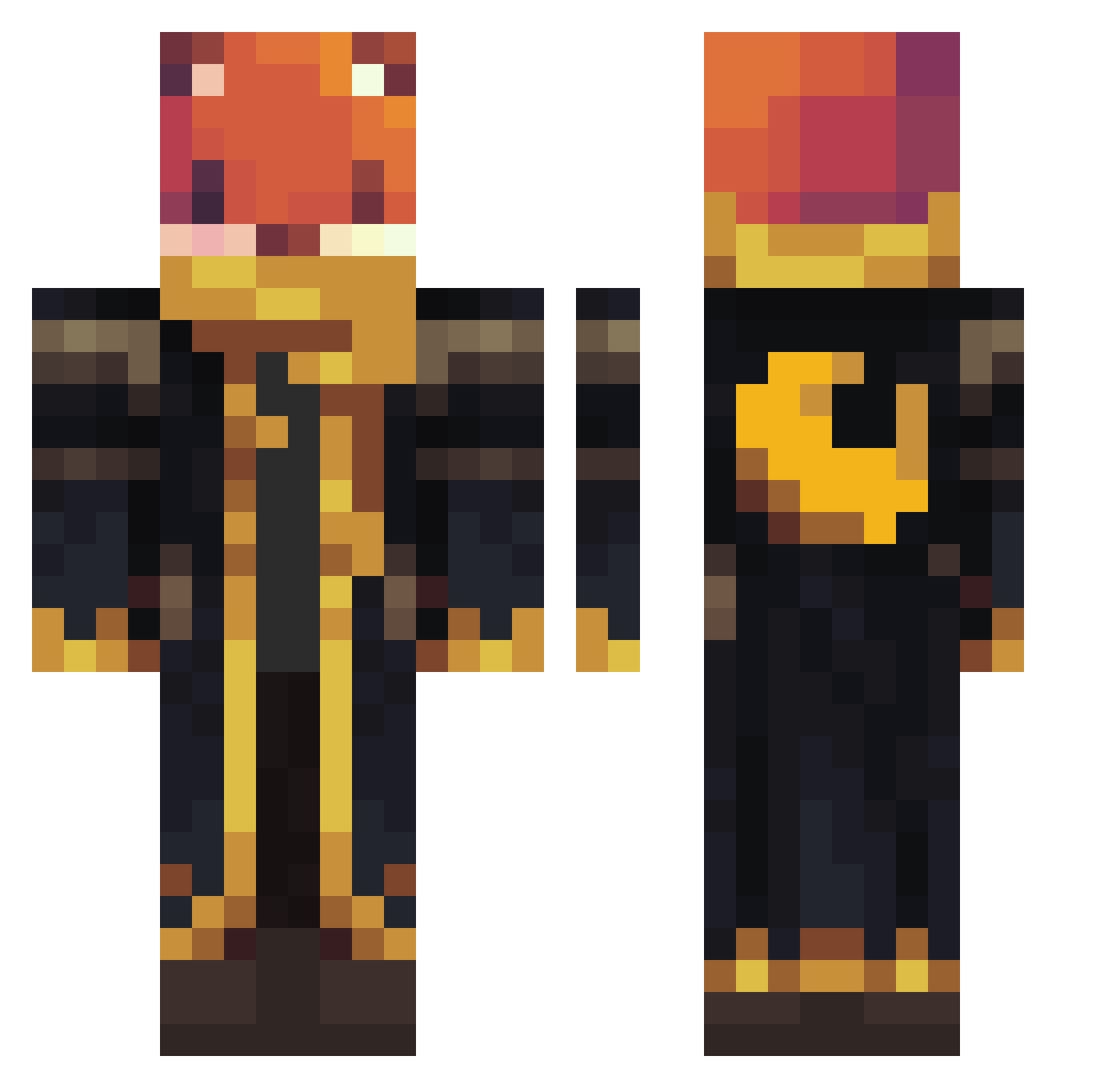
Current Minecraft skin of the player JLuizFarias, loaded from the official Mojang API. Rotate the 3D model with your mouse or finger, then download the skin as a PNG file and use it in Minecraft: Bedrock Edition or Java Edition for free. When JLuizFarias changes their skin, this page updates automatically and the old skin stays in the history below.
Other players with this skin (1063)
JLuizFarias was the 671st player we have seen with this skin, first spotted on 30.09.2026. The same skin was seen on these players. Open a nickname to see their current skin and skin history.
 Master_Kobi LeozT04 de134535g frydudes BloodMoonMummy NolanNono89 CARLOTOS15 Miquella07 Flexxy15 Strawberry7777 its_tom69 Baschti_it IT1M HulkingVenom BERDO3655 Pedruo_o Pyroxtm KucingBekeng Constatine2609 RoyalTS41 minho6203 EnesmooNn marioguy123 2KVBlack eduardo2734 sonofspiders WALIDR EliteCRT engaged_farmer6 TravisScottFan12 rkopptrekkie L0NGJ0N Bartuccio HeitorNr Common_Joe BabaPro52TR Bladestorm2424 D1m0ns suedspace8318 Adaremeir MAD_Silmat71 MatuViking ElusiveRinkusu NovacaineNico YTKITOS teejipop _Warden_66 M6DUSA ohneJoel MrMannDude Tajus2015 Munchkin330 zupkapanda Dogy93 DoyoR123 YusufIbrahiml XReaperNolanX LionMane23 krettu2115 Yangga373
More Crescent Moon Minecraft skins
See all 274 Crescent Moon skins
How to install the JLuizFarias skin
- Press the Download button above to save the skin as a PNG file.
- Minecraft: Bedrock Edition (PE): open the Dressing Room from the main menu (or tap your character → Edit Character), go to Classic Skins → Owned, press the + (new skin) button, choose the downloaded PNG and pick the Classic (Steve) model. Works on PC and mobile; consoles cannot import custom skins.
- Minecraft: Java Edition: open the Minecraft Launcher, go to the Skins tab, click New Skin, load the PNG, pick the Classic (Steve) model and press Save & Use. You can also upload it at minecraft.net → Profile → Change Skin.
The skin does not show up after import - what should I do?
Restart Minecraft and open the Dressing Room again - imported skins sometimes appear only after a restart. Also make sure you selected the imported skin and picked the Classic (Steve) model.
Which model should I choose, Classic or Slim?
This skin is designed for the Classic (Steve) model. If you pick the wrong model, the arms of the skin will look stretched or squeezed.
Is the skin of JLuizFarias free to download?
Yes. Press Download, save the PNG file and use it in Minecraft: Bedrock Edition or Java Edition - no payment or registration needed. The skin also works on multiplayer servers and Realms.
More skins
Looking for more? Go back to all Minecraft skins and check the top skins of the week, month and all time, or find any player's skin by nickname.