
JL_Nipper - Minecraft Skins & Skin History
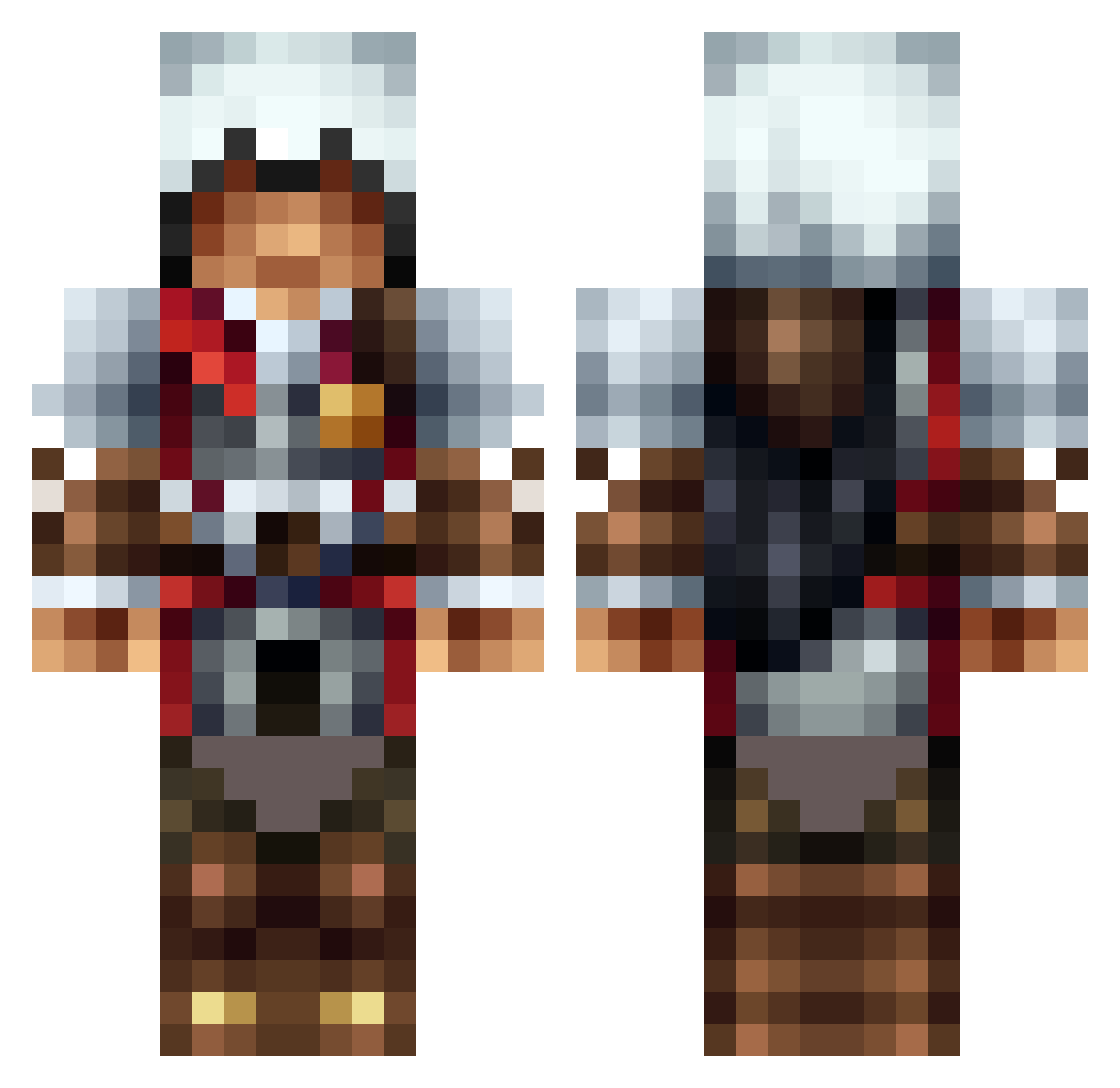
Current Minecraft skin of the player JL_Nipper, loaded from the official Mojang API. Rotate the 3D model with your mouse or finger, then download the skin as a PNG file and use it in Minecraft: Bedrock Edition or Java Edition for free. When JL_Nipper changes their skin, this page updates automatically and the old skin stays in the history below.
Other players with this skin (1309)
JL_Nipper was the 195th player we have seen with this skin, first spotted on 10.08.2026. The same skin was seen on these players. Open a nickname to see their current skin and skin history.
 Anima_edArmor GoldenWaffles12 madcow_mc alphabeta001 Braxle shadownight94 EpicMavrick Malfane9 Sektar_ BlindBoy13 Jakesauce gecko_12 Melonbrawler BKHavok NotCuriouzSimon SkyStar96 HenryLohne AliceBourne assassin1234 Samrob01 Swiftfox_9000 Flaquita JoshPlays16 THWKiel The_K_O Yellowcaek Sam_Alex maro536 Saketh70 TurboMoMo Conner_lee Droitt94 mrdawarrior Baylaust LordVaderYAH Koulis3303 Mikkel_CR madsgl123654 _TickleMyGooch_ KC_Gyp whitewolfkiller Conder8 Sausage___dude bentim2 Dlinnov Kimothy21 TheDrWilliams OostevenJoO mineraphdu05 Luo_bo2333 VirusGruss Setna19 ARGOLICSPRODIGY 3picMichikO_O Lunners serguei16 RiceOmelet realsteel544 nangsmate Archer776
More Altair Minecraft skins
How to install the JL_Nipper skin
- Press the Download button above to save the skin as a PNG file.
- Minecraft: Bedrock Edition (PE): open the Dressing Room from the main menu (or tap your character → Edit Character), go to Classic Skins → Owned, press the + (new skin) button, choose the downloaded PNG and pick the Classic (Steve) model. Works on PC and mobile; consoles cannot import custom skins.
- Minecraft: Java Edition: open the Minecraft Launcher, go to the Skins tab, click New Skin, load the PNG, pick the Classic (Steve) model and press Save & Use. You can also upload it at minecraft.net → Profile → Change Skin.
The skin does not show up after import - what should I do?
Restart Minecraft and open the Dressing Room again - imported skins sometimes appear only after a restart. Also make sure you selected the imported skin and picked the Classic (Steve) model.
Which model should I choose, Classic or Slim?
This skin is designed for the Classic (Steve) model. If you pick the wrong model, the arms of the skin will look stretched or squeezed.
Is the skin of JL_Nipper free to download?
Yes. Press Download, save the PNG file and use it in Minecraft: Bedrock Edition or Java Edition - no payment or registration needed. The skin also works on multiplayer servers and Realms.
More skins
Looking for more? Go back to all Minecraft skins and check the top skins of the week, month and all time, or find any player's skin by nickname.