
JJadez - Minecraft Skins & Skin History
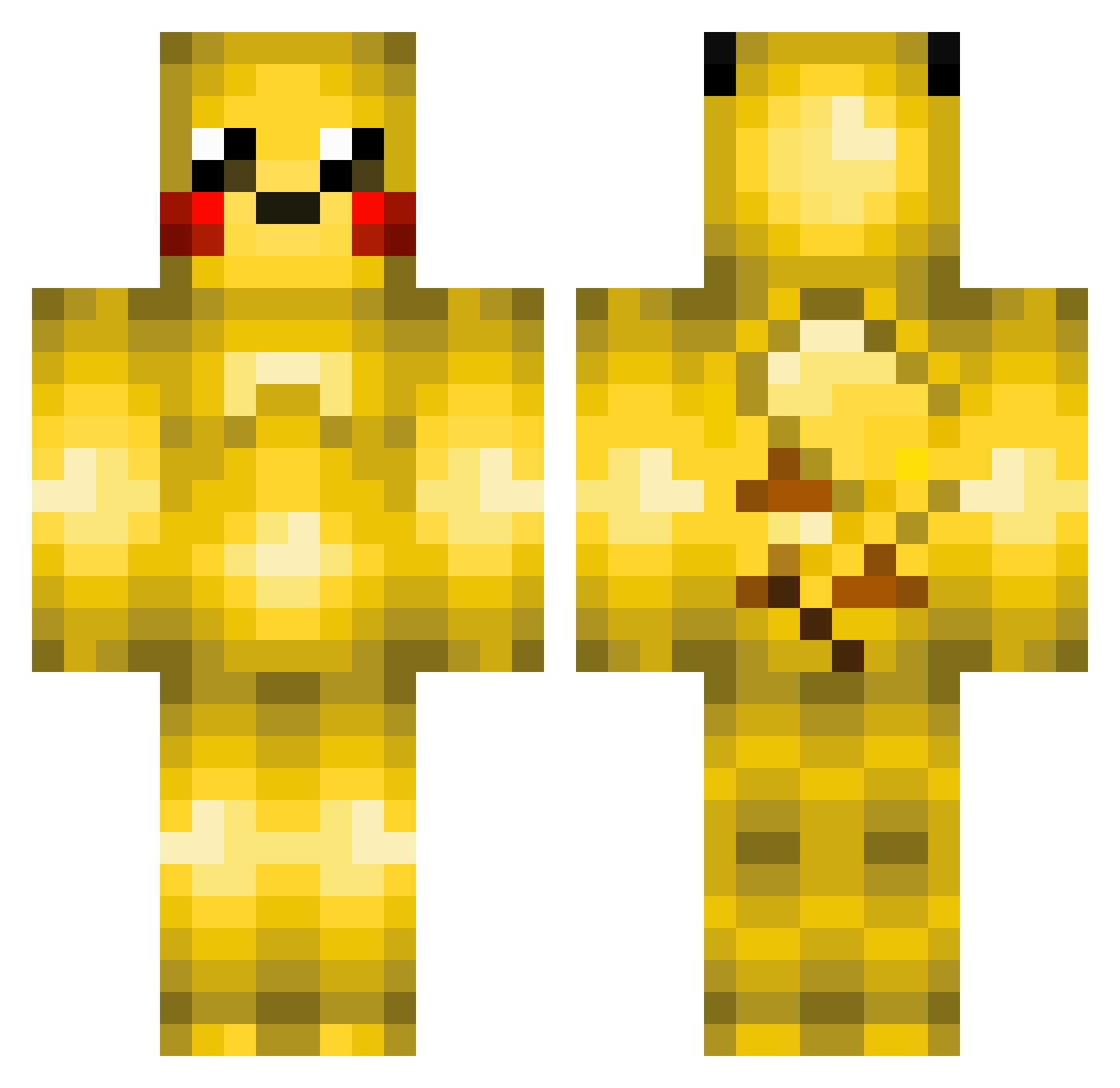
Current Minecraft skin of the player JJadez, loaded from the official Mojang API. Rotate the 3D model with your mouse or finger, then download the skin as a PNG file and use it in Minecraft: Bedrock Edition or Java Edition for free. When JJadez changes their skin, this page updates automatically and the old skin stays in the history below.
Other players with this skin (370)
JJadez was the 27th player we have seen with this skin, first spotted on 01.08.2026. The same skin was seen on these players. Open a nickname to see their current skin and skin history.
 drunkpenguin5 Terahype Ghosttitan1561 Mariana_Cardoso HAPPYPIKACHU123 zack9323 upuo730 Half_A_Nut dlanod08 AndrewBD Kapitein_Aap TimeyPlaysMC nick10960 timetoplay2003 Beyondmyst SebGeers illiasTR swampyjr101 GermanConverse DaDerp41602 Zombie_Pikachu Hisser111 jtwoodruff namaae Pixelbonze Pikmin1220 Lololukas Waterbe Vup Kasper_Meijer DuduB70 louix02 RamonaFae JR_GaMEBoY LittleWolf985 Volkai Pirlong BrickBreaker2o Cutiepiiie IRON_RY Pikachu2810 bluejony GoldPikachuFire brecht2002 FROSTYSTONESHOT potatery KoolAidPouch BigL646 jigsy1000 Swanson7891 Pikaaachu tacowithcheese99 Spydera miverdk MrsPineappleGirl Skeleboy05 ArlinVM Trevor_ktr Jessica_Linnea drewT9
More Pikachu Minecraft skins
How to install the JJadez skin
- Press the Download button above to save the skin as a PNG file.
- Minecraft: Bedrock Edition (PE): open the Dressing Room from the main menu (or tap your character → Edit Character), go to Classic Skins → Owned, press the + (new skin) button, choose the downloaded PNG and pick the Classic (Steve) model. Works on PC and mobile; consoles cannot import custom skins.
- Minecraft: Java Edition: open the Minecraft Launcher, go to the Skins tab, click New Skin, load the PNG, pick the Classic (Steve) model and press Save & Use. You can also upload it at minecraft.net → Profile → Change Skin.
The skin does not show up after import - what should I do?
Restart Minecraft and open the Dressing Room again - imported skins sometimes appear only after a restart. Also make sure you selected the imported skin and picked the Classic (Steve) model.
Which model should I choose, Classic or Slim?
This skin is designed for the Classic (Steve) model. If you pick the wrong model, the arms of the skin will look stretched or squeezed.
Is the skin of JJadez free to download?
Yes. Press Download, save the PNG file and use it in Minecraft: Bedrock Edition or Java Edition - no payment or registration needed. The skin also works on multiplayer servers and Realms.
More skins
Looking for more? Go back to all Minecraft skins and check the top skins of the week, month and all time, or find any player's skin by nickname.