
JJFads - Minecraft Skins & Skin History
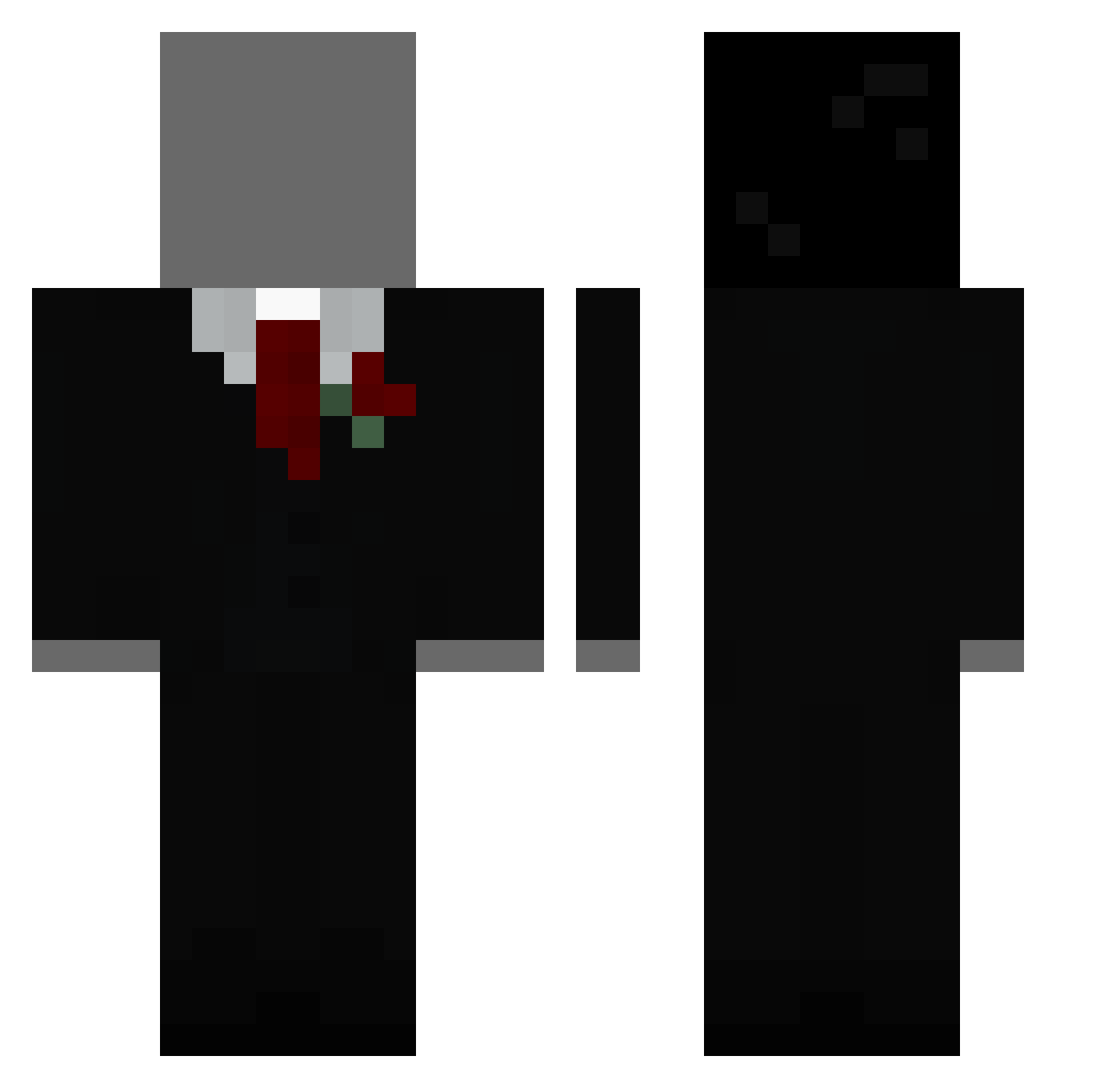
Current Minecraft skin of the player JJFads, loaded from the official Mojang API. Rotate the 3D model with your mouse or finger, then download the skin as a PNG file and use it in Minecraft: Bedrock Edition or Java Edition for free. When JJFads changes their skin, this page updates automatically and the old skin stays in the history below.
Other players with this skin (47)
JJFads was the 15th player we have seen with this skin, first spotted on 14.08.2026. The same skin was seen on these players. Open a nickname to see their current skin and skin history.
 maxy_ng Coutinhu qkrtkdgus12 HueLife17 StrandedOreo
 VGNDS_a_Titan Double_Dos chupeta23 Toyokawa mmsks neonion2863 Pingg123 handsome0424 pikseli12 MrDimeDroppa1324 xBubbleBass jasonFR GuhDom5 imaburger67429 ImNotCrisG Walysons hson_7
 jihan0310 Le_Kangoo_Roux RePOO7 baihao123 luck096564 Bubblenugget78 fedepe OmaUla SAINOU29 peumi Jini___ HokenBanan lickitalil guxta23 JJMonkey214 mudtry Mr_Clamage TheSillyToucher pi0tr3kkv GeilUndReich addamka11 FocusGear SPARK095 Miner12121 saulin787
More Slenderman Minecraft skins
How to install the JJFads skin
- Press the Download button above to save the skin as a PNG file.
- Minecraft: Bedrock Edition (PE): open the Dressing Room from the main menu (or tap your character → Edit Character), go to Classic Skins → Owned, press the + (new skin) button, choose the downloaded PNG and pick the Classic (Steve) model. Works on PC and mobile; consoles cannot import custom skins.
- Minecraft: Java Edition: open the Minecraft Launcher, go to the Skins tab, click New Skin, load the PNG, pick the Classic (Steve) model and press Save & Use. You can also upload it at minecraft.net → Profile → Change Skin.
The skin does not show up after import - what should I do?
Restart Minecraft and open the Dressing Room again - imported skins sometimes appear only after a restart. Also make sure you selected the imported skin and picked the Classic (Steve) model.
Which model should I choose, Classic or Slim?
This skin is designed for the Classic (Steve) model. If you pick the wrong model, the arms of the skin will look stretched or squeezed.
Is the skin of JJFads free to download?
Yes. Press Download, save the PNG file and use it in Minecraft: Bedrock Edition or Java Edition - no payment or registration needed. The skin also works on multiplayer servers and Realms.
More skins
Looking for more? Go back to all Minecraft skins and check the top skins of the week, month and all time, or find any player's skin by nickname.